GPU Cooling Showdown: Air Cooling vs Liquid Cooling — Which One Is Right for You
Introduction
Graphics cards keep getting hotter, and cooling choices keep multiplying. The contest between air cooling and liquid cooling is not a simple verdict about which one is better. It is a trade-off between cooling headroom, noise, installation complexity, maintenance work, and risk. The same card can behave very differently in different cases, at different room temperatures, and under different loads. Before choosing, it helps to understand how each cooling method is built, and then decide according to real use, case space, and willingness to maintain the system.
Temperature affects performance through thermal throttling, a protection mechanism. When temperature reaches a preset threshold, the system lowers clock speed and voltage to reduce heat and prevent damage, at the cost of performance. Throttling thresholds vary by model, so the specification of each individual model should be checked. The driver drops clock speed to prevent overheating. Observable signs of throttling generally include a sudden drop in frame rate or stuttering during gaming, together with clock speed and power draw falling at the same time. Throttling itself is a protection mechanism. The real risk is prolonged high temperature or cooling failure, not the throttling action itself.
Room temperature also affects cooling. Cooling speed depends on the temperature difference between the heatsink and the air. The higher the room temperature, the smaller the difference, and the lower the cooling efficiency. If the air inside the case has already been heated, the air delivered to the heatsink will be hotter than room air. In a warmer room, cooling headroom is compressed. In a humid environment, extra attention should be paid to ventilation, dust control, and the general risks of condensation and corrosion, subject to the actual environment and the manufacturer's guidance. Under the same card and the same load, fan speed and noise in a hot summer room are generally higher than in a cool room, because the system tries to maintain a similar core temperature. That is an inference, not a measured result.
How Air Cooling Works
The heat-transfer chain
The air-cooling heat-transfer chain is: GPU die, through the thermal interface, to a metal base plate or vapor chamber, then through heat pipes to the fins, then fans blow the heat away, and finally the case airflow exhausts it. If any link performs poorly — for example poor contact at the thermal interface, dust on the fins, or insufficient case exhaust — overall temperature can rise.
Axial-fan open-air design
Most consumer graphics cards today use an open-air axial design. The structure is two to three axial fans mounted on an exposed heatsink, with no sealed air duct. The fans blow case air downward through the fins, and hot air disperses back into the case from the sides, top, or bottom of the card. The advantage is that the heatsink can be made larger, fan speed can be lower, and the card is generally quieter. The disadvantage is that heat is dumped into the case, and the system depends on case fans to extract the hot air. Otherwise the hot air circulates inside the case, and the card ends up inhaling its own exhaust.
Blower design
A blower design uses a single centrifugal fan enclosed in a sealed plastic shroud. Air is guided through the heatsink and then exhausted directly out of the case through the rear input-output bracket outlet. The advantage is that heat is not dumped into the case, which suits small cases, cases with poor ventilation, and multi-card side-by-side installations, because hot air is not blown toward the neighbouring card. The disadvantage is that the heatsink is constrained, the fan is smaller, and a higher rotational speed is needed to move enough air, so it is generally louder, and temperatures are generally higher in a same-tier comparison.
Blower designs have largely left the consumer market. However, according to a Technize article, the workstation-oriented NVIDIA RTX PRO 6000 Blackwell Max-Q still uses a blower design, precisely because multi-card side-by-side installations do not blow hot air at each other. The Workstation Edition of the same series instead uses a dual-fan double-flow-through design, not a blower. A blower is not old or bad. It is a design trade-off aimed at specific scenarios.
Vapor chamber
A vapor chamber is a flat sealed cavity containing a working fluid. Through evaporation and condensation cycles, it spreads heat evenly from the die surface across a two-dimensional plane, and then hands the heat to the fins. The biggest difference from a heat pipe is that the vapor chamber spreads heat out, while the heat pipe carries heat directionally to another location. Vapor chambers suit high power density, space-constrained, and low-airflow situations. One thermal-management manufacturer has suggested that a vapor chamber is more suitable when heat flux density is above about 20 W/cm². That figure is a manufacturer and industry general claim, not a GPU-specific standard. Common sintered vapor chambers are about 2.5 to 4 mm thick. Ultra-thin versions can be thinner, but manufacturing cost rises. That is also a general claim.
In practice, the NVIDIA GeForce RTX 5090 Founders Edition uses a so-called 3D vapor chamber, connected to heat pipes that split to heatsinks on both sides, with a third heatsink group under the printed circuit board. The ASUS ROG Astral uses a patented vapor chamber with milled grooves that let heat pipes sit embedded without being flattened. The manufacturer claims cooling efficiency improves by more than 10%. That is a manufacturer claim, not independently verified.
Having a vapor chamber does not mean a design is necessarily better than a heat-pipe design. Implementation quality — including contact, fans, airflow, and the thermal interface — is the deciding factor.
Heat pipes
A heat pipe is a hollow sealed tube containing a working fluid. Through evaporation and condensation, it carries heat directionally from the heat source to distant fins, and it works even when the path is bent. Round tubes are generally about 3 to 6 mm in diameter and can be flattened to about 2 mm, but heat-transfer capability drops after flattening. That is a general claim. Another heatsink guide notes that high-end heatsinks use thicker 8 mm heat pipes to carry more heat. That is also a general claim.
Buying decisions should not rest on heat-pipe count or diameter alone. All else being equal, a thicker pipe is generally better, but in reality all else is never exactly equal. Whether six 6 mm pipes or four 8 mm pipes are better depends on the overall design. The official heat-pipe counts and diameters for the Astral, Suprim, and Waterforce models are unpublished details and are unverified. Pipe counts and millimetre figures for them have no reliable source.
Fin density
Denser fins mean a larger cooling surface area, and in theory higher cooling potential. But fins that are too dense block airflow, which can make performance worse, and they add weight. ASUS states that the fourth fan on the ROG Astral lets the heatsink fins be packed more densely, improving cooling potential, and related articles describe the fins as ultra-dense. That is a manufacturer claim. The official fin spacing or fins-per-inch figures for any model are unverified.
Backplate
A metal backplate, most often aluminium, contacts the printed circuit board through thermal pads and spreads some heat. It also provides structural rigidity, protects components on the back of the board, and prevents bending. The cooling effect of a backplate is disputed. Some guides treat the backplate as auxiliary cooling that reduces board hot spots. Other guides treat it as mainly protection and appearance, with only a slight direct effect on performance, and in individual cases it may even impede airflow. The effect depends on the design, and no definite temperature-drop figure is established.
On manufacturer claims, the MSI Suprim Liquid metal backplate has airflow vents and thermal pads that can strengthen cooling. The ASUS Astral full-metal die-cast frame, frame backplate, and rear input-output bracket provide rigid support for the board. The Gigabyte Waterforce has a protective metal backplate. The temperature reduction contributed by a backplate is unverified.
Thermal interface
Common thermal interfaces include conventional thermal paste, phase-change pads, and liquid metal. A phase-change pad melts when heated and fills the gap between the GPU and the cooling module, improving heat transfer. The ASUS ROG Astral air-cooled version uses a phase-change GPU thermal pad. The NVIDIA RTX 5090 Founders Edition uses liquid metal as its factory thermal interface. The Gigabyte Waterforce uses liquid metal thermal grease for the GPU plus server-grade thermal gel.
Liquid metal is electrically conductive, so construction and repair carry higher risk. This is a general reminder only; users are not encouraged to replace it themselves.
How Liquid Cooling Works
All-in-one liquid cooling and hybrid design
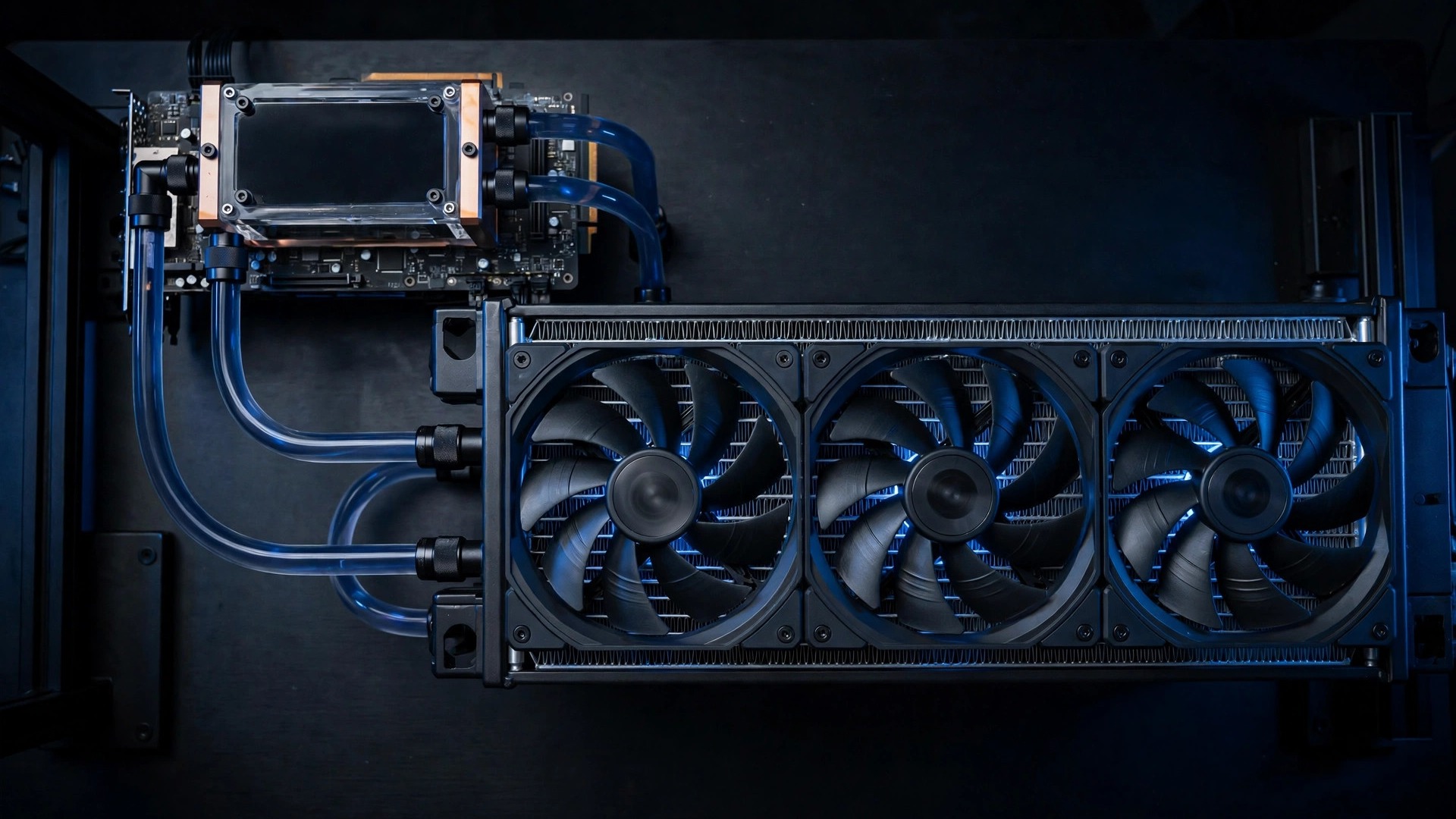
All-in-one liquid cooling is a sealed design. Its basic components are a cold plate, a pump, tubing, a radiator, and coolant. The cold plate sits against the GPU, the pump drives the coolant, the coolant flows through tubing to the radiator, the radiator fins and fans dissipate the heat, and the coolant returns to the cold plate, forming a sealed loop. The unit is pre-filled and sealed at the factory. The user does not need to fill it. Installation is relatively simple, but the radiator occupies a case fan slot.
Some GPU all-in-one designs are actually hybrid water-plus-air designs. The water block cools the GPU and the memory, while an on-card fan plus a low-profile heatsink cools the power-delivery components and other parts. The MSI Suprim Liquid and the ASUS Astral LC both belong to this category. They do not cool the whole card with water alone.
How to read radiator sizes
Radiator size is named by fan count multiplied by fan diameter. A 240 mm radiator means two 120 mm fans. A 360 mm radiator means three 120 mm fans. There are also 280 mm radiators with two 140 mm fans, and 420 mm radiators with three 140 mm fans.
Radiators with the same nominal 360 mm length can differ greatly in thickness. For example, the ASUS Astral LC radiator is a thickened 360 by 38 mm unit, while the Corsair Hydro X XR5 Neo 360 mm V2 radiator is a 30 mm slim unit. Before buying a case or assembling a system, length, thickness, and stacked fan thickness must all be checked together. Radiators are commonly aluminium, and all three GPU all-in-one examples covered here are labelled as aluminium radiators. Custom-loop radiators also offer options such as copper fins or brass water channels. Only the official labelling of each individual model should be cited, not a blanket claim.
Open custom loop
An open custom loop consists of a water block, a pump, a reservoir, a radiator, tubing, and fittings, all selected and assembled independently. It offers the highest cooling potential and freedom. It can cool the CPU and GPU together and can use multiple radiators. But it needs expertise, assembly time, leak testing, and regular maintenance, and its cost is the highest.
For a factory water-block example, the Gigabyte Waterforce WB version leaves the factory with a full-cover water block and patented leak detection, but it does not include a radiator, pump, or reservoir. It must be connected to a self-built custom loop before it can be used. Leak detection on the WB version does not mean the all-in-one W version has it too. Whether the all-in-one version has the same feature is unverified.
Immersion cooling
Immersion cooling submerges a whole server in non-conductive dielectric coolant, and the coolant carries heat away directly. In single-phase immersion, the coolant stays liquid and is pumped to a heat exchanger. In two-phase immersion, the coolant boils into vapour when heated and condenses back into liquid at a condenser. This is data-centre, high-performance-computing, and AI-cluster technology, not a retail cooling option for consumer desktop graphics cards. Two-phase coolant is mostly engineered fluorinated liquid containing PFAS, and it faces tightening regulation. Immersion is not a cooling solution that a typical player can buy.
Measured Performance: Temperature and Noise
A principle before any comparison
The figures below come from different reviewers and different test environments. The test conditions are not the same, so the numbers cannot be directly ranked or compared. The correct way to read them is to place each figure back into its own test conditions. When comparing two cards or two cooling methods, the test conditions must be consistent, including the same room-temperature environment, the same case and airflow, the same test software and settings, the same test duration, and the same measurement metrics. Otherwise the numbers have no comparative meaning.
Board power also needs to be understood correctly. Board power is how much heat a card generates, not how much heat a cooler can dissipate. There is no recognised general standard for how many watts air cooling or liquid cooling can handle. Only the official board power of each model is listed below. Board power is not cooling capability.
Official board power
The NVIDIA GeForce RTX 5090 reference and Founders Edition design has official board power of 575 W, with a recommended system power supply of 1000 W. The NVIDIA GeForce RTX 5080 has official board power of 360 W. The NVIDIA GeForce RTX 5070 Ti has official board power of 300 W. The NVIDIA GeForce RTX 5070 has official board power of 250 W.
The MSI RTX 5090 Suprim Liquid SOC has official board power of 600 W in Gaming mode and 575 W in Silent mode. The MSI RTX 5090 Suprim Liquid OC, the non-SOC version, has official board power of 575 W.
The board power of the ASUS ROG Astral air-cooled version, the Astral LC liquid-cooled version, and the Gigabyte Waterforce all-in-one version is unverified. The checked official summaries only list a recommended power supply of 1000 W and do not list board power, so 575 W should not be assumed for them.
Measured temperatures from individual reviewers
For the NVIDIA RTX 5090 Founders Edition, Signal65 measured a peak of about 75°C on an open test bench, with average power draw of about 550 W and no observable thermal throttling. That is a figure measured by Signal65 in its own test environment and applies only to that reviewer's test conditions.
For the MSI Suprim Liquid SOC, CGMagazine measured about 65°C at full load, with GDDR7 memory below 74°C, in Gaming mode during long gaming sessions. In its own test, CGMagazine described full-load temperature as about 12°C lower than the Founders Edition. The test platform and room temperature were not fully disclosed in the checked summary.
The same model in TweakTown's test stayed only slightly above 60°C even in high ray-tracing games. That is a figure measured by TweakTown in its own test environment.
igor'sLAB tested the MSI Suprim Liquid SOC at an ambient temperature of 22°C. In Gaming mode, the highest memory temperatures in gaming and stress testing were about 67°C and 65°C respectively. Hotspot stress testing reached about 78.6°C. The 12V-2x6 connector reached a maximum of about 64.7°C in stress testing. In Silent mode, hotspot stress testing reached about 83.8°C, and the connector reached about 71.4°C.
For the MSI Suprim SOC air-cooled version, TweakTown found that temperature stayed below 65°C even when overclocked, with quiet or extremely quiet fans. In its own test, TweakTown described temperature as about 10°C lower than the Founders Edition. ITC measured the same air-cooled model at a maximum of 65°C in games, no more than 58°C in FurMark, and fan speed no higher than 1650 RPM. The game and FurMark tests were run under different conditions, so the two figures cannot be compared directly.
These figures come from different test conditions and should not be directly ranked against each other. Even when two figures look the same on the surface, the test software, test duration, room temperature, case, and fan settings behind them may differ.
Noise
Noise figures must also be read together with their conditions. A decibel figure without distance, microphone position, and load conditions cannot be compared.
On a manufacturer claim, the Founders Edition Double Flow Through design can handle up to 600 W, with noise of about 30 dBA. That is a manufacturer claim relayed through TweakTown, and the measurement distance was not disclosed.
For the MSI Suprim SOC air-cooled version, ITC measured fan speed no higher than 1650 RPM and noise no higher than 37 dB. The measurement distance and instruments were not disclosed.
As a qualitative principle, a larger fan can generally use a lower speed at the same airflow and tends to be quieter. Liquid-cooling radiator fans are generally larger than on-card fans, and the manufacturer says that helps low noise. But liquid cooling also has pump noise, and individual users have reported abnormal pump noise. That is an individual user report, not a general phenomenon.
For the MSI Suprim Liquid SOC, CGMagazine described pump noise as almost inaudible, in CGMagazine's own test environment. For the ASUS Astral, the manufacturer claims that fans can stop completely under non-heavy load to achieve silence. That is a manufacturer claim about a 0 dB mode.
Manufacturer claims
ASUS claims that the full-cover cold plate on the Astral LC improves cooling by up to 30% compared with pure air cooling. That is a manufacturer claim, with no disclosed test method, and it is not an independent measured conclusion. ASUS claims that the four-fan Astral design improves airflow and air pressure by up to 20%. That is a manufacturer claim, not independently verified. ASUS also claims that the Astral LC radiator has 50% more cooling area than the previous generation. That is a manufacturer claim, not independently verified. For the ASUS ROG Astral vapor chamber, the manufacturer claims cooling efficiency improves by more than 10%. That is a manufacturer claim, not independently verified. The above are all manufacturer claims, not independent measured conclusions.
Buying Decisions by Use Case
General principle
The difference between air cooling and liquid cooling is not which one is necessarily better. It is a trade-off between cooling headroom, noise, installation complexity, maintenance, and risk. The general advantage of liquid cooling is that coolant transfers heat more efficiently than air, can maintain lower temperature and more stable sustained performance, and supports higher sustained power draw and overclocking headroom. The general advantage of air cooling is that installation and maintenance are simple, no extra cooling infrastructure is needed, and faulty parts are easier to replace.
The general disadvantage of liquid cooling is that it needs extra parts such as coolant distribution, a pump, a reservoir, and tubing. Maintenance includes monitoring coolant level, checking for leaks, and replacing coolant regularly. But modern sealed liquid cooling has reduced maintenance complexity and leak risk. The directional principles above come from a data-centre context, but the direction applies to home decisions. Data-centre energy-efficiency or rack figures should not be copied over.
Home GPU liquid cooling has three common forms, and they must not be conflated. The first is a factory hybrid or all-in-one liquid-cooled card, with liquid cooling installed at the factory. The second is an aftermarket water block plus a self-built loop. The third point needs care: a CPU all-in-one is not a GPU all-in-one. One forum discussion notes that GPU-specific all-in-one kits are fewer, and cooling a CPU and GPU together usually requires a self-built loop. That is a forum claim.
Gamers
Most gaming loads are intermittent high loads, not full speed for 24 hours. Factory air cooling in a well-ventilated case is generally enough to maintain a safe temperature range. The main return from liquid cooling is lower noise and larger cooling headroom, not that air cooling cannot run games. The above is a guide-suggested direction and is unverified. The deciding factors are case ventilation, the GPU power tier, and noise tolerance.
The cooling effect of liquid cooling on memory and power-delivery components depends on the water-block design. One guide notes that a water block covering the GPU plus memory chips is generally more favourable for memory and power-delivery temperatures, but air cooling also has models that achieve this, so each individual model must be discussed on its own. The above is a guide-suggested direction and is unverified.
AI training and sustained full load
AI workloads are characterised by sustained high load. GPU utilisation often stays high, with almost no natural cooling gaps, so the cooling system must be able to run at full speed for a long time. For AI, sustained cooling performance matters more than instant peak performance. The above is a guide-suggested direction and is unverified. Another guide notes that high-power AI workstations differ from general gaming computers, run near full speed for a long time, and need targeted cooling strategies. Lowering the power limit and improving airflow can reduce heat and noise. The above is a guide-suggested direction and is unverified.
Data-centre-level conclusions do not apply directly to a home single card. For a home single-card AI user running at full load for a long time, the priorities are cooling headroom, sustained temperature stability, case airflow, and ambient temperature, rather than only short benchmark temperatures. How much air cooling would throttle during AI training has no reliable figure.
Users who need quiet operation
If quiet operation is the top priority, liquid cooling generally has an advantage, because radiator fans can use a lower speed to achieve similar cooling. But the pump itself is also a noise source, and a poor-quality all-in-one or improper installation can cancel out the advantage. The above is a guide-suggested direction and is unverified.
Practical air-cooling quiet measures include improving case airflow, cleaning dust, using a sensible fan curve, and avoiding placing the card close to a side panel in a way that blocks intake. The above is a guide-suggested direction and is unverified. Liquid cooling should not be described as completely silent. It still has fans plus a pump.
Fan noise has another cause. An overly aggressive factory fan curve can make fan speed higher than actually needed. One guide suggests using a fan-curve tool to customise the fan curve, on the condition that the GPU is not allowed to overheat. The above is a guide-suggested direction and is unverified.
Noise types should be distinguished. Fan mechanical noise and coil whine are not the same. One forum discussion notes that coil whine is unrelated to bearings and is coil sound. A fan rubbing against a cable can also produce a similar noise. The above is forum discussion by individuals, not a general fact.
Small cases
A small-form-factor case has limited internal space and restricted airflow, so cooling planning and parts selection become critical. At the same time, radiator support is also limited by the case. It is not true that a small case must use liquid cooling. The above is a guide-suggested direction and is unverified.
One guide lists typical ranges for reference only, subject to each individual case manual. Small-form-factor cases support radiators of about 240 to 280 mm and GPUs of about 295 to 349 mm in length. Mid-towers support radiators of about 240 to 360 mm and GPUs of about 385 to 430 mm. The above is a guide-suggested typical range and is unverified.
Common small-case pitfalls include front radiators eating GPU length space. One guide notes that a 27 to 38 mm radiator plus a 25 mm fan can reduce usable GPU length by about 52 to 63 mm. The above is a guide-suggested direction and is unverified. Vertical installation that puts the card fan close to a solid glass side panel can block intake, raise temperature, and even trigger throttling. The above is a guide-suggested direction and is unverified. The PCIe riser generation must match the motherboard and card, or boot or signal problems can occur. The above is a guide-suggested direction and is unverified.
A small case is not an automatic win for liquid cooling. If the case has no radiator slot, quality air cooling plus good airflow may be more practical. If the case supports a radiator, liquid cooling can carry heat directly out of the case and reduce internal heat build-up, but radiator, fan, and tubing routing should be measured in advance.
Overclockers
Raising frequency and voltage increases power draw and heat. The higher the temperature, the smaller the sustainable frequency headroom. If cooling is insufficient, an overclocked card may throttle quickly, and average performance may be no better than without overclocking. The above is a guide-suggested direction and is unverified. Another guide notes that overclocking can adjust the temperature limit, and reaching the limit triggers automatic throttling. A more aggressive fan curve can lower temperature, but it will be louder. The above is a guide-suggested direction and is unverified.
One guide suggests doing a baseline test before overclocking, recording original frame rate, maximum temperature, and clock speed, then adjusting in small gradual steps and testing each time. The above is a guide-suggested direction and is unverified. No reliable figure exists for overclocking margins, no claim is made that liquid-cooling overclocking is faster by a certain percentage, and operation beyond manufacturer limits is not encouraged. Overclocking risk and warranty impact are subject to each manufacturer's policy.
Cost: relative relationships only
In a same-tier comparison, liquid cooling is generally more expensive than air cooling, because besides the card itself it involves extra parts and installation work, such as the radiator, pump or reservoir, fittings, tubing, coolant, and radiator fans. The above is a guide-suggested direction and is unverified. A self-built loop has the most parts and the highest complexity. An all-in-one or factory hybrid sits in between. Factory air cooling has the fewest extra parts and the simplest installation and maintenance. The above is a guide-suggested direction and is unverified.
In a data-centre context, air cooling generally has lower upfront investment and a more mature design. Liquid cooling has higher upfront investment and more complex maintenance. For home buying, only the direction on upfront investment and maintenance complexity is relevant. Data-centre energy-efficiency or rack figures do not apply.
On hidden costs, liquid cooling needs maintenance time and consumables, such as coolant and cleaning, plus repair and downtime costs if a leak or pump failure occurs. Air cooling needs dust cleaning and future fan or thermal-paste replacement maintenance. The above is a guide-suggested direction and is unverified.
On a value framework, if the bottleneck is case airflow or dust, improving airflow and cleaning may deliver a higher return than switching to liquid cooling. If the user has confirmed that cooling headroom is insufficient and noise is the main pain point, the return from liquid cooling is more likely to be visible. The above is a decision framework, not a measured result.
Installation and Case Compatibility
Card dimensions
Before buying a card, measure the maximum supported GPU length of the case, the number of expansion slots, and the space from the top of the card to the side panel, including the bend allowance for the power cable. A thick card can cover the neighbouring expansion slot and affect other expansion cards.
According to a Neoseeker review, the NVIDIA RTX 5090 Founders Edition measures 304 by 137 by 40 mm and is labelled as 2-slot. But the heatsink is actually about 61 mm thick, and NVIDIA recommends reserving space equivalent to three expansion slots, plus 36 mm of power-cable space. A 2-slot label does not mean installation needs only two slots of clearance.
According to ASUS official specifications, the ASUS ROG Astral air-cooled version measures 357.6 by 149.3 by 76 mm, uses a 3.8-slot large heatsink, recommends a 1000 W power supply, and uses one 16-pin power connector.
According to MSI official specifications, the MSI Suprim Liquid SOC card measures 280 by 148 by 51 mm, and its radiator measures 394 by 121 by 55 mm. The card weighs 2969 g, and the packaged weight is 4273 g. On slot count, the official listing only gives dimensions. Dimensions should be used rather than slot count, and the slot count is approximate only.
The Gigabyte Waterforce all-in-one version measures 245 by 146 by 36 mm, with tubing length of 460 mm, plus or minus 1.5%, a recommended power supply of 1000 W, and one 16-pin power connector. These dimensions come from retailer-specification reprints, not the official original text.
The Gigabyte Waterforce WB version measures 235 by 172 by 29 mm. Its slot count is unverified, so dimensions alone should be given. The above is a retailer-specification reprint.
For heavy air-cooled cards, such as the 3.8-slot Astral, the manufacturer includes a card support bracket. Heavy cards need support. The Astral weight is unverified.
Radiator installation
The radiator of an all-in-one GPU needs a case fan slot. A 360 mm radiator needs a case that supports a 360 mm radiator mounting position, usually at the top or front, with total space reserved for radiator thickness plus fan thickness.
On verified radiator dimensions, the MSI Suprim Liquid radiator is 394 by 121 by 55 mm, which is the total size including the fan assembly, as labelled by MSI. The ASUS Astral LC radiator is 360 mm long and 38 mm thick, excluding fan thickness. The Gigabyte Waterforce radiator is a 360 mm aluminium radiator, with thickness unverified.
Tubing length determines where the radiator can be installed. Tubing that is too short limits the radiator to a position close to the card. MSI tubing length has a source conflict. The MSI official specification page lists 450 mm, while another reviewer measured about 280 mm, with a diameter of 11.2 mm, and another retailer page also lists 280 mm. The two are inconsistent. Neither should be taken as settled fact alone. Gigabyte tubing is 460 mm, plus or minus 1.5%. ASUS Astral LC tubing length is unverified.
On the general principle of radiator orientation for all-in-one designs, the pump should not become the highest point of the loop and accumulate bubbles, which can cause the pump to run dry or make abnormal noise. The top of the radiator should be higher than the pump. The above is a general claim. The cited article concerns CPU all-in-one coolers, and the principle can be used as reference. The official installation guidance for GPU all-in-one designs is unverified, so the manufacturer's installation instructions should be followed.
Airflow effects
Open-air axial air cooling dumps heat into the case. The case must have enough intake plus exhaust, or the card will inhale its own exhaust and temperature will rise. A blower exhausts heat directly out of the case, has less effect on internal temperature, and suits small cases and multi-card installations.
For all-in-one liquid cooling, GPU heat is mainly exhausted by the radiator fans. If the radiator is mounted at the front intake, it blows warm air into the case. The GPU is cooler, and other parts inside the case are warmer. If the radiator is mounted at the top exhaust, it cools the radiator with warm case air. The GPU is slightly warmer, and overall case temperature is lower. The two are a trade-off, not one-sided. Which mounting method is better depends on case airflow and the cooling needs of other parts.
Power supply and power connectors
On power-supply wattage, the manufacturer's recommended power-supply wattage for that card model should be followed. Another model's figure does not apply. Overclocked or manufacturer-overclocked models may need higher wattage. The above is a guide-suggested direction and is unverified.
On a calculation framework, GPU board power plus CPU board power plus reserve for other parts plus a safety margin equals the recommended power-supply size. One guide suggests an extra reserve of about 20%, or 100 to 150 W, for transient peaks and future upgrade headroom. The above is a guide-suggested direction and is unverified, and no fixed figure is settled.
On power connectors, confirm which connector the card uses, including 8-pin PCIe, 12VHPWR, or 12V-2x6, and whether the power supply natively supports it or needs an adapter. A single 12VHPWR or 12V-2x6 connector can deliver up to 600 W. That is a specification value, and the actual figure is subject to the card and power-supply specifications.
On specification evolution, 12VHPWR first appeared in the ATX 3.0 specification. ATX 3.1 recommends that new power supplies install only 12V-2x6, and 12VHPWR should be phased out. The two must not be conflated.
On installation mistakes, 12VHPWR and 12V-2x6 connectors must be fully inserted and latched. One guide notes that the main cause of early problems was connectors not being fully inserted, and suggests reserving about 3 to 4 cm of straight distance after the connector before bending, to avoid a sharp bend at the connector. The above is a guide-suggested direction and is unverified. Another general principle is not to mix modular power-supply cables from different brands, because pin definitions may differ and hardware can be damaged. The above is a guide-suggested direction and is unverified. A loose connector is a known risk factor, and the manufacturer's instructions should be followed to confirm that it is latched and checked.
On cooling-headroom confirmation, idle temperature alone should not be used. Full-load temperature, fan speed, whether clock speed can be sustained, and whether case air is being repeatedly reheated should all be checked. The above is a guide-suggested direction and is unverified. On transient spikes, modern GPUs can show brief peaks above nominal values, and the power supply must be able to withstand them. Selection should follow manufacturer recommendations and power-supply quality, not nominal wattage alone. The above is a guide-suggested direction and is unverified.
Maintenance and Risk
Air-cooling dust cleaning
The general practice is to regularly use compressed air or a soft cloth to clear dust from fan blades, fins, and radiator surfaces, keeping airflow clear. Power off before cleaning. There is no universal standard for the cleaning cycle. Dust build-up speed depends on the environment, including how much dust there is, pet hair, whether dust filters are used, and where the case is placed. No manufacturer-published fixed cleaning cycle exists, and the cleaning cycle depends on the environment.
On observation indicators, temperature clearly higher than before, and fan speed and noise clearly higher than before, may be signals of dust build-up or thermal-interface ageing, but they can also have other causes, so they are not a diagnosis. The above is a general claim.
All-in-one pump life and coolant permeation
On pump life, one report relaying a manufacturer estimate says a pump can reach about 70,000 hours, about eight years. Another guide says an all-in-one overall can last about five to seven years, with individual units lasting longer or shorter. The above are estimates and general claims, not guarantees.
On coolant permeation, the sealed tubing of an all-in-one allows an extremely slight amount of coolant to slowly permeate out through micropores in the tube wall. After several years, air inside the loop increases, the pump may produce gurgling or abnormal noise, and cooling performance drops. An all-in-one generally cannot be refilled by the user, and the whole unit needs replacement at that point. The above is a general claim.
On an all-in-one performance-decline timeline, one guide's general claim is that the first three to four years are close to factory performance, four to six years may bring rising temperature and noise, and beyond six years there may be pump damage or throttling risk. That is a general claim that depends on brand and use environment, not any brand's warranty promise.
On all-in-one daily maintenance, the coolant is sealed and does not need replacement. Maintenance focuses on cleaning radiator and fan dust and watching for abnormal pump noise and temperature changes.
Custom-loop coolant replacement
The general guidance for custom loops is to check coolant level and replace coolant every six to twelve months, to prevent microbial growth and sediment blocking micro-fins. When replacing coolant, flush the radiator and check O-ring wear at the same time. Another guide suggests replacing coolant yearly to clear particle build-up. The above is general maintenance guidance and a general claim. The six-to-twelve-month coolant replacement interval applies only to custom loops. An all-in-one does not need and should not have its cover opened for a coolant change.
After a custom loop is assembled, a leak check should be done according to professional guidance, confirming no leak before powering on. The general principle is that handling by an experienced person is recommended, and no specific operating instructions are given here.
Leak risk
The leak probability percentage is unverified. No credible, public leak-probability statistics exist for all-in-one or custom-loop liquid cooling, and no reliable public percentage exists. Leakage is a low-frequency but high-impact risk, with no reliable public probability statistics. When buying, check whether the warranty terms cover leak damage, subject to the official terms.
In qualitative terms, media and guides generally describe all-in-one leaks as not common, and pump failure as a more common all-in-one fault than leakage. But once a leak occurs, the consequences can be serious, including short circuits and damaged parts. The above is a general description, not statistics. General forum opinion says that leakage is not common but does happen, with case sharing. Warranty may cover leak damage, but cleaning and remediation are troublesome. The above is general forum opinion.
On manufacturer design claims, MSI Suprim Liquid tubing is braided PVC that resists permeation and scratches. That is a manufacturer claim. The Gigabyte WB version has patented leak detection. That is a retailer-specification reprint. Whether the all-in-one version has the same feature is unverified.
As a general principle, an all-in-one is a sealed system, and leakage is rare under normal installation. But improper installation — for example over-bending tubing, over-tightening radiator screws so radiator channels deform, or loosening parts yourself — can increase leak risk. The above is a guide-suggested direction and is unverified.
On leak consequences, the general description is that if coolant drips for a long time and remains on the GPU or motherboard, it can cause corrosion and circuit damage. All-in-one coolant is generally labelled as non-conductive, but after contacting metal or dust it may become conductive. The above is a guide-suggested direction and is unverified.
On general prevention, the advice that can be given is: install according to instructions, avoid over-bending tubing, avoid damaging the radiator, do not disassemble an all-in-one yourself, consider an unpowered leak check before installation, and try to keep the pump position lower than the radiator to reduce bubbles staying in the pump. The above is a guide-suggested direction and is unverified.
On failure modes, a forum compilation notes that pump failure stops coolant flow and causes overheating. A micro-leak causes coolant loss and overheating. A larger leak drips onto other parts and may cause a short circuit. The above is a forum compilation and should be marked as individual experience.
Pump failure
Once a pump stops, coolant stops flowing, cooling fails, and temperature rises quickly. Unlike air cooling, liquid cooling has no equivalent fallback of passive cooling holding on after a fan failure. Temperature monitoring must be relied on to discover the problem promptly. The above is a forum claim.
Early signs that can be observed, as a general description rather than a diagnosis, include temperature gradually climbing under the same load, abnormal pump speed readings, and tubing that is hot on one side and cold on the other. The above is individual forum experience and should not be treated as a diagnostic method. Any abnormality should first stop high-load use, check temperature and wiring, and not continue full-load testing.
Modification and warranty
The core principle is that warranty policies differ by brand and region. Before modification, the official regional warranty terms for that product must be checked. The following are only general principles, not promises from any brand, and certainly not shop warranty terms.
One guide notes that Sapphire's official terms state that opening a card or removing the heatsink voids the limited warranty. Other brands have different rules, but damage caused during disassembly is generally not covered. One guide notes that Gigabyte's official terms state that using a standard desktop card for blockchain computation or cryptocurrency mining voids the warranty. Some manufacturers have similar limits in some regional policies. The above is a guide relaying individual brand terms.
On a split of opinion, one source says that replacing thermal paste does not void warranty as long as nothing is damaged. Another source says that removing the heatsink to replace thermal paste voids warranty. Both views exist. It depends on brand and regional policy, and official terms should be checked before modification. Neither view should be taken as settled fact alone.
As a general reminder, removing a heatsink can damage thermal pads — including loss, flattening, misalignment, or wrong thickness — bend heat pipes, scratch the cold plate, loosen screws, damage the GPU die or surrounding components, or pull fan cables. Such damage is generally not covered.
On second-hand cards, remaining warranty may not be transferable. For example, some terms from some brands apply only to the original buyer and require the original buyer's proof of purchase. It depends on brand terms; check the terms before buying second-hand.
On warranty terms, shop warranty details are available on enquiry, subject to the shop's published terms. Shop warranty years, certification standards, inspection items, charges, and covered-or-not promises are all subject to the shop's published terms.
Second-Hand Acceptance
Fan abnormal-noise checks
Observable abnormal sounds, as a general description, include friction, vibration, squeaking, and a fan that does not spin at all. These are signs that need further inspection. The above is a guide-suggested direction and is unverified. The general claim on bearing wear is that bearing wear is one common cause of fan noise, can appear on older cards, and can also appear early because of individual batch issues. The thorough solution is generally fan replacement. The above is a guide-suggested direction and is unverified.
On check methods, listen for abnormal sounds at different fan speeds. One forum experience notes that an individual fan only makes abnormal sound in a specific speed range, for example about 50% to 70%, and is not obvious at higher speeds, possibly because of resonance or bearing clearance at that speed. The above is forum experience. On visual checks, look for cracked, missing, or deformed blades, a loose fan, and cables touching blades. The above is a guide-suggested direction and is unverified.
Percentage statistics on second-hand card fan problems and average second-hand lifespan figures have no reliable source.
Thermal-paste and thermal-pad ageing signs
As a general principle, thermal paste fills micro-gaps between the GPU die and the heatsink and helps heat transfer. With thermal cycling and ageing, transfer efficiency drops, which can raise temperature, make fans louder, and even trigger throttling. The above is a guide-suggested direction and is unverified.
Observable indirect signs are not a diagnosis and can only be read as possibly reflecting an issue, including temperature clearly higher than when new under the same load, high idle temperature, and fans often running at high speed. The above is a guide-suggested direction and is unverified. Visual inspection after disassembly applies only when disassembly has been authorised or the warranty has expired. Dry, cracked, separated, or discoloured paste are observable conditions. The above is a guide-suggested direction and is unverified.
For thermal pads, the function is to provide a heat-transfer path for memory and power-delivery components. On check direction, use hardware monitoring tools to watch memory temperature. One guide suggests that if memory temperature stays at a very high level continuously, pad condition should be checked. The above is a guide-suggested direction and is unverified. A specific pad lifespan in years is unverified, because the year figures found belong to a single guide claim.
On thickness, replacement pads must use the correct thickness. Pads that are too thick or too thin can affect contact and cooling. Shaking during disassembly can shift or damage pads. The above is a guide-suggested direction and is unverified.
An important limit is that second-hand acceptance should not involve opening a card that is still in warranty just for acceptance. Removing a heatsink may affect warranty. Acceptance should focus on non-disassembly inspection plus temperature and noise testing. Disassembly should only happen when the warranty policy has been confirmed or authorisation has been obtained.
Dust and airflow checks
As a general principle, dust build-up blocks airflow, forcing fans to use a higher speed to maintain similar cooling, so noise and temperature rise together. The above is a guide-suggested direction and is unverified. On visual checks, look for dust blocking heatsink fins, dust on fan blades, a blocked case intake filter, and a blocked exhaust. The above is a guide-suggested direction and is unverified.
On general safe cleaning practice, after powering off and unplugging, use compressed air in short bursts to clear dust. When cleaning a fan, hold the blades gently by hand to avoid blowing the fan to overspeed. The above is a guide-suggested direction and is unverified. Keep a compressed-air can upright to avoid spraying propellant liquid. Do not use a vacuum cleaner directly on a card. The above is a guide-suggested direction and is unverified. Cleaning lowers temperature by no fixed number of degrees. The drop depends on how much dust there is, and there is no source figure.
Second-hand acceptance flow
Step one is appearance and fans. Visually check blades, heatsink, and backplate for obvious damage or deformation.
Step two is boot monitoring. Use GPU monitoring tools to record idle temperature, fan speed, and any abnormal sound.
Step three is full-load testing. Use stress testing or game testing with a consistent test duration, and record maximum GPU temperature, maximum hotspot temperature, maximum memory temperature, maximum fan speed, clock stability, and any visual artifacts or crashes.
Checks can only reduce risk. They cannot prove that a card has no problems. Passing the above checks does not mean the card is problem-free.
Temperature test methods
On stress testing, a stress-test tool is a free GPU stress-test tool that can push a card to high utilisation and expose instability that daily use may not trigger. The above is a guide-suggested direction and is unverified. A commonly suggested test duration is 20 to 30 minutes. Another guide uses 30 minutes without problems as a reference. The above is a guide-suggested direction and is unverified. Before testing, confirm that the card is recognised normally in Device Manager and that power-supply wattage meets manufacturer recommendations. The above is a guide-suggested direction and is unverified.
During testing, watch for visual artifacts, noise, flicker, crashes, blue screens, automatic shutdowns, and whether temperature keeps climbing. The above is a guide-suggested direction and is unverified. On temperature references, these are only guide claims, not hard pass lines. One guide says a healthy GPU in testing generally stays around 60 to 85°C. Another guide says a non-overclocked GPU exceeding 90 to 95°C in testing should have its cooling checked. The above is a guide-suggested direction and is unverified.
On safety, stress testing is an extreme load, and someone should monitor temperature during testing. If temperature keeps climbing abnormally or instability appears, stop immediately and do not force the full duration.
On game testing, use actual commonly used games or benchmarks, with the same scene, same quality settings, and same test duration, to record temperature and frame rate. A GPU monitoring tool can record maximum temperature, and a hardware monitoring tool can record multiple sensors. The above is a guide-suggested direction and is unverified.
On monitoring tools and metrics, the Sensors tab of a GPU monitoring tool can show GPU temperature and Hot Spot. Hot Spot is generally higher than average GPU temperature and represents the hottest point of the die. A newer version of the GPU monitoring tool adds RTX 50 series Hot Spot monitoring and hottest memory-chip temperature display. A large gap between average core temperature and Hot Spot may reflect a problem with thermal-interface material or heatsink contact. The above is a guide-suggested direction and is unverified. A hardware monitoring tool can show GPU temperature, Hot Spot, memory temperature, fan speed in RPM, power draw, and clock speed at the same time. The above is a guide-suggested direction and is unverified. Windows Task Manager only shows core temperature, with no Hot Spot, memory temperature, or fan speed, and is only suitable for quick checks. The above is a guide-suggested direction and is unverified.
On acceptance records, record room temperature, test software and version, resolution and settings, test duration, maximum GPU temperature, maximum Hot Spot, maximum memory temperature, maximum fan speed, and any artifacts or crashes. An unrecorded claim of very cool or very quiet does not count as acceptance.
Fan bearings and life
Fan bearing life figures are nominal ranges for the general cooling-fan industry, not official rated values for any particular card fan. Fan-manufacturer data states that sleeve bearings last about 25,000 hours at 25°C. Two-ball bearings last about 50,000 hours at 25°C. The above is fan-manufacturer data, not GPU-specific.
Other compiled ranges state that sleeve bearings last about 20,000 to 30,000 hours, ball bearings about 50,000 to 70,000 hours, and hydraulic or rifle bearings about 40,000 to 60,000 hours. Actual life is affected by speed, load, ambient temperature, lubrication, and dust. The above is a general claim.
The bearing types and rated life of each model's fans are unverified. The checked official specifications do not disclose them.
As a general principle, sleeve bearings start quieter, but in high temperature or vertical installation, lubricating oil is more easily lost and life drops faster. Ball bearings are more heat-resistant and more stable at any installation angle, but initial noise is slightly higher. The above is a general claim.
Frequently Asked Questions
Is air cooling or liquid cooling cooler?
There is no general answer that can be directly compared across test conditions. In each reviewer's own test, an all-in-one liquid-cooled card and a high-end air-cooled card can both measure low temperatures, but the test conditions differ, so the figures cannot be directly ranked. When buying, look at individual models under the same conditions, and read the figures together with their test conditions, rather than only a single Celsius figure.
Does liquid cooling leak?
Leakage is a low-frequency but high-impact risk, with no reliable public probability statistics, and no reliable public percentage exists. Pump failure is a more common all-in-one fault than leakage, as a general description, not statistics. When buying, check whether warranty terms cover leak damage, subject to the official terms. Shop warranty details are available on enquiry, subject to the shop's published terms.
Is liquid cooling completely silent?
No. Liquid cooling still has fans plus a pump. Radiator fans can use a lower speed to achieve similar cooling, but the pump itself is also a noise source, and a poor-quality all-in-one or improper installation can cancel out the advantage. The above is a guide-suggested direction and is unverified.
How often should air cooling be dusted?
There is no universal standard for the cleaning cycle. It depends on the environment. Dust build-up speed depends on how much dust there is, pet hair, whether dust filters are used, and where the case is placed. Observation indicators include temperature clearly higher than before, and fan speed and noise clearly higher than before, which may be signals of dust build-up or thermal-interface ageing, but they can also have other causes, so they are not a diagnosis.
Does an all-in-one need a coolant change?
No. All-in-one coolant is sealed and does not need replacement. Maintenance focuses on cleaning radiator and fan dust and watching for abnormal pump noise and temperature changes. The six-to-twelve-month coolant replacement interval applies only to custom loops and should not be conflated.
Does replacing thermal paste affect warranty?
It depends on brand and regional policy. Both views exist. One source says that replacing thermal paste does not void warranty as long as nothing is damaged. Another source says that removing the heatsink to replace thermal paste voids warranty. Before modification or heatsink removal, the official regional warranty policy for that model must be checked, and proof of purchase should be kept. Shop warranty details are available on enquiry, subject to the shop's published terms.
What should be measured before buying a liquid-cooled card?
Measure the usable space inside the case and compare each item against the official dimension tables for the card and radiator, rather than judging by eye. Items to measure include GPU length, GPU thickness and slot usage, radiator size and mounting position, whether total radiator-plus-fan thickness conflicts with motherboard heatsinks or memory, case airflow, and tubing routing and the relative positions of the pump and radiator. The above is a guide-suggested direction and is unverified.
How should second-hand cooling be checked?
Acceptance should focus on non-disassembly inspection plus temperature and noise testing, including visual appearance and fan checks, boot monitoring of idle temperature and fan speed, and full-load testing recording maximum temperature, Hot Spot, memory temperature, fan speed, clock stability, and any visual artifacts or crashes. Disassembly should only happen when the warranty policy has been confirmed or authorisation has been obtained. Checks can only reduce risk. They cannot prove that a card has no problems.
What is the difference between the Suprim Liquid and the Suprim air-cooled version?
The model names differ by only the word Liquid, and they must not be confused. The Suprim version is air-cooled. The Suprim Liquid version is hybrid liquid-plus-air cooling. The Waterforce all-in-one version and the WB version must also be distinguished. The all-in-one version includes a 360 mm radiator. The WB version has only a water block and must be used with a self-built custom loop, with no radiator, pump, or reservoir included.
Are the cooling specifications of the RTX 5090D and 5090D V2 the same as the RTX 5090?
They should not be directly applied. The cooling solutions of the 5090D and 5090D V2 are unverified. When buying, they must be verified separately, and the cooling specifications of the 5090 should not be confused with the 5090D or 5090D V2.
Sources
- https://www.truegeometry.com/api/exploreHTML?query=GPU%20Design/Cooling
- https://www.technize.com/blog/gpu-fans-intake-or-exhaust/
- https://www.howtogeek.com/365215/whats-the-difference-between-a-blower-and-an-open-air-gpu-cooler/
- https://forums.tomshardware.com/threads/open-air-vs-blower-gpu.3283559/
- https://www.awind-thermal.com/showroom/heat-pipe-design-material-heat-sink-for-industry.html
- https://www.electronics-cooling.com/2021/06/heat-pipes-and-vapor-chambers-useful-guidelines-for-heat-sink-implementation/
- https://www.tweaktown.com/reviews/10956/nvidia-geforce-rtx-5090-founders-edition/index.html
- https://www.storagereview.com/review/nvidia-geforce-rtx-5090-review-pushing-boundaries-with-ai-acceleration
- https://www.guru3d.com/review/review-asus-rog-geforce-rtx-5090-astral-oc-gaming/page-33/
- https://rog.asus.com/de/graphics-cards/graphics-cards/rog-astral/rog-astral-rtx5090-o32g-gaming/
- https://forums.tomshardware.com/threads/heat-pipe-efficiency-confusion.3723709/
- https://evezone.evetech.co.za/deep-dives/cpu-cooler-heat-pipes-needed/
- https://rog.asus.com/dk/articles/gaming-graphics-cards/air-vs-liquid-cooling-for-the-rtx-5090-are-aio-gpus-better/
- https://gametechreviewer.com/what-does-a-backplate-do-for-a-gpu-how-do-backplates-work/
- https://thetechylife.com/what-is-the-gpu-backplate-for/
- https://forums.tomshardware.com/threads/backplate-even-wroth-it.2232078/
- https://uk.msi.com/Graphics-Card/GeForce-RTX-5090-32G-SUPRIM-LIQUID-SOC
- https://shop.asus.com/us/rog/90yv0lwa-mvaa00-rog-astral-rtx5090-o32g-white.html
- https://www.gigabyte.com/th/Graphics-Card/GV-N5090AORUSX-W-32GD
- https://www.oreateai.com/blog/120mm-vs-240mm-liquid-cooling-decoding-the-radiator-size-debate/d2a237d89606ef96bd638968ce58ac5a
- https://evezone.evetech.co.za/build-lab/240mm-vs-360mm-radiator
- https://hyperpc.ae/company/blog/how-to-choose-a-watercooling/amp?srsltid=AfmBOoqElmEdZHfjISEcuiG5HJKKGWGvTrxD6-g49aD5KZ8mIG6OpQcV
- https://rog.asus.com/in/graphics-cards/graphics-cards/rog-astral/rog-astral-lc-rtx5090-32g-gaming/
- https://www.overclockers.co.uk/corsair-hydro-x-series-xr5-neo-360mm-v2-dual-fan-water-cooling-radiator/COO-CRS-06135.html
- https://www.gumtree.com/question-answers/does-water-cooling-require-water-changes-60998
- https://www.dracaena.io/post/how-to-maintain-your-water-cooling-system-for-long-lasting-performance
- https://www.singular.com.cy/gigabyte-rtx5090-aorus-xtreme-wf-wb-32gb-gddr7-hdmi-3xdp-gv-n5090aorusx-wb-32gd.html
- https://www.bigw.com.au/product/gigabyte-aorus-geforce-rtx-5090-xtreme-waterforce-wb-32g-2655-mhz-cuda-21760-28-gbps-gddr7-512-bit-psu-1000w-displayport-2-1b-3-hdmi-2-1b-1-gv-n5090aorusx-wb-32gd/p/9901015643
- https://www.gigabyte.com/az/Glossary/immersion-cooling
- https://www.reliabilityengine.com/insights/direct-to-chip-vs-immersion-cooling-navigating-the-liquid-transition
- https://energy-solutions.co/articles/sub/data-center-cooling-liquid-immersion-vs-air
- https://www.aicassindra.com/blogs/gpu/gpu_immersion.html
- https://www.guru3d.com/story/nvidia-announces-geforce-rtx-5080-and-5090/
- https://www.pcgamer.com/hardware/graphics-cards/nvidia-rtx-5080-founders-edition-review
- https://www.msi.com/Graphics-Card/GeForce-RTX-5090-32G-SUPRIM-LIQUID-SOC/Specification
- https://www.msi.com/Graphics-Card/GeForce-RTX-5090-32G-SUPRIM-LIQUID-OC/Specification?%2FGraphics-Card%2FGeForce-RTX-5090-32G-SUPRIM-LIQUID-OC%2FSpecification
- https://rog.asus.com/ca-fr/graphics-cards/graphics-cards/rog-astral/rog-astral-rtx5090-32g-white/spec/
- https://www.cgmagonline.com/review/hardware/geforce-rtx-5090-suprim-liquid/
- https://www.tweaktown.com/reviews/10962/msi-geforce-rtx-5090-suprim-liquid-soc-4k-gaming-unleashed/index.html
- https://www.igorslab.de/en/msi-geforce-rtx-5090-suprim-liquid-x-test-when-you-dont-know-what-to-do-with-the-heat/7/
- https://www.igorslab.de/en/msi-geforce-rtx-5090-suprim-liquid-x-test-when-you-dont-know-what-to-do-with-the-heat/8/
- https://www.tweaktown.com/reviews/10957/msi-geforce-rtx-5090-suprim-soc-supreme-performance/index.html
- https://itc.ua/en/articles/msi-geforce-rtx-5090-32g-suprim-soc-video-card-review-the-cold-emperor-of-4k-gaming/amp/
- https://signal65.com/research/ai/nvidia-geforce-rtx-5090-founders-edition-performance-analysis/
- https://rog.asus.com/us/graphics-cards/graphics-cards/rog-astral/rog-astral-lc-rtx5090-32g-gaming/
- https://rog.asus.com/eg-en/graphics-cards/graphics-cards/rog-astral/rog-astral-rtx5090-o32g-white/spec/
- https://rog.asus.com/ca-fr/graphics-cards/graphics-cards/rog-astral/rog-astral-rtx5090-o32g-btf-gaming/spec/
- https://storage-asset.msi.com/datasheet/vga/us/GeForce-RTX-5090-32G-SUPRIM-LIQUID-SOC.pdf
- https://HotHardware.com/reviews/msi-geforce-rtx-5090-suprim-liquid-review
- https://www.abcshop-eg.com/en/shop/gv-n5090aorusx-w-32gd-aorus-geforce-rtxtm-5090-xtreme-waterforce-32g-2203?search=32+
- https://www.techlandbd.com/gigabyte-rtx-5090-xtreme-waterforce-graphics-card
- https://www.neoseeker.com/Articles/Hardware/Reviews/nvidia-rtx-5090-fe/
- https://www.titan-cd.com/en/faq/What-types-does-cooling-fan-bearing-have/fan-bearing-type.html
- https://www.bisheng168.com/news/industry-news/ball-bearing-fan-guide-bearing-types-lifespan-noise-and-selection.html
- https://www.slashgear.com/1888682/aio-cooler-computer-how-often-replace/
- https://uploads.strikinglycdn.com/files/0d7e7f4d-94f7-4925-958f-8a9e5c6061fd/50702659688.pdf
- https://diffsense.com/liquid-cooling-system-for-pc-why-most-people-are-still-scared-of-them-hkd
- https://evezone.evetech.co.za/deep-dives/aio-cooler-lifespan-permeation-pump-failure/
- https://vidque.com/does-open-loop-water-cooling-need-maintenance/
- https://www.fixgamingchannel.com/gpu-warranties-explained/
- https://help.bestware.com/hc/en-gb/articles/18256050367773-Warranty-notice-for-DIY-application-of-thermal-paste
- https://koolingmonster.com/insights/does-replacing-thermal-paste-on-gpu-void-warranty
- https://www.nicehash.com/blog/post/how-to-change-thermal-paste-on-a-gpu?lang=sl
- https://www.corsair.com/zh/fi/explorer/diy-builder/blogs/what-is-thermal-throttling/
- https://docs.nvidia.com/deeplearning/tensorrt/latest/performance/hw-sw-environment.html
- https://tech4gamers.com/thermal-throttling/
- https://massedcompute.com/faq-answers/?question=What+are+the+differences+between+air-cooled+and+liquid-cooled+data+center+GPUs%3F
- https://massedcompute.com/faq-answers/?question=What+are+the+trade-offs+between+air-cooled+and+liquid-cooled+systems+for+large-scale+GPU+data+centers%3F
- https://itfix.org.uk/water-cooling-vs-air-cooling-for-gpus-compared/
- https://hardwaredeals.co/guides/gpu-cooling-water-air/
- https://tonecooling.com/liquid-vs-air-cooling/
- https://www.technewstoday.com/aio-leak/
- https://forums.tomshardware.com/threads/how-do-aio-coolers-fail.3428298/
- https://forums.tomshardware.com/threads/aio-cooler-or-cpu-failing.3476372/
- https://forums.tomshardware.com/threads/warranty-questions-maintenance-radiator-size-how-many-case-how-do-you-know-if-an-aio-would-work-on-a-gpu-specifically-ones-available-at-best-buy.3792944/
- https://forums.tomshardware.com/threads/graphics-card-fan-makes-a-loud-rattling-noise.1776534/
- https://forums.tomshardware.com/threads/gpu-fans-are-making-a-new-weird-noise-not-the-usual-under-load.3750107/
- https://forums.tomshardware.com/threads/effects-of-room-temperature.361045/
- https://www.pchardwarepro.com/en/Perfect-ambient-temperature-and-RH-for-computers-and-data-centers/
- https://gobuzzle.com/does-replacing-thermal-paste-on-gpu-void-warranty-gigabyte/
- https://memstechtips.com/how-to-stress-test-graphics-card-for-errors/
- https://maketecheasier.com/stress-test-gpu-with-furmark/
- https://tipsmake.com/how-to-stress-test-gpu-with-furmark
- https://www.xda-developers.com/normal-gpu-temperature/
- https://pcmasterinsider.com/gpu-z-rtx-50-hotspot-temperature-monitoring/
- https://breakfixnow.com.sg/blog/pc/how-to-check-gpu-temperature-singapore/
- https://hone.gg/blog/check-gpu-temperature/
- https://www.esgamingpc.com/blog-your-guide-to-pc-case-compatibility-motherboards-gpus-coolers.html
- https://www.esgamingpc.com/blog-how-to-choose-a-pc-case-size-airflow-and-aesthetics-explained.html
- https://www.buyadvanced.com/best-mini-itx-pc-cases/
- https://smartbuy.alibaba.com/buyingguides/pc-case-itx
- https://en.wikipedia.org/wiki/12VHPWR
- https://www.newegg.com/insider/power-requirements-for-nvidia-geforce-rtx-30-series-gpus?mid1=PageSEO
- https://bottlesneckcalculator.com/rtx-50-series-power-supply/
- https://evezone.evetech.co.za/deep-dives/pcie-gen-5-12vhpwr-future-proof-build/
- https://evezone.evetech.co.za/build-lab/gpu-power-supply-requirements-nvidia-amd
- https://elyamamastore.com/blogs/monitors/gpu-power-consumption-guide-how-to-choose-the-right-graphics-card-and-psu
- https://vastionmachining.com/it/ai-hardware-thermal-management-best-practices-guide/
- https://vastionmachining.com/bn/how-to-choose-a-gpu-cooling-solution-for-ai-workloads-expert-guide/
- https://digitechbytes.com/troubleshooting-optimization/how-to-reduce-heat-and-noise-in-a-high-power-ai-workstation/
- https://mundobytes.com/en/Safe-GPU-and-memory-overclocking-with-MSI-Afterburner/
- https://www.tweaktown.com/guides/11458/gpu-overclocking-basics-in-windows-11-safe-performance-gains-without-the-guesswork/index.html
- https://www.flyriver.com/g/best-practices-for-gpu-overclocking
- https://graphicscardhub.com/gpu-fan-loud-fix/
- https://gpusolutions.net/wp-content/uploads/2026/05/GPU_Diagnostic_Guide_GPUSolutions.pdf
- https://www.makeuseof.com/next-thermal-paste-replacement-also-include-thing-most-people-ignore/
- https://desktopedge.net/how-to-replace-gpu-thermal-paste/
- https://nvidiadefect.com/the-role-of-thermal-paste-in-gpu-performance-application-and-replacement/
- https://voltapc.sg/gpu-thermal-paste-replacement/
- https://www.guiahardware.es/en/Thermal-pads-on-VRAM-and-VRM-are-worth-it./
- https://www.techbloat.com/?p=238238
- https://evezone.evetech.co.za/build-lab/keep-graphics-card-fans-quiet-maintenance/
- https://itfix.org.uk/cleaning-out-dust-from-your-computer/
- https://techpurs.com/clean-dust-from-gaming-pc-7-safe-steps-that-work/
- https://www.kryptex.com/ja/articles/gpu-maintenance-en
- https://www.alza.cz/EN/reviews/msi-geforce-rtx-5090-32g-suprim-liquid-soc-12781979.htm
- https://www.alibaba.com/product-insights/vapor-chamber-vs-heat-pipe-cooling-does-it-matter-for-mid-range-gaming-laptops.html
- https://manuals.plus/asin/B0BK45P2JT.pdf
- https://forums.tomshardware.com/threads/do-i-need-to-renew-water-cooling.3530564/
- http://gamemaxpc.com/cooler/5763.html
常見問題
相關文章
- 2026 香港顯示卡購買指南:5 步揀啱你嘅 GPU 2026-10-13
- RTX 5060 Ti 8GB vs 16GB:邊個值得買?AI 同打機點揀 2026-10-18
- RTX 5060 Ti 8GB vs 16GB: Which One Should You Buy? Gaming and AI Compared 2026-10-18
本文由 Display Card King Editorial 撰寫,報價數據來自 Display Card King 每日全港監測,只供參考。