GPU Upgrade Guide: From GTX 10 Series to RTX 50 Series — How to Upgrade for the Best Value
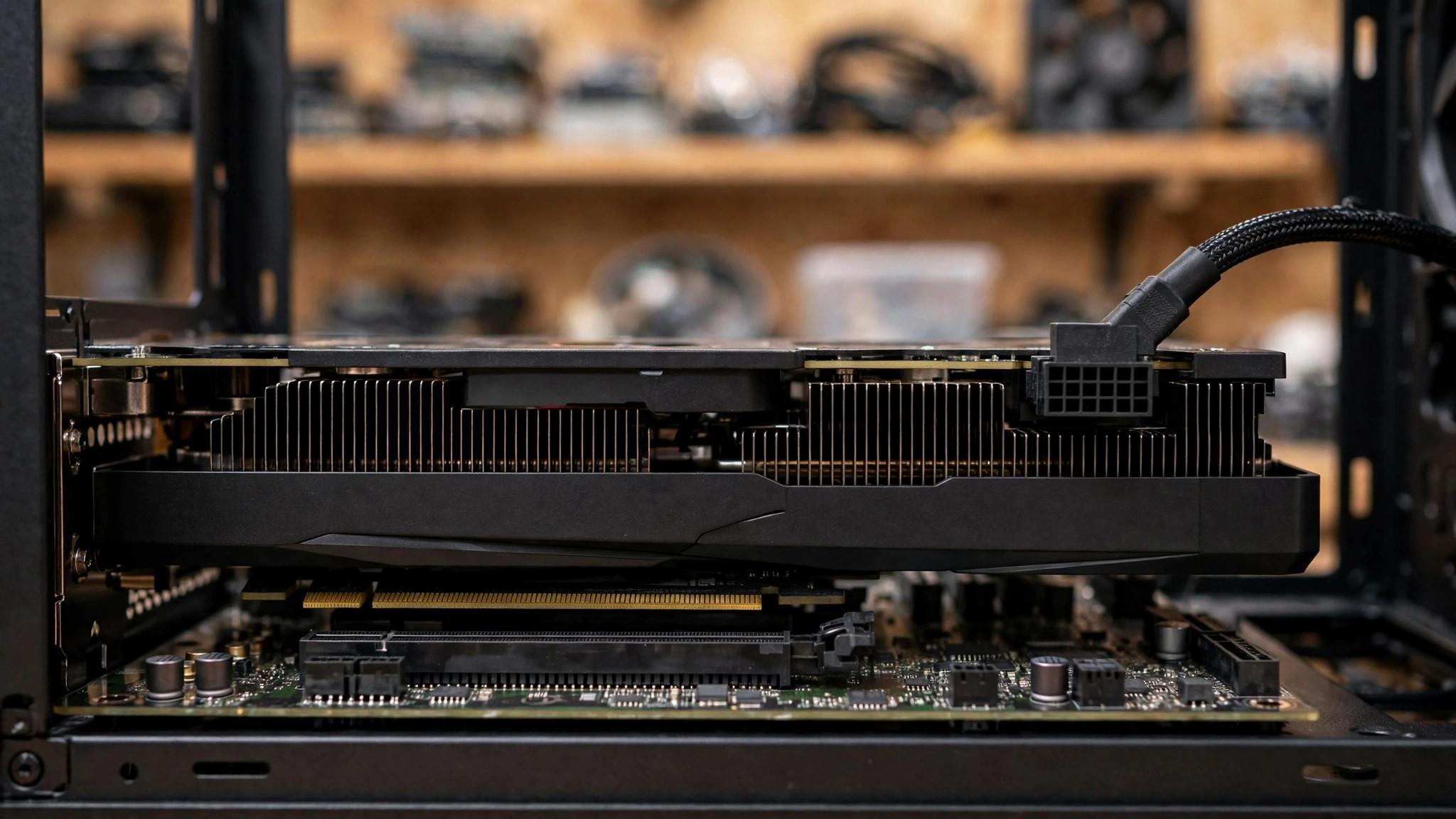
Still running a GTX 1060, an RTX 2060, or an RTX 3060, and wondering whether it is time to upgrade? The answer is not "buy the most expensive card." It starts with three questions: where exactly does the old card fall short today, what new capabilities does a new card add relative to the old one, and will the upgrade also require a new power supply, a new case, or even a new CPU? Across five generations, from Pascal to Blackwell, NVIDIA's changes go far beyond "how much faster" — they cover ray tracing, DLSS, encoders, driver support, and power connectors. Compare the five generations, the DLSS support matrix, and the bottleneck checks below, then decide by budget, by use case, and by existing platform. That is how an upgrade ends up being genuinely good value.
1. Five-Generation Architecture Comparison: Pascal to Blackwell
| Generation | Architecture | Launch year | Process | RT cores | Tensor cores | DLSS support | PCIe | NVENC |
|---|---|---|---|---|---|---|---|---|
| GTX 10 series | Pascal | 2016 | TSMC 16nm (GP107 / GP108 on Samsung 14nm) | None | None | No DLSS | Gen 3 | 6th gen |
| RTX 20 series | Turing | 2018 | TSMC 12nm FFN | 1st gen | 2nd gen | DLSS 1 / 2; DLSS 3.5 Ray Reconstruction also supported | Gen 3 | 7th gen |
| RTX 30 series | Ampere | 2020 | Samsung 8nm | 2nd gen | 3rd gen | DLSS 2; DLSS 3.5 Ray Reconstruction also supported | Gen 4 | 7th gen |
| RTX 40 series | Ada Lovelace | 2022 | TSMC 4N (5nm-class custom node) | 3rd gen | 4th gen | DLSS 3 (incl. Frame Generation) + DLSS 3.5; DLSS 4 Super Resolution / Ray Reconstruction / improved Frame Generation also apply | Gen 4 | 8th gen |
| RTX 50 series | Blackwell | 2025 (announced at CES 2025; 5090 / 5080 launched 30 January 2025) | TSMC custom 4N | 4th gen | 5th gen | DLSS 4 (incl. Multi Frame Generation) | Gen 5 | 9th gen |
Pascal: GTX 10 series (2016)
Pascal carries the GP10x codenames, and uses GDDR5 / GDDR5X memory — not GDDR6. This generation has no RT cores, so it does not support hardware ray tracing; it also has no Tensor cores, so it does not support DLSS. Desktop reference models (Founders / reference specifications) are as follows: GTX 1060 6GB, 1,280 CUDA cores, 6GB GDDR5, 192-bit, boost clock around 1,708 MHz, TGP around 120W; GTX 1070, 1,920 CUDA cores, 8GB GDDR5, 256-bit, boost clock around 1,683 MHz, TGP around 150W; GTX 1080, 2,560 CUDA cores, 8GB GDDR5X, 256-bit, boost clock around 1,733 MHz, TGP around 180W; GTX 1080 Ti, 3,584 CUDA cores, 11GB GDDR5X, 352-bit, boost clock around 1,582 MHz, TGP around 250W. Note that the GTX 1060 also came in a 3GB version with only 1,152 CUDA cores — both memory and core count were cut, so it is not the same card as the 6GB version. The GTX 1050 Ti sits lower still at 4GB GDDR5, 768 CUDA cores, and a 75W class. For suggested system power supplies, general guidance is around 400W for the 1060, around 500W for the 1070 / 1080, and around 600W for the 1080 Ti. These are reference values, not an official uniform standard, and AIB cards vary — always go by what the card manufacturer publishes.
In real-world use in 2026, the GTX 1060 6GB faces several compounding limits. Third-party reviews judge that even at 1080p, newer games are becoming increasingly demanding for it. NVIDIA ended Game Ready driver support for the Maxwell / Pascal / Volta architectures in October 2025; after that, only quarterly security updates are provided, through October 2028, with no further performance optimisation for new games. In October 2026, NVIDIA was still releasing security update drivers for these architectures. 6GB of VRAM is restrictive for new games in 2026, and there is no DLSS or ray tracing support. When VRAM runs out, users may see texture pop-in, severe stuttering, or even game crashes; if data has to be fetched through system memory once VRAM is exhausted, older cards are hit harder by PCIe 3.0 bandwidth limits. In AI image-model applications, one individual user's hands-on experience found that the bottleneck on a GTX 1060 6GB shifts from VRAM to system memory and storage speed, with tools such as ComfyUI actively offloading models to system memory — 32GB of system memory was described as "workable but tight," and 64GB as roomier. That is a single user's experience, not a general conclusion.
Turing: RTX 20 series (2018)
Turing carries the TU10x codenames, is built on TSMC 12nm FFN, and uses GDDR6 memory. This generation brought real-time hardware ray tracing to consumer GeForce cards for the first time, with 1st-generation RT cores and 2nd-generation Tensor cores. Desktop reference models are as follows: RTX 2060, 1,920 CUDA cores, 30 RT cores, 240 Tensor cores, 6GB GDDR6, 192-bit, TGP around 160W; RTX 2060 Super, 2,176 CUDA cores, 34 RT cores, 272 Tensor cores, 8GB GDDR6, 256-bit, TGP around 175W; RTX 2070, 2,304 CUDA cores, 36 RT cores, 288 Tensor cores, 8GB GDDR6, 256-bit, TGP around 175W; RTX 2070 Super, 2,560 CUDA cores, 40 RT cores, 320 Tensor cores, 8GB GDDR6, 256-bit, TGP around 215W; RTX 2080, 2,944 CUDA cores, 46 RT cores, 368 Tensor cores, 8GB GDDR6, 256-bit, TGP around 215W (Founders Edition 225W); RTX 2080 Super, 3,072 CUDA cores, 48 RT cores, 384 Tensor cores, 8GB GDDR6, 256-bit, TGP around 250W; RTX 2080 Ti, 4,352 CUDA cores, 68 RT cores, 544 Tensor cores, 11GB GDDR6, 352-bit, TGP around 250W (Founders Edition 260W).
The Super models launched in July 2019 and are not a new architecture. The RTX 2060 Super added cores on TU106, raised memory from 6GB to 8GB, and widened the bus from 192-bit to 256-bit; the RTX 2070 Super moved to TU104 — a cut-down version of the same GPU class as the RTX 2080 — rather than staying on TU106; the RTX 2080 Super received small core and memory-speed bumps. There was no RTX 2080 Ti Super. Keep the GTX 16 series separate: the GTX 1660 / 1660 Super / 1660 Ti / 1650 and related models belong to the Turing generation but have no RT cores, no Tensor cores, and no DLSS support — they are the same generation's "RTX features removed" product line, and a GTX 1660 is not an RTX 20 series card.
In 2026, the RTX 2060's 6GB of VRAM is a major limitation. Third-party analysis notes that many modern games already exceed that ceiling, which can cause texture streaming problems, performance drops, and lower image quality. The RTX 2060 supports DLSS but not DLSS 3 Frame Generation, and its first-generation RT cores deliver ray tracing performance clearly weaker than the 30 and 40 series — even at 1080p with ray tracing on, the performance drop is noticeable. A single online report from September 2026 described one RTX 2060 6GB card showing severe visual artefacts under DLSS / DLAA, with the community speculating about individual hardware Tensor core degradation. That is a single user case, unconfirmed as a general problem, and does not mean RTX 2060 cards commonly have DLSS artefacts.
Ampere: RTX 30 series (2020)
Ampere carries the GA10x codenames, is built on Samsung 8nm, and packs 2nd-generation RT cores and 3rd-generation Tensor cores, with SMs moving to 2x FP32. Memory is GDDR6 / GDDR6X, with GDDR6X on the higher-end models, and the generation added HDMI 2.1 and hardware AV1 decoding. Desktop reference models (NVIDIA official comparison page) are as follows: RTX 3050 8GB, 2,560 CUDA cores, 8GB GDDR6, 128-bit, boost around 1.78 GHz; RTX 3050 6GB, 2,304 CUDA cores, 6GB GDDR6, 96-bit, boost around 1.47 GHz; RTX 3060 12GB, 3,584 CUDA cores, 12GB GDDR6, 192-bit, boost around 1.78 GHz; RTX 3060 8GB, 3,584 CUDA cores, 8GB GDDR6, 128-bit, boost around 1.78 GHz; RTX 3060 Ti (GDDR6 / GDDR6X versions), 4,864 CUDA cores, 8GB GDDR6 or GDDR6X, 256-bit, boost around 1.67 GHz; RTX 3070, 5,888 CUDA cores, 8GB GDDR6, 256-bit, boost around 1.73 GHz; RTX 3070 Ti, 6,144 CUDA cores, 8GB GDDR6X, 256-bit, boost around 1.77 GHz; RTX 3080 10GB, 8,704 CUDA cores, 10GB GDDR6X, 320-bit, boost around 1.71 GHz; RTX 3080 12GB, 8,960 CUDA cores, 12GB GDDR6X, 384-bit, boost around 1.71 GHz; RTX 3080 Ti, 10,240 CUDA cores, 12GB GDDR6X, 384-bit, boost around 1.67 GHz; RTX 3090, 10,496 CUDA cores, 24GB GDDR6X, 384-bit, boost around 1.70 GHz; RTX 3090 Ti, 10,752 CUDA cores, 24GB GDDR6X, 384-bit, boost around 1.86 GHz.
Keep the variants apart: the 10GB and 12GB versions of the RTX 3080 differ in CUDA count, bus width, and memory, and are not the same card. The 12GB and 8GB versions of the RTX 3060 differ in bus width (192-bit versus 128-bit). Reference TGP figures are approximately: 3090 Ti 450W, 3090 350W, 3080 Ti 350W, 3080 320W, 3070 Ti 290W, 3070 220W, 3060 Ti 200W, 3060 170W — the figures above are approximate; go by what the manufacturer publishes. The RTX 30 series never had Super models. Rumours of an RTX 3080 Super / RTX 3070 Super circulated but the products were never released; the 30 series' uprated models were the Ti cards (3070 Ti / 3080 Ti / 3090 Ti) plus minor revisions such as the 3080 12GB and the 3060 Ti GDDR6X. There is no "RTX 3080 Super."
In practical use, the RTX 3060 12GB can still handle modern AAA games at high settings at 1080p; at 1440p it needs medium-to-high settings, the 12GB frame buffer helps, and the most demanding new games require lower settings or DLSS Quality mode. The RTX 3060 12GB can run CUDA applications, and 12GB of VRAM can accommodate medium-sized local language models and Stable Diffusion workloads — but generation speed is far below flagship cards, and this is not a guarantee that any specific model will run. The RTX 3060 supports DLSS 2 only, not DLSS 3 / DLSS 4 Frame Generation / Multi Frame Generation. The two differ: the RTX 3060 Ti has only 8GB of VRAM but a 256-bit bus and more cores, giving higher rasterisation performance than the RTX 3060 in most games — yet in texture-heavy 1440p scenes, 8GB of VRAM may force compromises. Third-party review observation puts 8GB of VRAM at 1440p in 2026 as "technically enough, but often close to the limit," with games such as Hogwarts Legacy, The Last of Us Part I, and Resident Evil 4 Remake able to exceed 8GB at maximum texture settings, causing stutter. That is one site's observation, not a rule for all games.
Ada Lovelace: RTX 40 series (2022)
Ada Lovelace carries the AD10x codenames, is built on TSMC 4N, and packs 3rd-generation RT cores (supporting concurrent ray tracing + shading + compute) and 4th-generation Tensor cores (supporting FP8 and more). Other architectural highlights include Shader Execution Reordering (developer-enabled), Dual NVENC on higher-end cards (AV1 encoding), a new-generation Optical Flow Accelerator (underpinning DLSS 3 Frame Generation), no NVLink, and DisplayPort 1.4a plus HDMI 2.1. Desktop reference models are as follows: RTX 4060, 3,072 CUDA cores, 8GB GDDR6, 128-bit, TGP 115W; RTX 4060 Ti 8GB, 4,352 CUDA cores, 8GB GDDR6, 128-bit, TGP 160W; RTX 4060 Ti 16GB, 4,352 CUDA cores, 16GB GDDR6, 128-bit, TGP 165W; RTX 4070, 5,888 CUDA cores, 12GB GDDR6X, 192-bit, TGP 200W; RTX 4070 Super, 7,168 CUDA cores, 12GB GDDR6X, 192-bit, TGP 220W; RTX 4070 Ti, 7,680 CUDA cores, 12GB GDDR6X, 192-bit, TGP 285W; RTX 4070 Ti Super, 8,448 CUDA cores, 16GB GDDR6X, 256-bit, TGP 285W; RTX 4080, 9,728 CUDA cores, 16GB GDDR6X, 256-bit, TGP 320W; RTX 4080 Super, 10,240 CUDA cores, 16GB GDDR6X, 256-bit, TGP 320W; RTX 4090, 16,384 CUDA cores, 24GB GDDR6X, 384-bit, TGP 450W; RTX 4090D (China-market compliant version), 14,592 CUDA cores, 24GB GDDR6X, 384-bit, TGP 425W.
Note that the RTX 4080 12GB was once announced and then "unlaunched" by NVIDIA, ultimately reaching the market as the RTX 4070 Ti (7,680 CUDA cores, 12GB) — "RTX 4080 12GB" is not a retail model. The RTX 4070 also has a later GDDR6 variant (August 2024, described by NVIDIA as improving supply; all other specifications identical, memory changed from GDDR6X to GDDR6 at 20 Gbps) — if mentioned, it is a later variant, distinct from the original. The Super models launched in January 2024: 4070 Super (7,168 CUDA cores, 12GB), 4070 Ti Super (8,448 CUDA cores, 16GB — a memory upgrade over the 4070 Ti's 12GB), and 4080 Super (10,240 CUDA cores, 16GB). Super is not a new architecture — these are still Ada. There is no RTX 4060 Super and no RTX 4090 Super. For suggested system power supplies, general guidance is around 700W for the 4070 Ti, around 650W for the 4070, around 550W for the 4060 Ti, and around 550W for the 4060 (some AIB cards list 500W) — general guidance; go by what the card manufacturer publishes. For the 4090, 4070 Super, 4070 Ti Super, and 4080 Super, go by the individual card manufacturer's announcement.
Blackwell: RTX 50 series (2025)
Blackwell carries the GB20x codenames and is built on TSMC custom 4N. A clarification on 4NP: the claim that GB202 uses TSMC 4NP traces to a leaker relayed in press coverage, and NVIDIA's official "Blackwell 208 billion transistors, 4NP" statement refers to the data-centre Blackwell — it does not apply directly to the GeForce RTX 50 series. The GeForce RTX 50 series uses TSMC custom 4N; "4NP" refers to the data-centre Blackwell or is rumour. The 50 series packs 4th-generation RT cores and 5th-generation Tensor cores (supporting FP4 inference), plus RTX Neural Shaders, Reflex 2, DisplayPort 2.1b (some sources write DP 2.1b; the version depends on the individual card's announcement), 9th-generation NVENC / 6th-generation NVDEC, and GDDR7.
Desktop reference models are as follows: RTX 5050, 2,560 CUDA cores, 8GB GDDR6 (note: the 5050 uses GDDR6, not GDDR7), 128-bit, TGP 130W, suggested system power 550W; RTX 5060, 3,840 CUDA cores, 8GB GDDR7, 128-bit, TGP 145W (unverified — go by the manufacturer); RTX 5060 Ti 8GB, 4,608 CUDA cores, 8GB GDDR7, 128-bit, TGP 180W, suggested system power per the individual card manufacturer's announcement; RTX 5060 Ti 16GB, 4,608 CUDA cores, 16GB GDDR7, 128-bit, TGP 180W, suggested system power per the individual card manufacturer's announcement; RTX 5070, 6,144 CUDA cores, 12GB GDDR7, 192-bit, TGP 250W, suggested system power 650W; RTX 5070 Ti, 8,960 CUDA cores, 16GB GDDR7, 256-bit, TGP 300W, suggested system power 750W; RTX 5080, 10,752 CUDA cores, 16GB GDDR7, 256-bit, TGP 360W, suggested system power 850W; RTX 5090, 21,760 CUDA cores, 32GB GDDR7, 512-bit, TGP 575W, suggested system power 1,000W.
On the launch timeline, the RTX 5090 and RTX 5080 launched on 30 January 2025, the RTX 5070 Ti on 20 February 2025, the RTX 5070 in early March 2025, the RTX 5060 Ti on 16 April 2025, the RTX 5060 on 19 May 2025, and the RTX 5050 on 1 July 2025. The 50 series rolled out rapidly in the first half of 2025, from the January flagships to the July entry-level model, with the full line on sale within half a year. As of writing, NVIDIA has not announced desktop Super models for the RTX 50 series. Talk of a "5080 24GB" (using 3GB GDDR7 modules) is rumour, unconfirmed by NVIDIA, and is not a released product.
2. DLSS Generation Support Matrix
DLSS is one of the biggest dividing lines in a cross-generation upgrade. Moving from a GTX 10 series card with no DLSS at all to an RTX 50 series card means going from "no DLSS whatsoever" to "DLSS 4 with Multi Frame Generation." But the details matter: keep straight which features work on which cards — "display frame rate with DLSS on" is not "native performance."
| DLSS feature | GTX 10 series | RTX 20 series | RTX 30 series | RTX 40 series | RTX 50 series |
|---|---|---|---|---|---|
| DLSS 1 (first-gen super resolution, per-game training) | ✗ | ✓ (launched with the 20 series, 2018–2019) | — (superseded by DLSS 2) | — | — |
| DLSS 2 Super Resolution (general temporal super resolution) | ✗ | ✓ | ✓ | ✓ | ✓ (continued via the DLSS 4 Super Resolution model) |
| DLSS 3 Frame Generation (generates 1 frame, 2x) | ✗ | ✗ (official) | ✗ (official) | ✓ | ✓ (DLSS 4 includes an improved Frame Generation) |
| DLSS 3.5 Ray Reconstruction (ray tracing denoising) | ✗ | ✓ | ✓ | ✓ | ✓ |
| DLSS 4 Super Resolution (Transformer model) | ✗ | ✓ (new model usable, but older cards carry higher overhead running the Transformer model) | ✓ | ✓ | ✓ |
| DLSS 4 Multi Frame Generation (MFG, generates up to 3 frames, 4x) | ✗ | ✗ (official) | ✗ (official) | ✗ (official) | ✓ (officially 50 series only) |
| DLAA | ✗ | ✓ | ✓ | ✓ | ✓ |
DLSS launched with the RTX 20 series in September 2018, initially supporting only a handful of games and requiring per-game training; DLSS 2 arrived in April 2020 (driver 445.75) with a general model that no longer needed per-game training. DLSS 3 Frame Generation launched in 2022 with the RTX 40 series: it uses the Optical Flow Accelerator to compute motion flow plus 4th-generation Tensor cores to run the AI network, generating intermediate frames. An NVIDIA spokesperson explained to PCWorld that older architectures are unsupported because the feature needs the 40 series' high-speed Optical Flow Accelerator plus 4th-generation Tensor cores, and that supporting older cards would require "further innovation and optimisation." DLSS Super Resolution plus Reflex continue to support older cards. DLSS 3.5 Ray Reconstruction launched in autumn 2023, replacing multiple hand-tuned denoisers with a single AI model to improve ray-traced image quality, and it supports all RTX cards — Ray Reconstruction is not "40 series only."
DLSS 4 launched at CES in January 2025 alongside the RTX 50 series, and includes the Transformer model (Super Resolution plus Ray Reconstruction), improved Frame Generation, and Multi Frame Generation (MFG). Official support is: MFG on RTX 50 series or newer only; Frame Generation (2x) on RTX 40 series or newer; Super Resolution plus Ray Reconstruction on all RTX cards. MFG generates up to 3 AI frames per 1 genuinely rendered frame (4x); the 50 series also has hardware Flip Metering to assist frame pacing. MFG does not raise the game's simulation rate (physics and input response still follow the genuine frames) — it only improves displayed smoothness, and latency needs Reflex to offset it.
Unofficial MFG mods circulating online claim to enable 3x / 4x MFG on 40 series cards. These are unofficial workarounds, not official features, and installing them is not recommended. Claims about DLSS 4.5 / DLSS 5 have not been verified against NVIDIA's official announcements and cannot serve as upgrade rationale.
Native performance and post-DLSS display frame rates are two different things
Any "X% faster" figure should be read with its source, the test resolution, the quality preset, the DLSS on/off state, and the number of games tested where the source states it. Where the source does not state these, treat it as "unverified." Figures from different sources with different test conditions should not be stitched into a single "ranking."
Sourced cross-generation comparisons, each with its conditions, are as follows. RTX 5090 versus RTX 4090 (native 4K raster, no DLSS): per TrendInTech citing Tom's Hardware, the 5090 averaged around 110.8 FPS against the 4090's around 89.1 FPS, a gap of around 24.4%; at 1440p the gap narrowed to around 13%; in CPU-limited games the gap could shrink to single digits or disappear. Ray tracing (no DLSS) at 4K: the 5090 at around 64.1 FPS versus the 4090 at around 52.2 FPS, an advantage of around 22.8%. Another relayed test synthesis from an unnamed source puts native raster uplift in the range of around 20–30%, with multiple independent measurements clustering at 20–30%, rather than the 40–50%+ figures in marketing comparisons. On power efficiency, the same relayed source calculated 5090 at around 575W versus 4090 at around 450W (around 28% more power for around 24% more native 4K frames), with frames per watt roughly similar or the 5090 slightly lower by 2–3%. That is the relayed source's calculation, not an official figure.
RTX 4090 versus RTX 5080 (native raster, per Tech-Insider citing the Tom's Hardware hierarchy): 1080p Ultra, 4090 around 183.6 FPS versus 5080 around 166.9 FPS (4090 ahead by around 10.0%); 1440p, 143.4 versus 128.3 (around 11.8% more); 4K, 89.1 versus 77.4 (around 15.1% more). The gap widens as resolution rises, which the source attributes to the 4090's 384-bit bus plus 1,008 GB/s bandwidth mattering more at 4K. The implication is important: "upgrading" from a 4090 to a 5080 may not improve native gaming performance — the 5080's advantages lie in DLSS 4 MFG, lower power draw, and newer features, not native raster. This is an important counter-intuitive fact.
In relative performance with the 5090 set at 100% (GameGPU 2025 year-end summary, 4K, relative values, test conditions not detailed): 5090 at 100%, 4090 at 73.0%, 5080 at 62.1%, 4080 Super at 56.1%, 4080 at 54.9%, 5070 Ti at 53.3%. 12GB VRAM cards generally sat below 40% (4070 Super 12GB at 36.1%, 3080 12GB at 35.7%, 3060 12GB at 16.6%).
RTX 5060 Ti versus RTX 4060 Ti: NVIDIA said the 5060 Ti is on average around 20% faster in native raster (relative to the 4060 Ti), and up to around 2x (display frame rate) under DLSS 4. RTX 4060 Ti versus RTX 3060 Ti: NVIDIA said the 4060 Ti is around 15% faster without DLSS 3, and up to around 70% (display frame rate) with DLSS 3 Frame Generation. Both are NVIDIA's official claims as reported — keep native versus DLSS separate.
NVIDIA's CES 2025 claim that the "RTX 5070 reaches RTX 4090 performance" needs unpacking: the claim was questioned because the figures depend on DLSS 4 super resolution plus MFG, not native performance. In other words, in games that support DLSS 4, the 5070's displayed frame rate after MFG can approach the 4090's displayed frame rate — but native raster performance is not equal. Vendor claims such as "a given model rivals a given flagship" or "up to 8x performance" are vendor benchmarks under specific DLSS conditions, and are not general frame-rate gains. For older cross-generation comparisons, such as GTX 1080 Ti versus RTX 2060 / 3060 / 4060 "how many percent faster," no unified test on the same platform, same games, and same quality settings was found for direct reading — conclusions such as "the 1080 Ti is roughly equal to the 3060" have no basis. If a comparison is needed, individual reviews with sources cited can be used, or qualitative description — for example, the 1080 Ti's native raster can still handle 1080p, but it has no DLSS or ray tracing.
When comparing two cards, the resolution, quality settings, DLSS on/off state, and game version need to match, or the numbers are meaningless. On resolution: 1080p (1,920×1,080, around 2.07 million pixels), 1440p (2,560×1,440, around 3.69 million pixels), 4K (3,840×2,160, around 8.29 million pixels). 4K has around 4 times the pixels of 1080p; 1440p has around 1.78 times.
3. Upgrade Decision Framework
3.1 By budget tier
Entry tier: the goal is to improve the 1080p gaming experience at the lowest threshold, or to restore playability from an old card that can no longer meet requirements. Key considerations: VRAM should not regress versus the old card, there should be current-generation DLSS / encoding support, and the power supply and case should not need major changes. No selling prices are stated here.
Mid tier: the goal is 1440p gaming, or gaming plus light AI / video editing. Key considerations: VRAM capacity (12GB or more is more reassuring), DLSS Frame Generation / Multi Frame Generation support, and the suggested power supply values.
High tier: the goal is 4K gaming, or heavier AI inference / training, or professional video editing. Key considerations: VRAM capacity (16GB or more), power and cooling budget, case length and slot occupancy, and display output specifications. "Most expensive is best" is not the conclusion — match the card to the use case.
Whether an upgrade is "good value" should be judged by comparing "the usable functional improvement of the new card over the old card" against "the associated upgrade costs (power supply, case, CPU, and so on)," not by comparing the card alone.
3.2 By use case
1080p gaming. The GTX 1060 6GB can still handle older games and esports titles, but new games need lower settings. The RTX 3060 12GB can still deliver playable frame rates at high settings in modern AAA games at 1080p. The main gains from upgrading to a current-generation entry / mid-range card lie in DLSS support, ray tracing performance, and driver support — not in raw raster frame rate alone.
1440p gaming. The RTX 3060 12GB needs medium-to-high settings at 1440p, with lower settings or DLSS for the most demanding new games. 8GB of VRAM can sit close to the limit at maximum texture settings at 1440p, causing stutter. When choosing a card, look at VRAM capacity and bus width together, not the VRAM figure alone: the trade-off between the RTX 3060 Ti (8GB / 256-bit) and the RTX 3060 (12GB / 192-bit) illustrates exactly this.
4K gaming. 4K demands the most of VRAM, bandwidth, and overall GPU performance; older cards (GTX 1060 / RTX 2060 / RTX 3060) were not designed for maximum settings at 4K. The 50 series flagship's official specifications — 32GB GDDR7, 575W TGP, suggested system power of 1,000W — show that a 4K flagship upgrade will usually involve power and cooling. DLSS Multi Frame Generation is limited to the RTX 50 series; in supported games it can improve displayed smoothness, but responsiveness and image quality depend on the underlying real rendered frame rate and the game's integration.
AI inference / training. VRAM is the decisive constraint for local LLM deployment; if a model does not fit in VRAM, performance drops sharply. The following are planning ranges from third-party guides, not guarantees: 7B–8B models, 8GB VRAM to start, 16GB more comfortable; 14B–32B models, 16–24GB VRAM; 70B models, 24GB+ VRAM plus 64GB of system memory (under 4-bit quantisation), or multi-GPU / server-grade hardware. For Stable Diffusion, the planning ranges are approximately: SD 1.x at 512×512 needs 6–8GB; SDXL at 1,024×1,024 needs 12–16GB; SDXL plus LoRA / light extension workflows needs 16–24GB; multiple ControlNets or parallel inference needs 24–48GB or more. All of these are "planning ranges, not fixed minimums" — they are not guarantees. Unverified performance figures such as "a given card runs a given model at so many tokens per second" are not listed.
Video editing. The RTX 50 series' 9th-generation NVENC, 4:2:2 support, and AV1 encoding are the main gains for an editing upgrade. NVIDIA said that in HEVC and AV1 encoding, BD-BR quality improves by around 5%; there is also an Ultra High Quality (UHQ) mode that can add a further around 5%, and UHQ is backward compatible with the RTX 40 series. The RTX 50 series fully supports HEVC 4:2:2 10-bit hardware encoding and decoding; third-party reports put this format's encoding speed at "up to 10x" versus the previous generation. "Up to 10x" is a third-party report's claim, not an official guarantee. Hardware AV1 encoding needs Ada (RTX 40 series) or newer; Pascal / Volta-era NVENC does not support AV1 encoding. Older cards (Pascal) have no hardware AV1 encoding; the RTX 40 series onward has hardware AV1 encoding. Editing upgrade decisions should weigh decoding (NVDEC) and encoding (NVENC) together, memory capacity (multi-track 4K / 8K footage), and whether the editing software supports the relevant hardware acceleration. Unverified multiples such as "a given card is so many times faster in Premiere / DaVinci" are not listed.
3.3 By existing platform
If the CPU is too weak, a new GPU may sit idle, creating a bottleneck; 1080p is more easily CPU-limited than higher resolutions. Before upgrading, check the motherboard PCIe x16 slot, whether the GPU's physical length fits the case, and the power supply wattage and connectors. Online bottleneck calculators are directional references only — important purchase decisions should be cross-checked against recent game benchmarks.
General principles for power supply selection: start from the graphics card manufacturer's suggested system wattage; if the CPU draws more than the reference system, raise the figure accordingly; reserve headroom for upgrades / overclocking / extra devices; and round up to common power supply sizes. Power supply wattage is a floor, not a target; keeping around 20–30% headroom helps cope with transient peaks (a third-party guide's general advice). The manufacturer's suggested power supply figure covers the whole system, not the graphics card alone.
4. Bottleneck Checks
4.1 CPU bottleneck
The principle is simple: the CPU handles game logic, physics, AI, draw calls, and similar work, and that workload barely changes with resolution; the GPU draws pixels, and its workload rises with resolution. With the same CPU + GPU pairing, 1080p may be CPU-limited (the GPU waiting on the CPU to feed it data), while 4K is usually GPU-limited (the CPU waiting on the GPU). There is no need to guess — use monitoring. GPU-limited (the healthy state): GPU utilisation at 95–100%, CPU utilisation clearly lower, and lowering resolution / quality raises frame rates. CPU-limited: GPU utilisation well below its cap (for example 60–70%), individual CPU cores already maxed out (even if overall CPU utilisation looks low), and lowering quality does not change frame rates.
One example from a single estimation tool, for understanding the principle only, not as a conclusion: per GamerKit's estimation model, a Ryzen 5 5600 paired with an RTX 4070 at 1080p is balanced (around a 3% CPU gap), while a Ryzen 5 3600 with the same card at 1080p shows around an 18% bottleneck, falling to around 9% at 4K. The upgrade implication: moving from a GTX 10 series card to a high-end RTX 40 / 50 series card while the CPU is still an older model (such as an older 4-core / 6-core i5 or Ryzen 1000 / 2000 class) will very likely leave the new card CPU-limited at 1080p high refresh rates, with its performance unused. "A new card is guaranteed to double speed" has no basis — confirm with monitoring first. At 1440p, load is usually more balanced; at 4K, the GPU is usually the main bottleneck, and the frame-rate return from a stronger CPU is smaller (unless the game itself is extremely CPU-heavy). A "bottleneck percentage" without an attached resolution is almost meaningless; the same pairing can be CPU-limited at 1080p and GPU-limited at 4K.
How resolution affects upgrade benefit: at 1080p (1,920×1,080), the GPU's per-frame pixel workload is smallest and CPU bottlenecks appear most easily; high-refresh (144Hz / 240Hz+) competitive games depend heavily on the CPU. Upgrading from an old card to a high-end new card may deliver less than expected at 1080p, because the CPU caps performance. At 1440p (2,560×1,440), the situation is generally seen as the balanced point; GPU load is clearly higher than at 1080p, and the CPU still affects minimum frame rates / smoothness. At 4K (3,840×2,160), the GPU is usually the main bottleneck; the frame-rate return from a stronger CPU is smaller; and the importance of VRAM plus bandwidth rises. For 1080p 60Hz general players, the upgrade focus is "smooth enough, plus whether there is DLSS" — no need to buy a flagship; for 1080p high-refresh competitive play, the CPU and GPU need to be considered together, and a GPU-only swap may not solve the problem; 1440p is the mainstream upgrade sweet spot, with the 12–16GB VRAM class more stable; for 4K, VRAM (16GB+) plus bandwidth plus native performance matter most, DLSS super resolution is recommended in most cases, and MFG is 50 series only. The choice depends on the game / quality / budget — "4K requires a 5090" is not a rule.
4.2 PCIe generation
Bandwidth (one-way, x16): PCIe 3.0 around 16 GB/s, 4.0 around 32 GB/s, 5.0 around 64 GB/s — bandwidth doubles each generation. PCIe is backward compatible: a new card can be installed in an old slot and will run at the old slot's speed; an old card can also be installed in a new slot. For general gaming, per XDA reporting relaying tests from multiple review outlets, Gen 4 versus Gen 5 differs by around 2–3%, and Gen 3 versus Gen 4 / 5 is in single-digit percentages in most cases, reaching around 10% only in a few edge cases. This is per XDA reporting relaying tests from multiple review outlets (original tests not directly read), in general. Even a 4090-class high-end card does not fully use PCIe 4.0 bandwidth in general gaming (a relayed claim, original test not directly read).
The exception is an x8-electrical card plus PCIe 3.0 plus VRAM overflow. The RTX 4060 / 4060 Ti are physically x16 but electrically x8; the RTX 5060 Ti is also reported by secondary sources to be PCIe Gen 5 x8 (unverified). When VRAM does not overflow and a game is well written, x8 on PCIe 3.0 generally has a small effect; but when VRAM overflows and data must be swapped frequently with system RAM, the limited PCIe bandwidth amplifies the effect, and 1% Low frame rates can fall. Hardware Unboxed testing (as relayed by Tech4Gamers, original video / article not directly read, 1080p, individual games): the 4060 Ti on PCIe 3.0 was around 28% slower in CS:GO, around 4% in Spider-Man Remastered, around 6% in Hogwarts Legacy, around 10% in Watch Dogs: Legion, around 8% in F1 23, and around 19% in Far Cry 6.
The upgrade implication: using a PCIe 3.0 older motherboard and wanting to upgrade to an x8 card such as the 4060 Ti / 5060 Ti is not unusable, but three points deserve attention: choose a version with enough VRAM where possible (PCIe bottlenecks become more visible when VRAM overflows); individual competitive / older-engine games can show larger gaps on PCIe 3.0; and at higher resolutions (1440p and above) the gaps are generally smaller. Generation PCIe summary: Pascal Gen 3, Turing Gen 3, Ampere Gen 4, Ada Gen 4, Blackwell Gen 5. An older motherboard's PCIe 3.0 may slightly limit a new card's peak performance, but in general a PCIe x16 slot can already install it.
4.3 Power supply and power connectors
TGP (Total Graphics Power) is the graphics card's own total power rating, not whole-system power; the "suggested system power supply" is the whole-system PSU wattage suggested by NVIDIA / the manufacturer, which also accounts for the CPU and other hardware. TGP is not "how many watts of power supply you need" — keep the two separate. Representative TGP figures by generation: Pascal, 1060 6GB 120W, 1070 150W, 1080 180W, 1080 Ti 250W; Turing, 2060 160W, 2060 Super 175W, 2070 175W, 2070 Super 215W, 2080 215W, 2080 Super 250W, 2080 Ti 250W; Ampere, 3060 170W, 3060 Ti 200W, 3070 220W, 3070 Ti 290W, 3080 320W, 3080 Ti 350W, 3090 350W, 3090 Ti 450W; Ada, 4060 115W, 4060 Ti 160 / 165W, 4070 200W, 4070 Super 220W, 4070 Ti 285W, 4070 Ti Super 285W, 4080 / 4080 Super 320W, 4090 450W, 4090D 425W; Blackwell, 5050 130W, 5060 145W (unverified — go by the manufacturer), 5060 Ti 180W, 5070 250W, 5070 Ti 300W, 5080 360W, 5090 575W.
Suggested system power supplies (for reference only — always go by the individual card manufacturer's announcement): 5090 at 1,000W, 5080 at 850W, 5070 Ti at 750W, 5070 at 650W, 4070 Ti at 700W, 4070 at 650W, 4060 Ti / 4060 at around 550W. For the 4090, 4070 Super, 4070 Ti Super, 4080 Super, 5060, and 5060 Ti, unverified suggested system power figures are not listed — go by the individual card manufacturer's announcement in every case.
12VHPWR versus 12V-2x6 (16-pin power): 12VHPWR (PCIe 5.0 16-pin) first arrived with high-end RTX 40 series cards (4090 / 4080), with a single connector able to deliver up to around 600W. 12V-2x6 is the improved version of 12VHPWR: the form factor / layout is identical, but the sense pins are shorter and the conductive terminals longer (different sources disagree on the millimetre figures — no millimetre figures are listed here), with the aim of preventing a not-fully-seated connector from powering up. The two are backward compatible. In the early 12VHPWR melting incidents, investigation found incomplete insertion to be one of the main causes. NVIDIA subsequently introduced 12V-2x6 and said changes had been made. NVIDIA has said the improved connector on the RTX 50 series has resolved the issue — that is the manufacturer's claim.
However, there were still reports of RTX 5090 connector melting during 2025, including third-party cable cases, cases under undervolting plus a 100W-lower power cap that still melted, and individual tests recording high single-wire current. These are individual reports / relayed accounts, not official statistics; "the 5090 will definitely burn" and "fully resolved" are both unsupported — there are still individual reports, with no official conclusion on the cause. Practical advice (general safety advice, not official instruction): use a native ATX 3.1 PSU plus the 12V-2x6 cable supplied with that PSU (do not mix cables from other PSUs), make sure the connector is fully seated (no metal visible), avoid excessive bending near the connector, and inspect it regularly. Modifying / soldering is not recommended. DIY modifications (such as converting to multiple 8-pin groups) are invasive modifications requiring professional soldering, with independent verification still pending — DIY modifications are not recommended. On traditional 8-pin connectors: the GTX 10 / RTX 20 / RTX 30 series mostly used 6-pin / 8-pin PCIe, and some low-to-mid-range RTX 40 / 50 series AIB cards (such as some 4060 / 5060 Ti models) still use 8-pin. When upgrading to a high-end 40 / 50 series card, confirm whether the PSU has a native 16-pin cable or the card ships with an adapter cable, depending on the manufacturer. On transient power draw: high-end cards can spike above TGP momentarily, and the PSU needs headroom. This can only be stated qualitatively — no specific transient figures are listed.
4.4 Case dimensions
The RTX 5090 Founders Edition measures 304×137mm, 2-slot; the RTX 5070 Founders Edition measures 242×112mm, 2-slot. AIB custom cards vary in size, reaching 3–4 slots thick and longer. Before buying a card, measure the case (length plus slot thickness plus space below the card) — FE dimensions alone are not enough. Some AIB cards, even with a 2-slot bracket, have coolers that actually occupy 3 slots (using an individual RTX 4070 Ti model as an example) — that is an individual-model review observation, not a rule for all cards. Common traps in older-machine upgrades: a small case (mATX / ITX) plus a long / thick card; a hard drive cage / cabling blocking the card underneath; and inadequate airflow. General principle: before upgrading, measure the case's maximum GPU length, check whether a front radiator or hard drive rack will block the card, and confirm the number of slots the card occupies. On cooling: high-TGP cards need adequate intake / exhaust airflow in the case; "a new card is guaranteed to run hotter" is not a rule, because at the same performance level a new architecture is generally more efficient — but flagship TGP in absolute terms is higher (5090 at 575W versus 1080 Ti at 250W), so cooling demand is higher.
Driver and system support
Game Ready drivers for Maxwell / Pascal / Volta (including the GTX 10 series) ended in October 2025. After that, only quarterly security updates are provided, through October 2028. The implication: GTX 10 series cards will no longer receive new game optimisations, performance improvements, new features, or game-side bug fixes — only critical security updates. Turing / Ampere / Ada / Blackwell (RTX 20 series or newer) continue to receive Game Ready drivers (performance improvements, new features, bug fixes). NVIDIA's official comparison page also shows the GTX 10 series' Game Ready Drivers / Studio Drivers column as "—" (none), versus "Yes" for RTX 20 series or newer. Security update examples include GeForce Security Update Drivers 582.28 / 582.78, which patch vulnerabilities for Maxwell / Pascal / Volta with no game optimisation.
On Windows versions: for Windows 10 Game Ready drivers (RTX cards), NVIDIA extended Windows 10 Game Ready / Studio driver support to October 2026 (12 months beyond Windows 10's own end of support on 14 October 2025); the final full Game Ready driver was released in October 2026, and new drivers from November no longer include Windows 10. After that, quarterly security updates run through October 2029 (per TechSpot relaying NVIDIA). Windows 11 minimum requirements (Microsoft official) are: 1 GHz or faster, 2 or more cores, 64-bit compatible processor / SoC; 4GB+ RAM; 64GB+ storage; UEFI plus Secure Boot capable; TPM 2.0; DirectX 12 compatible graphics card plus WDDM 2.0 driver; 720p, 9-inch or larger display; Home edition first-time setup requires internet plus a Microsoft account.
The upgrade implication: older machines from the GTX 10 series era (such as 6th / 7th generation Intel, or Ryzen 1000 series) may well not be on Microsoft's Windows 11 supported CPU list, and may lack TPM 2.0 / UEFI settings. When upgrading from an old card to a new card, "a new card automatically gets the newest drivers / newest features" is not automatic — first confirm the OS plus CPU plus TPM. Readers should verify with Microsoft PC Health Check or the official lists. On DirectX: the GTX 10 series supports Direct3D 12.0 (Feature Level 12_1); the RTX 30 series onward supports Direct3D 12 Ultimate (Feature Level 12_2). On Resizable BAR: the RTX 30 series or newer supports it (requiring motherboard BIOS plus CPU support). The RTX 20 series' official comparison does not list Resizable BAR as standard support — old machines will not necessarily get ReBAR. On driver installation: for cross-generation upgrades (especially Pascal to Ada / Blackwell), the general advice is to use DDU to remove old drivers before installing new ones. That is common community practice, not an official mandatory requirement.
Upgrade decision checklist: first, set the target resolution plus refresh rate (1080p / 1440p / 4K, 60Hz / 144Hz / 240Hz) — different targets mean completely different cards are worth buying. Second, check the existing bottleneck first, using monitoring to look at GPU / CPU utilisation — avoid swapping cards blindly. Third, check dimensions plus power (case length / thickness, PSU wattage plus connector, 8-pin versus 16-pin, PCIe generation, especially x8 cards plus PCIe 3.0). Fourth, check drivers plus OS (GTX 10 series has no more Game Ready; Windows 10 RTX drivers after October 2026 are security updates only; Windows 11 needs TPM 2.0 plus a supported CPU). Fifth, tell the models apart (4060 Ti 8 / 16, 5070 / 5070 Ti, 5090 / D / V2, Super / Ti, GDDR6 / GDDR6X / GDDR7, item by item). Sixth, tell DLSS apart (which DLSS features does the card you are buying support? MFG is 50 series only; Frame Generation is 40 series and above; Super Resolution / Ray Reconstruction are on all RTX cards). Seventh, look beyond VRAM capacity alone — also look at bus plus bandwidth plus memory type. For example, the 4060 Ti 16GB still has 288 GB/s of bandwidth (128-bit) — bigger VRAM does not mean bigger bandwidth. Eighth, for second-hand upgrades involving second-hand 30 / 40 series cards, inspect the card first; second-hand prices need immediate verification.
5. Second-Hand Upgrade Options
A second-hand RTX 40 series card as an upgrade option has both advantages and drawbacks. "Second-hand is always good value" is not a conclusion — compare by use case, VRAM, warranty, and testing arrangements.
On the advantages: second-hand RTX 40 series cards still support DLSS 3 Frame Generation (the RTX 20 series does not support it; neither does the RTX 30 series). The RTX 40 series has hardware AV1 encoding (Ada or newer architecture), which genuinely helps video editing / live streaming. Memory configurations of some RTX 40 series models can serve as an upgrade reference (no selling prices stated): RTX 4070, 12GB GDDR6X, TGP 200W; RTX 4070 Ti, 12GB GDDR6X, TGP 285W; RTX 4070 Super, 12GB GDDR6X, TGP 220W; RTX 4070 Ti Super, 16GB GDDR6X, TGP 285W; RTX 4080 Super, 16GB GDDR6X, TGP 320W; RTX 4090, 24GB GDDR6X, TGP 450W; RTX 4060 Ti, 8GB or 16GB GDDR6, TGP 160–165W; RTX 4060, 8GB GDDR6, TGP 115W. Second-hand sources generally include players selling after upgrading, miners selling in bulk, refurbishers / retailers, and returns / open-box goods. The source often determines reliability.
On the drawbacks / risks: heat wear — long-term use can dry out thermal paste, accumulate dust, or fatigue fans, leading to overheating. Undisclosed mining use: mining cards may degrade faster, and the BIOS may have been modified or locked. Mining wear on VRAM and fans: mining puts sustained pressure on VRAM, which can cause instability, visual artefacts, and crashes; fans running constantly have their lifespan shortened. These are general descriptions from third-party guides — they do not mean "all mining cards will definitely fail." Warranty may not transfer: even if a seller claims remaining warranty, the next owner is not guaranteed to be able to use it; some brands (such as PowerColor in the US / Canada, and Sapphire) state that warranty is limited to the original buyer, is non-transferable, and requires the original buyer's proof of purchase. Disassembly / thermal paste replacement may void warranty: Sapphire states that disassembly or removing the cooler voids the limited warranty; other brands' rules vary, and damage caused by disassembly is generally not covered. Mining / commercial use may fall under warranty exclusions: Gigabyte states that using a standard desktop graphics card for blockchain computation or mining voids the warranty; Zotac and PNY also include mining or enterprise-use limits in some regions' policies.
Inspection checklist (general principles): visual inspection (damage, dust, corrosion, burnt connectors), stress testing (such as FurMark / 3DMark), monitoring temperature and fans, checking the BIOS version with GPU-Z / HWiNFO, and asking for the original packaging. Red flags (general principles): a price far below the market average, a seller refusing testing, no real photos, "only used for rendering" possibly being a code word for mining, fan noise or coil whine during testing. On "only used for rendering," guides warn to be cautious — it does not equal mining. Individual third-party articles claiming figures such as "mining cards' average lifespan shortened by 20–40%" or "thermal paste degrades after 1,000–2,000 hours of high-temperature operation" are not adopted. No second-hand transaction prices, market averages, or "how much a given model is worth second-hand" figures are provided. Prices need immediate verification with the seller / shop.
Certified second-hand versus individual sellers versus buying from Taobao: the general selling points of certified second-hand (in principle) are that there should be testing, screening, warranty arrangements, and return arrangements — but the specific test items, warranty period, coverage, and return conditions go by the shop's announcement; this shop's figures are not provided. For individual sellers, it may be harder to verify usage history, warranty transfer, and return arrangements; before transacting, ask for a live test, the original packaging, and proof of purchase, and inspect in person. For Taobao self-purchase, cross-border transactions involve extra considerations such as shipping, customs / clearance, return shipping and time, and warranty regional limits; a Taobao price is a Taobao shop price requiring re-verification. No Taobao prices are provided. "Certified second-hand is definitely better than a brand-new entry-level card" is not a conclusion.
On old-card discontinuation and supply: in October 2024, reports citing supply-chain sources (Board Channels) said RTX 4090 / 4090D GPU production had ended in September, with supply to AIBs ending in October, and RTX 4080 Super production ending in October, with supply to AIBs ending in November. These were reports citing supply-chain sources at the time, not an NVIDIA official discontinuation announcement. In the same period, NVIDIA denied that the RTX 4090 had been discontinued, while acknowledging limited supply. As a general principle, NVIDIA has historically reduced previous-generation flagship production in the months before a new generation, to avoid inventory overlap. The general effect of old-card discontinuation (in principle): once new stock shrinks, the market turns to second-hand / remaining stock; the scarcer the stock, the more buyers need to verify warranty transfer, testing arrangements, and actual condition, rather than looking at the model alone. No timetables are given for "when the next generation comes out" or "when a given model will be discontinued." Individual recent reports claiming "the RTX 5090 has been discontinued, the RTX 5080 24GB will become the new flagship" are flagged by their own sources as rumour / unconfirmed, and are not adopted.
On upgrade timing: signals that suggest considering an upgrade (framework): the old card can no longer meet common uses (for example, common games need long-term lower settings, or common AI / editing workflows are VRAM-limited), drivers have entered the security-update phase (GTX 10 series), existing platform upgrade costs are acceptable, and the new card's power / case / connector fit has been confirmed. Signals that suggest considering waiting (framework): the old card still meets common uses, a new generation launch is imminent but has no official announcement, or budget / platform fit is unconfirmed. "Waiting a few months will definitely be cheaper" is not a conclusion. Predictions such as "buying a new card will definitely hold its value" or "second-hand prices will definitely fall" have no basis.
6. Handling the Old Card
Data security
A GPU's working memory (VRAM) is volatile memory, cleared when power is lost; the graphics card itself generally does not store user data. What really needs attention is the storage device (NVMe / SSD and similar) sold along with a whole machine — those do retain data, and should be subject to certified wiping or destruction, with documentation kept. Selling a single GPU or a single memory module carries no personal data risk; selling a whole computer is different, because the whole machine has held login credentials, browsing history, and more. The non-volatile memory on a graphics card stores firmware only, with no user data; some models may remember LED settings, but that is generally handled by the driver. Practical advice: before selling an old card, there is no need to "wipe the graphics card's data"; but if selling it together with a whole machine, back up and securely wipe the hard drive / SSD data first; when transacting, provide the accurate model, condition, test results, and original packaging photos, which helps build trust. Claims such as "a graphics card secretly stores your passwords / browsing history" have no basis.
Environmentally friendly recycling routes (general Hong Kong routes)
Hong Kong's Producer Responsibility Scheme on Waste Electrical and Electronic Equipment (WPRS) covers computers (including desktop computers, laptop computers, and tablet computers), printers, scanners, monitors, and other regulated electrical equipment; when buying regulated electrical equipment, members of the public are entitled to ask the seller to arrange the statutory free removal service, with same-day delivery of the new item plus collection of the old one, at no extra charge. Beyond the statutory removal service, members of the public can also book the government WEEE·PARK operator's free door-to-door recycling service (recycling hotline 2676 8888 / WhatsApp 6081 5096), or hand regulated waste electrical appliances in through the GREEN@COMMUNITY community recycling network. ALBA IWS (the WEEE·PARK operator) FAQ states: regulated electrical appliances can be booked for free door-to-door recycling by calling 2676 8888; regardless of whether they are old or damaged, they will be collected; for non-regulated appliances, call the Environmental Protection Department hotline 2838 3111 or ask about the nearest GREEN@COMMUNITY point. Note: whether a single graphics card counts as a "computer" category regulated appliance is not clearly stated in the government public information reviewed. If it is a regulated appliance, the above routes can be used; if unsure, call the recycling hotline / Environmental Protection Department hotline to check. Whether this shop provides a recycling service goes by the shop's announcement.
General practical reminders for selling an old card
Before selling: describe the condition honestly (including whether it was used for mining, whether it was repaired, and whether thermal paste was replaced), provide test results, and keep transaction records. If the old card is still under warranty, provide the buyer with the original proof of purchase, and remind the buyer to verify with the brand whether the warranty is transferable. Figures such as "selling an old card recovers so much money" are not provided.
On warranty reminders: a new card generally enjoys warranty provided by the brand / distributor (per the shop's announcement); a second-hand card's warranty may not transfer, and needs to be verified brand by brand, card by card. Before buying a second-hand card, ask for the original invoice and check the manufacturer's transfer rules; a screenshot showing an expiry date alone is not enough. Disassembly, cooler replacement, thermal paste replacement, water-cooling modification, thermal pad replacement, custom BIOS flashing, or any physical modification may affect warranty; damage caused by disassembly is generally not covered. Mining / blockchain computation / server deployment and other commercial uses may fall under standard consumer warranty exclusions. Certified second-hand warranty arrangements (if any) go by the shop's announcement; no certified second-hand warranty periods, coverage, or return conditions are provided. Unconfirmed figures such as "certified second-hand covers X years" or "exchange within X months" are not given. Please enquire for details.
7. FAQ
Q: Can a GTX 1060 still be used today?
A: Yes, but with growing limits. NVIDIA ended Game Ready driver support for the Pascal architecture in October 2025; after that, only quarterly security updates are provided, through October 2028, with no further optimisation for new games. 6GB of VRAM is restrictive for new games in 2026, and there is no DLSS or ray tracing support. Older games and esports titles can still be handled; new games need lower settings.
Q: Is upgrading from an RTX 4090 to an RTX 5080 definitely faster?
A: Not necessarily. Per Tech-Insider citing the Tom's Hardware hierarchy, in native raster tests the 4090 led by around 10.0% at 1080p Ultra, 11.8% at 1440p, and 15.1% at 4K. The 5080's advantages lie in DLSS 4 Multi Frame Generation, lower power draw, and newer features — not native raster. Before swapping cards, ask whether you play games that support DLSS 4.
Q: Is the RTX 4060 Ti 16GB much faster than the 8GB version?
A: No. Apart from the VRAM and 5W of extra TGP, the core specifications are identical: both are AD106, 4,352 CUDA cores, 128-bit bus, 288 GB/s bandwidth. NVIDIA said there is no performance difference between the two, except that some games / applications can use higher settings thanks to the larger VRAM. Moving from the 4060 Ti 8GB to the 16GB version is not a core upgrade — it is a VRAM upgrade only.
Q: Does the RTX 5070 equal the RTX 4090?
A: No. NVIDIA's claim was based on DLSS 4 plus MFG display frame rates, not native performance. In games that support DLSS 4, the 5070's displayed frame rate after MFG can approach the 4090's displayed frame rate, but native raster performance is not equal. Whenever a vendor "rivals" claim is cited, the DLSS precondition applies at the same time.
Q: Can an old PCIe 3.0 motherboard use a new card?
A: Yes. PCIe is backward compatible: a new card can be installed in an old slot and will run at the old slot's speed. In general gaming, Gen 3 versus Gen 4 / 5 is in single-digit percentages in most cases. There is one exception: an x8-electrical card (such as the 4060 / 4060 Ti) plus PCIe 3.0 plus VRAM overflow, where limited PCIe bandwidth amplifies the effect and 1% Low frame rates can fall. So when upgrading an x8 card on an old motherboard, choose a version with enough VRAM where possible.
Q: Before selling an old card, do I need to wipe the data on the graphics card?
A: No. VRAM is volatile memory, cleared when power is lost; the graphics card itself generally does not store user data, and its non-volatile memory stores firmware only. But if selling it together with a whole machine, back up and securely wipe the hard drive / SSD data first — those do retain data.
Q: What are the warranty arrangements for certified second-hand cards?
A: Per the shop's announcement. No certified second-hand warranty periods, coverage, or return conditions are provided. Before buying a second-hand card, ask for the original invoice and check the manufacturer's transfer rules; a screenshot showing an expiry date alone is not enough. Please enquire for details.
Q: What is the difference between the 5090D / 5090D V2 and the global 5090?
A: All three have 21,760 CUDA cores and a TGP of 575W. The global version has 32GB GDDR7, a 512-bit bus, and 1,792 GB/s of bandwidth. The original 5090D matches the global version at 32GB plus 512-bit, but its AI performance is reported by a single commercial page (MillionMiner) to be firmware-limited, below the global version (not verified by NVIDIA) — details go by NVIDIA's announcement. The 5090D V2 cuts memory to 24GB GDDR7, narrows the bus to 384-bit, drops bandwidth to 1,344 GB/s, and uses the GB202-240 GPU. The 5090D / V2 are China-market only; Hong Kong regular retail generally sells the global 5090. If you see a D version on the second-hand market, verify the model plus warranty. Please enquire for details.
Q: Does the RTX 30 series have Super models?
A: No. The RTX 30 series never had Super models — the rumoured 3080 Super / 3070 Super were never released. The 20 series has Super, the 40 series has Super, the 30 series has only Ti. As of writing, the 50 series has also not had Super models announced.
8. Sources
Note: some source URLs below contain launch-time historical prices or the word "price" in their slugs; these are historical prices at the time of publication, not current prices. The main text provides no selling prices.
- https://www.nvidia.com/en-us/geforce/graphics-cards/50-series/rtx-5050/
- https://www.nvidia.com/en-ph/geforce/graphics-cards/50-series/rtx-5060-family/
- https://www.nvidia.com/en-me/geforce/graphics-cards/50-series/rtx-5070-family/
- https://www.nvidia.com/en-us/geforce/graphics-cards/30-series/
- http://nvidia.com/en-us/geforce/graphics-cards/30-series/compare
- https://www.nvidia.com/en-sg/geforce/laptops/30-series/
- https://nvidia.custhelp.com/app/answers/detail/a_id/5676/kw/CSM/related/1
- https://www.nvidia.com/en-eu/geforce/news/nvidia-dlss-3-5-ray-reconstruction/
- https://blogs.nvidia.com/blog/rtx-ai-garage-studio-adobe-premiere-davinci-resolve-blackwell/
- https://learn.microsoft.com/cs-cz/windows/whats-new/windows-11-requirements
- https://support.microsoft.com/en-gb/topic/windows-next-generation-ai-device-hardware-requirements-35782169-6eab-4d63-a5c5-c498c3037364
- https://en.wikipedia.org/wiki/GeForce_10_series
- https://en.wikipedia.org/wiki/GeForce_RTX_20_series
- https://en.wikipedia.org/wiki/GeForce_RTX_30_series
- https://en.wikipedia.org/wiki/GeForce_RTX_40_series
- https://en.wikipedia.org/wiki/GeForce_RTX_50_series
- https://en.wikipedia.org/wiki/Deep_learning_super_sampling
- https://en.wikipedia.org/wiki/Turing_(microarchitecture)
- https://www.kitguru.net/components/graphic-cards/matthew-wilson/ces-2025-nvidia-launches-rtx-50-gpus-powered-by-blackwell-architecture/
- https://www.kitguru.net/components/graphic-cards/matthew-wilson/ces-2024-nvidia-unveils-rtx-40-super-specs-pricing-and-release-dates/ (link title contains the word "pricing", not a current price)
- https://www.kitguru.net/components/graphic-cards/joao-silva/unofficial-mod-brings-dlss-multi-frame-generation-to-rtx-40-series-cards/
- https://www.club386.com/nvidia-shares-complete-list-of-rtx-5070-and-rtx-5070-ti-specs/
- https://3dvf.com/en/nvidia-unveils-the-geforce-rtx-5090-5080-5070-ti-5070-specs-prices-and-performance/ (link title contains the word "price", not a current price)
- https://www.pcworld.com/article/1071293/6-geforce-rtx-40-series-4090-4080-secrets-nvidia.html
- https://wccftech.com/roundup/nvidia-dlss-vs-amd-fsr-vs-intel-xess-everything-you-need-to-know/
- https://wccftech.com/nvidia-geforce-rtx-4070-super-launch-17th-january-4070-ti-super-24th-4080-super-31st/amp/
- https://wccftech.com/nvidia-geforce-rtx-5090-d-v2-will-reportedly-debut-on-5th-august-but-will-launch-for-retail-on-12th/amp/
- https://wccftech.com/roundup/nvidia-rtx-5090-16-pin-connector-melting-issues-tracker/
- https://wccftech.com/nvidia-geforce-rtx-5060-ti-16-gb-429-8-gb-379-20-percent-faster-4060-ti-2x-dlss-4/ (link title contains launch-time historical price, not a current price)
- https://wccftech.com/nvidia-end-geforce-rtx-4080-super-gpu-supply-november-rtx-5090-5080-launch-simultaneously/amp/
- https://wccftech.com/nvidia-rtx-5090-gets-quad-8-pin-power-connector-mod-to-bypass-melting-prone-12v-2x6-nearly-halves-current-per-wire/
- https://www.tweaktown.com/news/106170/nvidias-new-geforce-rtx-5090-v2-china-ready-gpu-should-launch-in-august-with-24gb-gddr7/index.html
- https://www.tweaktown.com/news/106759/nvidia-game-ready-driver-support-for-the-geforce-gtx-10-series-is-ending-soon/index.html
- https://www.tweaktown.com/news/109976/nvidia-releases-important-geforce-security-update-driver-for-geforce-gtx-10-series-gpus/index.html
- https://www.tweaktown.com/news/113845/nvidia-releases-new-security-driver-for-gtx-750-through-gtx-10-series-gpus/index.html
- https://www.guru3d.com/story/nvidia-geforce-rtx-5090-d-v2-launch-date-confirmed-for-china-in-august-2025/
- https://www.guru3d.com/story/nvidia-ends-game-ready-driver-updates-for-gtx-10-series-in-october-2025/
- https://hothardware.com/news/nvidia-geforce-rtx-4090d-china-now-official
- https://www.techspot.com/news/113656-windows-10-users-have-weeks-left-before-nvidia.html
- https://www.techspot.com/review/2396-500hz-gaming-monitors/
- https://tech4gamers.com/rtx-4060-ti-pcie-3-0-bottleneck/
- https://www.aivanet.com/2025/01/nvidia-says-melting-power-connectors-are-a-thing-of-the-past/
- https://pc-builds.com/news/bottleneck/what-is-a-pc-bottleneck-cpu-vs-gpu-bottlenecks
- https://thepcenthusiast.com/nvidia-geforce-rtx-4060-ti-16gb-vs-8gb-compared/
- https://tech-insider.org/rtx-5060-ti-8gb-vs-16gb-the-quick-answer/
- https://tech-insider.org/rtx-4090-vs-rtx-5080-ray-tracing-dlss-5-2026/
- https://trendintech.com/rtx-5090-vs-rtx-4090-native-performance-2026/
- https://trendintech.com/rtx-5090-vs-rtx-4090-specs-pc-build-tutorial-2026/
- https://en.gamegpu.com/test-gpu/test-video-cards/finalnyj-verdikt-tekhnologicheskie-itogi-2025-goda
- https://en.gamegpu.com/news/igry/nvidia-vypustila-drajver-geforce-582-78-dlya-videokart-serij-gtx-700-900-i-10
- https://en.gamegpu.com/news/zhelezo/geforce-rtx-2060s-6-gb-videopamyati-pokazala-sereznye-artefakty-v-dlss-i-dlaa
- https://cputronic.com/gpu/nvidia-geforce-gtx-1060-6-gb
- https://www.howtogeek.com/gpus-that-are-officially-too-old-for-gaming-2026/
- https://www.howtogeek.com/the-biggest-scandal-in-gpus-never-really-went-away-even-though-nvidia-says-its-fixed-the-problem/
- https://www.xda-developers.com/your-old-gpu-not-just-slow-it-has-worse-bottlenecks/
- https://www.xda-developers.com/pcie-30-might-be-outdated-but-its-still-more-than-fast-enough/
- https://www.bestguides.in/best-upgrade-from-gtx-1060/
- https://discuss.huggingface.co/t/running-modern-ai-image-models-on-a-gtx-1060-6gb-a-practical-guide/176079
- https://achivx.com/is-the-rtx-2060-a-high-end-card/
- https://achivx.com/does-rtx-2060-support-dlss-3/
- https://achivx.com/is-6gb-enough-for-an-rtx-2060/
- http://www.todaystechbytes.com/msi-gaming-geforce-rtx-3060-12gb-graphics-card-review/
- https://www.geekom.co.uk/rtx-3060
- https://geekchamp.com/nvidia-rtx-3060-vs-nvidia-rtx-3060-ti-is-there-much-difference/
- https://thegamercouch.com/rtx-3060-12gb-vs-rtx-5060-8gb-which-gpu-actually-wins-at-1440p/
- https://80.lv/articles/nvidia-announces-dlss-4-with-multi-frame-generation
- https://videocardz.com/newz/nvidia-announces-dlss4-with-multi-frame-generation-exclusive-to-nvidia-rtx-50-series
- https://ts2.tech/en/nvidia-rtx-50-series-gpus-unleashed-ai-upgrades-jaw-dropping-performance-next-gen-specs/
- https://www.whynowdaily.com/guides/nvidia-rtx-50-series-price-dlss-4.html (link title contains the word "price", not a current price)
- https://dev.ua/en/news/nvidia1-1774361138
- https://medium.com/@przemyslaw.rafal.jez/nvenc-and-nvdec-on-used-nvidia-datacenter-gpus-what-actually-works-50527fce51d2
- https://www.bandicam.com/how-to-use-nvidia-nvenc-encoder/
- https://hyperpc.ae/company/blog/flagship-gpu-installation-guide/amp
- https://www.bottleneckgpucpucalculator.com/
- https://evezone.evetech.co.za/upgrade-path/gpu-compatibility-pc-upgrade-guide/
- https://techpurs.com/power-supply-for-gpu-upgrade/
- https://gamemaxpc.com/pc-power-supply/6001.html
- https://forums.tomshardware.com/threads/power-supply-calculators-say-i-need-less-watts-for-my-overall-system-than-the-manufacturer-says-i-need-for-just-the-gpu-which-should-i-follow.3661693/?order=vote_score
- https://forums.tomshardware.com/threads/nvidia-geforce-rtx-4060-review-truly-mainstream-at-299.3812052/page-2 (link title contains launch-time historical price, not a current price)
- https://forums.tomshardware.com/threads/why-the-cpu-load-is-reduced-with-the-increase-in-resolution.3856353/post-23345241
- https://medium.com/@teambottleneckcalculator/why-your-pc-bottleneck-changes-between-1080p-and-4k-29b8283a6fd7
- https://gamerkit.app/guides/how-gamerkit-estimates-fps-psu-bottleneck
- https://bottleneckpc.com/blog/rtx-5090-connector-melting-safe-psu-guide
- https://techbetime.com/2025/09/pcie-5-0-vs-pcie-4-0-does-it-make-a-difference-for-gpus/
- https://www.australiancomputertraders.com.au/nvidia-geforce-gtx-1060-6gb-gddr5-pcie-graphics-ca
- https://www.nvidia.cn/en-us/geforce/graphics-cards/40-series/rtx-4070-4070ti/
- https://finalweapon.net/2024/01/08/nvidia-geforce-rtx-4070-4070-ti-4080-super-gpu/
- https://wccftech.com/nvidia-leaks-confirms-geforce-rtx-4070-ti-specs-up-to-3-5x-faster-than-rtx-3080-with-rt-overdrive/amp/
- https://box.co.uk/blog/nvidia-geforce-rtx-50-series-launch
- https://www.overclockers.co.uk/pc-components/graphics-cards/nvidia-graphics-cards/nvidia-geforce-rtx-5090-graphics-cards
- https://www.notebookcheck.net/NVIDIA-GeForce-RTX-5090-Benchmarks-and-Specs.935680.0.html
- https://www.alltechnerd.com/how-to-check-if-your-psu-can-handle-a-new-graphics-card/
- https://latestintech.com/rtx-5090-power-connector-mod/
- https://shattered.io/rtx-5090-power-connector-92c-diy-mod-40c-2026/
- https://www.tech-critter.com/review-gigabyte-rtx-4070-ti-gaming-oc-12g/
- https://zonetech.ma/buy-used-gpus-in-2025/
- https://evezone.evetech.co.za/deep-dives/used-mining-graphics-cards-risks-vs-budget-rtx
- https://www.fixgamingchannel.com/gpu-warranties-explained/
- https://www.digitaltrends.com/computing/nvidia-rtx-50-series-everything-we-know-so-far/
- https://www.flowup.shop/en_GB/blog/blog-news-12/the-future-of-gaming-is-on-the-horizon-with-the-nvidia-5000-series-222
- https://asumetech.com/2026/10/18/nvidia-denies-geforce-rtx-4090-discontinuation-amid-limited-supply/
- https://www.enostech.com/how-to-sell-enterprise-gpus-for-maximum-value-without-creating-a-data-risk/
- https://sellgpu.com/category/uncategorized/
- https://www.daz3d.com/forums/discussion/550321/selling-a-gtx-rtx-does-it-contain-data
- https://www.gov.hk:446/en/residents/environment/waste/reduction/wasteredrecyc.htm
- https://weee.com.hk/faq/
- https://corelab.tech/llmgpu/
- https://www.premai.io/blog/self-hosted-ai-models-a-practical-guide-to-running-llms-locally-2026/
- https://localaimaster.com/blog/ai-hardware-requirements-2025-complete-guide
- https://contabo.com/blog/running-private-ai-agents-locally/
- https://dev.to/daya-shankar/stable-diffusion-inference-memory-requirements-speed-and-gpu-selection-483g
- https://laptopmedia.com/pl/highlights/nvidia-pascal-everything-you-need-to-know-about-geforce-10xx-series/
- https://www.techadvisor.com/article/716950/nvidia-gtx-1060-1070-and-1080-vs-amd-rx-480.html
- https://www.techspot.com/community/topics/nvidia-launches-the-geforce-rtx-20-series-ray-tracing-to-the-mainstream-of-gaming.248558/
- https://www.scan.co.uk/info/scanzone-64-amd-ryzen-3000-series-nvidia-rtx-2060-2070-2080
- https://wccftech.com/nvidia-geforce-rtx-2080-super-rtx-2070-super-rtx-2060-super-official-launch/amp/
- https://www.tomshardware.com/news/nvidia-announces-ampere-rtx-3090-for-dollar1499-rtx-3080-for-dollar699-rtx-3070-for-dollar499 (link title contains launch-time historical price, not a current price)
- https://www.storagereview.com/news/nvidia-geforce-rtx-30-series-released
- https://www.thefpsreview.com/2023/11/02/nvidia-geforce-rtx-4080-rtx-4070-ti-and-rtx-4070-super-will-supposedly-consume-the-same-power-as-non-super-models/
- https://beebom.com/nvidia-rtx-4080-4070-ti-super-gpu-specs-release-date-price/ (link title contains the word "price", not a current price)
- https://www.notebookcheck.net/Nvidia-GeForce-RTX-50-series-Blackwell-GPUs-to-be-manufactured-on-TSMC-s-4NP-node.814822.0.html
- https://www.nvidia.com/en-us/geforce/graphics-cards/50-series/rtx-5050/
- https://graphicscardhub.com/rtx-4060-ti-16gb-vs-8gb/
- https://ourdigitech.com/hardware/nvidia-announces-rtx-4060-4060-ti-specs-confirmed/
- https://www.pcguide.com/gpu/rtx-4060-ti-16gb-vs-8gb/
- https://kickstartgame.com/nvidia-rtx-5090d-v2-china-launch/
- https://partofstyle.com/how-to-enable-dlss-multi-frame-generation-on-rtx-40-30-and-20-series-gpus/
- https://world-today-journal.com/nvidia-extends-windows-10-rtx-game-ready-driver-support-until-october-2026/
- https://bytebitebit.com/tips-tricks/will-rtx-30-and-40-work-in-pcie-3-0/
- https://bottleneckcalculator.us.com/knowledge-base/bottleneck-basics/resolution-scaling-101-how-1080p-shifting-the-load/
常見問題
相關文章
- 2026 香港顯示卡購買指南:5 步揀啱你嘅 GPU 2026-10-13
- RTX 5060 Ti 8GB vs 16GB:邊個值得買?AI 同打機點揀 2026-10-18
- RTX 5060 Ti 8GB vs 16GB: Which One Should You Buy? Gaming and AI Compared 2026-10-18
本文由 Display Card King Editorial 撰寫,報價數據來自 Display Card King 每日全港監測,只供參考。