RTX 5070 vs RTX 5070 Ti: Is the Price Difference Worth It? Performance, Price, Power and Full Comparison
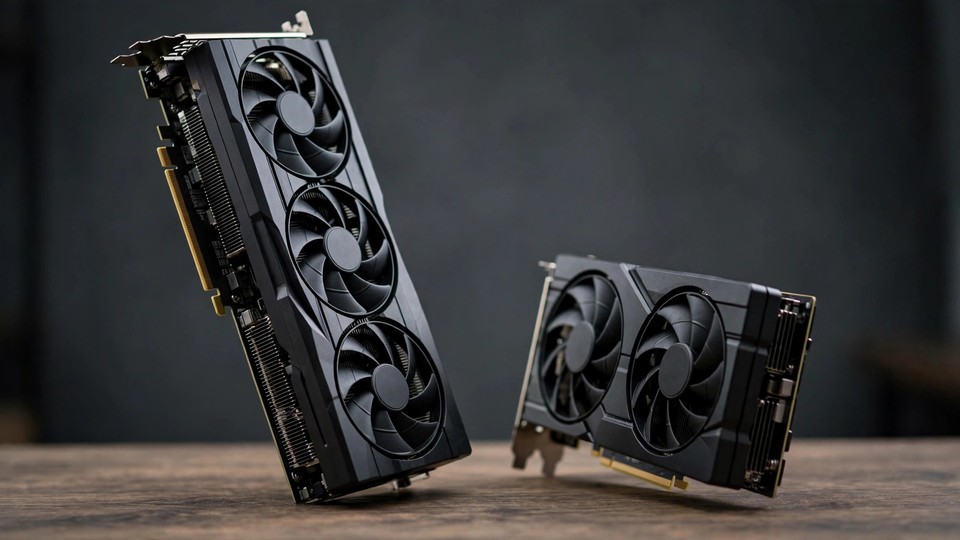
The RTX 5070 and RTX 5070 Ti sit close together in name, in the same Blackwell generation, and on the same DLSS 4 feature list. In hardware terms, they are not close at all. The Ti uses a larger GPU die, carries about 46% more CUDA, Tensor and RT cores, and pairs that compute advantage with 16GB of GDDR7 on a wider 256-bit bus. The 5070 uses a smaller die, 12GB of GDDR7 on a 192-bit bus, and a lower 250W power envelope. That combination explains almost everything that follows: the performance gap grows with resolution, grows again when ray tracing is switched on, and becomes a question of stability and capability — not just average frame rate — once VRAM, AI workloads, and long-term use enter the picture.
For buyers, the useful question is therefore not which card is faster in the abstract. The Ti is faster. The useful question is where that extra speed matters, where 12GB stops being enough, where the extra 50W and the higher power-supply requirement change the total cost, and where the cheaper card already delivers everything a given monitor and workload need.
1. Specifications: Two Different Chips, Not One Chip With More Cores Switched On
A common misunderstanding is that the 5070 Ti is a 5070 with a few more cores enabled. The two cards use different dies. The RTX 5070 Ti uses GB203, the same die family as the RTX 5080, with part of the full chip disabled. The RTX 5070 uses the smaller GB205 die. GB203 is about 44% larger in die area and carries about 47% more transistors. No driver update or BIOS change can give GB205 a 256-bit memory interface or extra streaming multiprocessors that do not exist in silicon.
The practical consequence is that the differences are structural, not cosmetic. Core counts, memory width, memory bandwidth, encoder count and power envelope all move together because they all follow from the die and the memory subsystem.
Full specification comparison
| Specification | RTX 5070 | RTX 5070 Ti | Difference |
|---|---|---|---|
| Architecture | Blackwell | Blackwell | Same generation |
| GPU die | GB205 | GB203 | Different die |
| Die size | About 263 mm² | About 378 mm² | Ti about 44% larger |
| Transistor count | About 31.1 billion | About 45.6 billion | Ti about 47% more |
| Process | TSMC 4NP | TSMC 4NP | Same process family |
| CUDA cores | 6,144 | 8,960 | Ti has 2,816 more, +45.8% |
| Streaming multiprocessors (SM) | 48 | 70 | Ti has 22 more, +45.8% |
| Tensor Cores (5th generation) | 192 | 280 | Ti has about 46% more |
| RT Cores (4th generation) | 48 | 70 | Ti has about 46% more |
| Texture mapping units (TMUs) | 192 | 280 | Ti has about 46% more |
| Render output units (ROPs) | 80 | 96 | Ti has 20% more |
| L2 cache | 48 MB | 48 MB | Same |
| Base clock | 2.33 GHz | 2.30 GHz | 5070 slightly higher |
| Boost clock | 2.51 GHz | 2.45 GHz | 5070 higher by about 2.4% |
| FP32 floating-point performance (theoretical) | About 30.8 TFLOPS | About 43.9 TFLOPS | Ti higher by about 42% |
| Ray tracing performance (NVIDIA figure) | 94 TFLOPS | 133 TFLOPS | Ti higher by about 41% |
| AI compute (Tensor, NVIDIA figure) | 988 AI TOPS | 1,406 AI TOPS | Ti higher by about 42% |
| VRAM capacity | 12 GB | 16 GB | Ti has 4 GB more, +33% |
| VRAM type | GDDR7 | GDDR7 | Same |
| Memory speed | 28 Gbps | 28 Gbps | Same |
| Memory bus width | 192-bit | 256-bit | Ti wider by 64-bit, +33% |
| Memory bandwidth | 672 GB/s | 896 GB/s | Ti higher by 224 GB/s, +33% |
| Total graphics power (TGP) | 250 W | 300 W | Ti higher by 50 W, +20% |
| Recommended system power | 650 W | 750 W | Ti higher by 100 W |
| Maximum GPU temperature (official figure) | 85°C | 88°C | Ti limit higher by 3°C |
| NVENC encoder (9th generation) | 1 unit | 2 units | Ti has one extra encoder |
| NVDEC decoder (6th generation) | 1 unit | 1 unit | Same |
| PCIe interface | PCIe 5.0 x16 | PCIe 5.0 x16 | Same |
| Power connector | 16-pin (12V-2x6), box includes 2x 8-pin adapter (reference; some partner Ti models include a 3x 8-pin adapter) | 16-pin (12V-2x6), box includes 2x 8-pin adapter (reference; some partner Ti models include a 3x 8-pin adapter) | Same |
| Display outputs | 3x DisplayPort 2.1b + 1x HDMI 2.1b | 3x DisplayPort 2.1b + 1x HDMI 2.1b | Same |
| Maximum display output | DisplayPort 2.1b: up to 4K 480 Hz or 8K 165 Hz (DSC); HDMI 2.1b: up to 8K 120 Hz (DSC) | DisplayPort 2.1b: up to 4K 480 Hz or 8K 165 Hz (DSC); HDMI 2.1b: up to 8K 120 Hz (DSC) | Same |
| DLSS | DLSS 4, full feature set | DLSS 4, full feature set | Same features |
| NVLink / SLI | Not supported | Not supported | Neither supports it |
| Launch timing | March 2025 | 20 February 2025 | Ti launched about two weeks earlier |
Sources for the figures above: CUDA cores, VRAM, bus width, clocks, AI TOPS, ray tracing TFLOPS, NVENC count, TGP, recommended power, maximum temperature, display outputs and DLSS support come from NVIDIA's official RTX 5070 family specification page. Die codenames, die size and transistor counts follow NVIDIA Blackwell white-paper reporting. SM, Tensor, RT, TMU and ROP counts and L2 cache follow the TechPowerUp database convention cross-checked against multiple review specification tables. NVIDIA's official consumer specification page does not list those unit counts directly, so they should be read as the widely used TechPowerUp convention rather than as NVIDIA-published figures. Board-partner cards can differ in clocks, power, cooler size and dimensions from these reference figures, and the partner's official page for the exact model governs at purchase time.
Three specification points deserve emphasis before any frame-rate table. First, the 5070's slightly higher boost clock does not make it faster. GPU performance is broadly core count multiplied by clock multiplied by per-clock efficiency. A boost-clock edge of about 2.4% cannot offset a core-count deficit of about 31% when measured against the Ti. Second, the full GB203 die has 10,752 CUDA cores; the 5080 uses all of them and the 5070 Ti enables 8,960, about 83%. The full GB205 die has 6,400 CUDA cores; the 5070 enables 6,144, about 96%. Third, the 5070 has an NVIDIA Founders Edition, while the 5070 Ti has no Founders Edition and is sold only through board partners. Brand, cooler design, noise, build quality and warranty therefore vary more among 5070 Ti models than among 5070 models.
2. Gaming Performance: 1080p, 1440p, 4K and Ray Tracing
Across independent review suites, the pattern is consistent: the higher the resolution, the larger the Ti lead. Absolute frame rates differ between test suites because the game selections, quality settings, CPUs and drivers differ. Percentages are the reliable signal; absolute FPS values from different suites should not be compared directly against each other.
Average performance by resolution
| Resolution / setting | RTX 5070 (average FPS, approximate) | RTX 5070 Ti (average FPS, approximate) | Ti lead |
|---|---|---|---|
| 1080p Ultra, 16-game suite | About 100–110 FPS | About 120–130 FPS | About +18% |
| 1080p, 13-game suite | About 100–110 FPS | About 120–130 FPS | About +19% |
| 1440p Ultra, 16-game suite | About 75–85 FPS | About 95–105 FPS | About +25% |
| 1440p, 13-game suite | About 130–140 FPS | About 155–170 FPS | About +22% |
| 4K Ultra, 16-game suite | About 45–50 FPS | About 60–65 FPS | About +31% |
| 4K, 13-game suite | About 75–80 FPS | About 95–100 FPS | About +26% |
| 1440p + ray tracing | About 65–75 FPS | About 85–95 FPS | About +27% |
| 4K + ray tracing | About 35–40 FPS | About 45–50 FPS | About +34% |
The 13-game and 16-game suites use different games and settings, so their absolute numbers differ. The percentage gaps point in the same direction in both suites, which is what makes the trend credible. The FPS figures above are illustrative aggregated trend ranges, not results from a single named test; absolute values vary by suite, settings, CPU and driver. The 1080p, 1440p and 4K figures above are native rendering without DLSS frame generation unless stated otherwise.
What the gaps mean in practice
At 1080p, both cards are comfortably above 100 FPS on average in these suites. The Ti lead of about 18–19% exists, but on a 1080p monitor it is often performance beyond the display's refresh-rate ceiling. Buying a Ti purely for 1080p gaming is difficult to justify unless a move to 1440p or 4K is already planned and the buyer does not want to change cards again soon.
At 1440p, the difference becomes meaningful. The 5070 already delivers a fluid experience in most games at high or Ultra settings, and DLSS Quality mode lifts it further. The Ti pushes more titles above 100 FPS, holds high refresh rates more consistently, and keeps more headroom when ray tracing and very high texture settings are enabled. For a 1440p 144 Hz display, the 5070 is generally enough for smooth play. For a 1440p 240 Hz display, or for a buyer who wants demanding titles to stay well above 144 FPS, the Ti's extra performance becomes a real, visible advantage.
At 4K, the Ti opens up its clearest lead. In the 16-game suite at 4K Ultra native rendering, the 5070 averages about 45–50 FPS, which is playable but DLSS territory, while the Ti averages about 60–65 FPS. In the 13-game suite, the gap is about 26%. Ray tracing widens the gap further, to about 34% at 4K, because ray tracing loads both RT cores and memory bandwidth, and the Ti leads on both. The Ti is not a 4K flagship, and in the heaviest ray-traced titles even the Ti benefits from DLSS to stay above 60 FPS. The honest framing is that the Ti is a more comfortable starting point for 4K, while the 5070 at 4K needs DLSS and some settings compromise more often.
Individual game examples
Individual games are useful as illustrations, not as overall averages. Each figure below is a single-game result and should not be treated as the general gap.
- Battlefield 6: a lead of about 16% for the 5070 Ti (illustrative single-game result; absolute FPS varies by test setup).
- Cyberpunk 2077 at 1440p Ultra with ray tracing: a lead of about 25% for the 5070 Ti (illustrative single-game result).
- Cyberpunk 2077 at 4K native with ray tracing: a lead of about 42% for the 5070 Ti. That is an extreme ray tracing plus 4K single-game result, above the average gap, and should not be quoted as the overall difference.
- Watch Dogs: Legion: 1440p lead of about 22%; 4K lead of about 21% (illustrative single-game results).
3DMark synthetic benchmarks
Synthetic benchmarks isolate raw GPU capability and remove per-game optimisation differences. The percentage gaps below are approximate trend figures from review aggregations; exact scores from a single unnamed review have been removed because they could not be independently re-verified.
| 3DMark test | RTX 5070 | RTX 5070 Ti | Ti lead |
|---|---|---|---|
| Time Spy Extreme (Graphics) | — | — | About +19% |
| Fire Strike Ultra | — | — | About +20% |
| Fire Strike Extreme | — | — | About +18% |
| Fire Strike | — | — | About +19% |
| Port Royal (ray tracing) | — | — | About +34% |
| Solar Bay (ray tracing) | — | — | About +23% |
| Night Raid | — | — | Essentially equal, light test with large CPU influence |
One anomaly needs handling with care. In one comparison, the standard Time Spy Graphics score showed the 5070 slightly ahead of the Ti, which contradicts Time Spy Extreme, every game test and the rest of the 3DMark suite. The likely explanation is test-batch, driver-version or sample variation in that one run, not a real performance relationship. The Time Spy result alone should not be used to claim the 5070 is faster. The consistent picture across Time Spy Extreme, Port Royal, Fire Strike Ultra and the game suites is a Ti lead of about 19–20% in traditional tests and about 23–34% in ray tracing tests. Benchmarks confirm that the gaming gap comes from the hardware itself, not from one game's optimisation bias, but game results remain the primary evidence and benchmarks the supporting evidence.
3. DLSS 4: Identical Feature List, Different Headroom
One of the most persistent misunderstandings about this pair is that DLSS 4 belongs to the Ti. It does not. According to NVIDIA's official specification page, the RTX 5070 and RTX 5070 Ti support exactly the same DLSS 4 feature set: DLSS Super Resolution, DLAA, Ray Reconstruction, Frame Generation and Multi Frame Generation. Both also support NVIDIA Reflex 2, NVIDIA Broadcast and AV1 encode and decode. Buying the 5070 does not mean giving up DLSS features.
Multi Frame Generation is the headline DLSS 4 capability. For each traditionally rendered frame, it can AI-generate up to three additional frames, for up to four times the displayed output. It relies on Blackwell-specific hardware Flip Metering to pace the generated frames precisely, a capability the RTX 40 series cannot gain through a software update. NVIDIA has described the 5070 as comparable to an RTX 4090 in promotional material; that claim only makes sense with DLSS 4 Multi Frame Generation enabled in supported games, and it refers to displayed frame rate, not native rendering performance. Any use of that comparison without the DLSS 4 condition would mislead.
If the feature lists are identical, the difference lies in headroom, in three ways. First, base frame rate. Displayed frame rate after Multi Frame Generation equals base rendered frame rate multiplied by the generation factor. A higher base frame rate produces better-quality generated frames, lower latency and fewer artefacts. The Ti's stronger native performance means the same 4x generation setting starts from a higher base and therefore feels more solid. If the base frame rate is too low — for example, a 5070 rendering 4K natively in the low 20s — then even after Multi Frame Generation pushes the displayed number above 80 FPS, input latency and image stability remain weaker. Reviewers consistently warn that DLSS 4 needs a sufficient base frame rate to be worthwhile.
Second, VRAM occupancy. Multi Frame Generation needs to hold optical-flow history buffers and other additional data, which consumes VRAM. The Ti's 16GB has more room for that overhead at 4K with Multi Frame Generation. The 5070's 12GB reaches its capacity ceiling sooner in the same configuration.
Third, Tensor headroom. The Ti has about 46% more Tensor Cores. When Super Resolution, Ray Reconstruction and Multi Frame Generation run together, the AI compute queue has more room on the Ti. DLSS 4 is a shared accelerator on both cards; the Ti simply has a larger engine behind it.
4. VRAM: 12GB vs 16GB and Where the Difference Actually Shows
VRAM has two independent measures, and they must not be confused. Capacity determines how much texture and scene data can sit on the card. Bandwidth determines how fast that data moves. The Ti leads on both by 33%, but the 5070's situation is not symmetric: its bandwidth is respectable, while its capacity is the tighter constraint.
| VRAM measure | RTX 5070 | RTX 5070 Ti | Effect when insufficient |
|---|---|---|---|
| Capacity | 12 GB | 16 GB | Textures must shuttle repeatedly over PCIe, causing stutter and sharp drops in 1% Low frame rates |
| Bandwidth | 672 GB/s | 896 GB/s | GPU waits for data, limiting average frame rate |
The bandwidth figures check out arithmetically: 28 Gbps multiplied by 192 divided by 8 equals 672 GB/s; 28 Gbps multiplied by 256 divided by 8 equals 896 GB/s. The 5070's 672 GB/s matches the previous-generation RTX 4070 Ti Super's bandwidth, recovered through 28 Gbps GDDR7 on a narrower bus. Describing the 5070's memory as simply slow would be wrong. Its bandwidth is fine. Its capacity is the short board.
1440p rasterised gaming: 12GB is still enough
For 1440p rasterised gaming without full path tracing, 12GB remains sufficient in 2026. For most games at 1440p Ultra, typical VRAM use stays under 12GB. The 5070's 12GB is not an immediate bottleneck for a buyer who plays at 1440p at high settings without extreme texture mods. The 16GB on the Ti is comfortable surplus in this scenario, not a necessity.
1440p full path tracing plus DLSS frame generation: 12GB starts to top out
The picture changes once full path tracing and DLSS frame generation combine. A full path tracing scene at 1440p combines several large VRAM consumers — the G-buffer, Ultra textures, the BVH acceleration structure and the DLSS 4 Multi Frame Generation optical-flow buffer — which together can push total VRAM use past 12GB.
In one path-tracing test, the 12GB card showed a similar average frame rate to a 16GB card but noticeably lower 1% Lows, with more micro-stutter on rapid camera turns. (The 16GB card in that test is not identified here as a 5070 Ti; the figures are illustrative, not a verified 5070-vs-5070-Ti comparison.) Alan Wake 2 at 4K with DLSS Performance and full path tracing showed the same pattern, with visibly worse 1% Low behaviour and micro-stutter on rapid camera turns. Hogwarts Legacy at 1440p Ultra with Ultra ray tracing, DLSS and frame generation showed frame-rate plunges tied to texture reloading while moving through Hogsmeade.
This is the VRAM cliff. While capacity is just enough, everything looks normal. Once the workload exceeds capacity, the overflow must be swapped continuously over PCIe with system memory. Frame rate does not fall in a smooth line; it falls in sudden stutters. Average FPS tables hide this effect. The 1% Low and the feel of the game reveal it. For buyers, this is the single most important reason to look beyond average FPS when comparing these two cards.
4K Ultra textures, high-resolution texture packs and heavy mods: 16GB is clearly steadier
4K texture data is about 2.25 times the volume of 1440p by pixel count. At 4K Ultra with ray tracing, some games can already exceed 12GB. A 12GB card at 4K must either lower texture settings or accept occasional stutter. A 16GB card has room to spare. This is one reason the Ti's lead at 4K, about 26–32%, is larger than its lead at 1440p. The gap is not only compute; it is also VRAM capacity starting to bite.
AI image generation: capacity is a threshold, not a gradient
Local AI image generation works differently from gaming. In gaming, insufficient VRAM mostly means slower or less stable output. In AI work, insufficient VRAM can mean the model does not load at all, must be split, must be quantised down, or must offload part of its computation to system memory at a large speed cost.
| AI image workload | Approximate VRAM need | RTX 5070 (12GB) | RTX 5070 Ti (16GB) |
|---|---|---|---|
| Stable Diffusion 1.5 (FP16) | About 4 GB | Comfortable | Comfortable |
| SDXL 1.0 (FP16) | About 7 GB | Comfortable, no quantisation needed | Comfortable |
| Flux.1 dev (FP8 / GGUF quantised) | About 12 GB | Just enough, with little room for other software running alongside | Fits with room to spare |
| Flux.1 dev (FP16 full precision) | About 24 GB | Does not fit, quantised version needed | Does not fit, quantised version needed |
| Local video generation models (Wan, LTX-Video, Hunyuan class) | 16 GB as a starting point | More strained | Tight, with model offloading to be expected |
Two clarifications matter. Flux.1 Pro is not a local model; Black Forest Labs supplies it through an API. The local open-source versions are Flux.1 dev and Flux.1 schnell, and local Flux discussion should refer to dev or schnell. Also, full-precision Flux at about 24GB exceeds both cards, so the Ti does not turn an impossible workload into a possible one at full precision. What the Ti does is make the quantised version run more steadily and more quickly, with more room for higher output resolution and larger batches. For occasional SDXL use, the 5070 is enough. For Flux dev as a regular workflow, the Ti's 16GB is the more defensible choice.
Local LLM inference: capacity decides what loads, bandwidth decides token speed
Local large-language-model inference follows the same logic. VRAM capacity decides whether a quantised model fits. Memory bandwidth largely decides token generation speed, because LLM inference is heavily memory-bandwidth bound.
The figures below are approximate weights-only estimates; actual use varies by quantisation format, framework and context length. Treat them as illustrative ranges, not measurements from a single named source.
| Model (Q4_K_M quantisation) | Approximate VRAM need | RTX 5070 (12GB) | RTX 5070 Ti (16GB) |
|---|---|---|---|
| Llama 3.1 8B | About 5 GB | Fits easily, with ample room for long context | Fits easily |
| Gemma 3 12B | About 8 GB | Fits | Fits, with more room |
| Phi-4 14B / Qwen 3 14B / DeepSeek-R1 14B | About 9 GB | Fits, in the 12GB sweet spot | Fits, with larger margin |
| Codestral 22B | About 13 GB | Does not fit | Fits |
| gpt-oss:20b (MoE) | About 14–16 GB | Does not fit | Just fits, very tight |
| Qwen 2.5 Coder 32B | About 20 GB | Does not fit | Does not fit, needs a 24GB-class card |
The figures above cover model weights alone. Real operation needs another 2–3 GB reserved for the KV cache that holds context. A 12GB card running a 14B Q4 model should therefore keep context at about 8K tokens or below; longer context means dropping to an 8B model. A 16GB card running the same 14B model has clearly more context room. On speed, the 16GB card ran the larger model noticeably faster in one test; actual token speeds vary widely with framework, quantisation format and context length, so no exact tokens-per-second figures are stated here. The bandwidth advantage of 896 GB/s against 672 GB/s translates directly into faster token output. For 8B–14B models with short context and occasional use, the 5070 is enough. For 20B–22B models, 14B with long context, or a model running alongside other AI tools, the Ti moves the hard ceiling one level higher. For 32B or above, neither card is enough, and the right move is a 24GB-class card rather than agonising between these two.
Video editing and 3D rendering
For video editing, 1080p timelines are comfortable on both cards. At 4K, the Ti's 16GB handles complex timelines, heavy effects, colour grading, noise reduction and multi-track compositing more smoothly, and its dual NVENC encoders help on output, especially when outputting while recording or streaming at the same time. The 5070 can edit 4K, but complex projects, long films and high-bitrate footage are more likely to force lower preview resolution or show preview stutter. For 8K or RAW and high-bitrate footage, both cards are in stretched territory. 8K editing also leans heavily on CPU, system RAM and SSD speed, so moving from the 5070 to the Ti alone does not solve every bottleneck. System RAM of 32GB as a starting point, 64GB for complex 4K projects, and fast NVMe Gen4 storage for 4K footage remain part of the picture.
For 3D rendering in Blender or V-Ray class tools, large scenes must fit their textures and geometry into VRAM. If they do not fit, the renderer either slows sharply or cannot render on the GPU at all. 16GB handles clearly larger scenes than 12GB. In V-Ray RTX testing, the 5070 Ti tested above the previous-generation 4070 Ti Super, reflecting the combined Blackwell and 16GB GDDR7 advantage; the exact margin varies by scene, so no precise percentage is stated here. For GPU rendering as a primary workload, 16GB is the safer starting point.
Is 12GB enough, and is 16GB future-proof?
At 2026's 1440p mainstream games, 12GB is enough. At 2026's 4K full ray tracing, heavy mods and professional creative work, 12GB is starting to run out, showing up as acceptable average FPS with weak 1% Low behaviour. 16GB is not forever enough. It is more like two to three extra years of headroom. Game texture sizes rise every year, and 16GB will hit its ceiling later than 12GB. The Ti's durability comes from compute and VRAM rising together, not from VRAM alone. A card with large VRAM but weak compute would not become durable just because of VRAM. As a rule of thumb, a buyer who plans to change cards within two to three years can live with 12GB at 1440p. A buyer who plans to keep one card for four years or more, or who plays mainly at 4K, gets more value from the Ti's 16GB.
5. Power, Cooling, PSU and Case Fit
The 50W TGP gap is real, but its importance is often misread. It matters most for power-supply choice and case airflow, least for the electricity bill.
| Power and cooling item | RTX 5070 | RTX 5070 Ti |
|---|---|---|
| TGP | 250 W | 300 W |
| Recommended system power | 650 W | 750 W |
| Maximum GPU temperature (official figure) | 85°C | 88°C |
| Power connector | 16-pin (12V-2x6) | 16-pin (12V-2x6) |
| Typical gaming power draw | Near TGP under load | About 300–330 W in heavy games |
| Idle power | Low, close to the Ti | About 15–20 W idle |
| Brief transient peak | Lower | About 350 W |
The recommended system power figures are NVIDIA's official numbers, based on a system with a Ryzen 9 9950X and a PCIe CEM 5.1 compliant power supply. Some older or looser tables list 600 W and 700 W; the NVIDIA official figures of 650 W and 750 W govern here. ASUS ROG power-supply guidance also advises extra headroom when pairing with a high-end CPU.
Electricity cost: smaller than expected
50W is a full-load gap, not a 24-hour constant. An arithmetic illustration, not a measured electricity bill, puts an upper bound on it. Assume four hours of gaming per day with the card at full load: 50 W multiplied by 4 hours multiplied by 365 days equals 73,000 Wh, or 73 kWh per year. Real gaming does not hold the GPU at full load every second, and at idle or light load the two cards draw similar power, so the true annual gap is lower than that upper-bound estimate. The 50W gap should not be a primary reason for choosing between these cards. Its real effect is on power-supply specification and case cooling, not on the bill.
Cooling and noise
Both 250W and 300W sit comfortably inside the range of mainstream dual-fan and triple-fan coolers. In a case with normal airflow, the 5070 Ti's gaming temperature typically sits in the 60s to 70s°C range, inside the safe range, with no widespread reports of thermal throttling. Check reviews of the exact partner model for its measured temperatures. The extra 50W of heat must still leave the case. In a well-ventilated ATX case, the difference is barely noticeable. In a small ITX or compact Micro-ATX case, or a case with poor airflow, the Ti needs more deliberate attention to intake and exhaust. Noise follows the cooler design more than the TGP label. On the same cooler, a 300W card typically runs its fans slightly faster and slightly louder, but fan diameter, heatsink size and the BIOS fan curve matter more than TGP alone. Buyers should check reviews of the exact partner model rather than judging noise from TGP.
PSU, cabling and case size: where the 50W gap really bites
First, power supply. If the existing supply is 650W and the system also runs a high-end CPU, moving to the Ti deserves a serious look at a power-supply upgrade. The 5070 is kinder to an existing supply, which is one of its quiet advantages. If the existing supply is already 750W or above, the cost of this difference is zero.
Second, power-supply standard and cabling. NVIDIA recommends a PCIe CEM 5.1 compliant supply. Both cards use the 16-pin 12V-2x6 connector, with a 2x 8-pin adapter in the box. Each 8-pin head on the adapter must be fed by its own power-supply cable. Daisy-chaining one cable across two heads must be avoided. The plug must be pushed fully home until it clicks, without bending. Connector melting incidents have concentrated on the much higher-power 5090 and 5080, so the risk on the 5070 and 5070 Ti is relatively lower, but correct seating remains mandatory.
Third, physical size. The 5070 Founders Edition is 242 mm long, 112 mm wide and dual-slot, and is SFF-Ready. The 5070 Ti has no Founders Edition, and partner Ti cards vary much more in length, thickness and weight. Triple-fan Ti cards can exceed 300 mm, and some Ti models reach 3.5 slots and about 332 mm. Buyers should measure case GPU clearance and slot count before ordering a Ti. The 5070 is relatively easier to fit into a small case.
| Scenario | RTX 5070 (250W) | RTX 5070 Ti (300W) |
|---|---|---|
| Mainstream ATX case with normal airflow | Dual-fan cooler is enough | Dual-fan enough, triple-fan quieter |
| ITX / compact case | Relatively easy, check length limit | Must confirm length limit, airflow and power supply; prefer a model with a good cooling reputation |
| Long high-load sessions (4K / rendering) | Temperature and noise easier to control | Needs better case exhaust, otherwise fan speed and noise rise |
| Overclocking | Power limit becomes the ceiling sooner | More power headroom, with temperature and noise costs rising together |
6. Scenario-Based Buying Advice: Gaming, AI, Video Editing and Budget
Pure 1440p gaming
Most buyers in this group should choose the RTX 5070. High-refresh-rate players who insist on Ultra plus ray tracing held at high frame rates should choose the RTX 5070 Ti. The 5070 already delivers above 100 FPS in most games at 1440p high or Ultra settings, and DLSS lifts it further. That satisfies smooth play. The Ti's case rests on a higher refresh-rate ceiling, steadier ray tracing plus very high texture performance, and larger headroom for future games. A useful self-check is the monitor's refresh rate. At 144 Hz or below, the 5070 is generally plenty. At 240 Hz, with a real intention to chase that frame rate, the Ti earns its place.
1080p gaming
Choose the RTX 5070. At 1080p maximum settings, the 5070 already reaches well above 100 FPS in many modern games and several hundred FPS in esports-class titles, while the Ti's extra frames largely sit above the monitor's refresh-rate ceiling. VRAM is not a bottleneck at 1080p, so the Ti's 16GB and extra cores spend most of their time unused. Money saved against the Ti is usually better spent on a monitor upgrade, for example from 1080p 60 Hz to 1440p 144 Hz or 240 Hz, or on CPU, SSD or RAM. The only exception is a buyer who already knows a move to 1440p or 4K is imminent and does not want to change cards again soon.
4K gaming
Choose the RTX 5070 Ti for primary 4K gaming. The 5070 is not unplayable at 4K, but it leans on DLSS and lower texture or ray tracing settings more often, which undercuts the point of buying a 4K display. A buyer who plays at 4K only occasionally, with 1440p as the main resolution, can accept the 5070 with DLSS. A buyer who wants native 4K, no DLSS, full path tracing and a sustained 100 FPS or more will find that neither card delivers that standard. That level needs a higher-tier card, such as a 5080-class or above. The Ti at 4K is best described as workable rather than effortless. Even the Ti benefits from DLSS in the heaviest ray-traced titles to stay above 60 FPS.
Gaming plus AI
Choose the RTX 5070 Ti. This combination is the Ti's most persuasive case. On the gaming side, the Ti leads at 1440p and 4K. On the AI side, 16GB moves Flux dev and 20B-class local models from strained to comfortable. A 5070 buyer who games well enough but then hits the VRAM ceiling in AI work faces quantisation, model splitting or offloading, each of which costs speed or quality. The Ti's weaker pure FPS value is offset by the capability-boundary gain in AI, because AI VRAM needs are a hard threshold that cannot be fixed by lowering a quality slider. One qualification applies. If AI use means only occasional SDXL play, the 5070 is enough, and buying the Ti for a hypothetical future Flux hobby would be overspending. If Flux, local LLMs or video generation are already definite plans, the Ti is the steadier starting point.
Local AI as the primary workload
Choose the RTX 5070 Ti. VRAM is a hard gate that cannot be solved later by overclocking or by adding system RAM. The 16GB card fits a wider set of models, holds longer context for the same model, and runs quantised models more steadily. The 5070 remains a valid entry point for SD 1.5 and SDXL and for 8B–14B models, but a buyer whose main purpose is AI should start at 16GB.
Video editing
For 1080p editing as the main workload, with occasional 4K short projects, the RTX 5070 is enough. For primary 4K editing, frequent multi-track work, effects and grading, or outputting while editing, choose the RTX 5070 Ti. The 16GB, dual NVENC and extra CUDA cores are a real productivity gap at that workload intensity. For professional editing with heavy daily 4K output, the Ti is a starting point, not the whole answer, and it still needs adequate system RAM and SSD speed. For 8K or RAW-heavy work, neither card alone resolves the bottleneck, and a higher workstation-class configuration deserves consideration.
3D rendering
For GPU rendering as a regular workload, choose the RTX 5070 Ti. Larger scenes fit into 16GB that would not fit into 12GB, and the extra compute shortens render times. The 5070 can render smaller scenes, but a buyer who regularly pushes scene complexity will hit the VRAM wall sooner.
Budget-limited buyers
Choose the RTX 5070, and put the saved money into the next bottleneck. On pure FPS per dollar, the 5070 wins, as Section 7 shows. The saving against the Ti can go toward a monitor upgrade, 32GB of RAM, larger or faster SSD storage, or a more solid power supply. A balanced system beats a single over-specced component paired with a weak power supply or a poorly cooled small case. A budget-limited buyer who stretches to the Ti by cutting corners elsewhere — for example a barely adequate low-quality power supply — is making the wrong trade.
Buyers who want one card for three to four years
Choose the RTX 5070 Ti. Over a three-to-four-year horizon, game, AI-model and editing-software demands only rise. 12GB is enough at 1440p today, but it will feel tighter as new games ship with larger texture packs and heavier ray tracing. 16GB is not future-proof — no graphics card truly is — but it offers a larger future buffer. Buying the Ti does not guarantee maximum settings four years from now. It reduces the chance of being forced into large quality cuts or an early replacement because VRAM ran out. History supports the caution: previous-generation 8GB cards hit VRAM bottlenecks within a few years in several games, and 12GB cards are already feeling pressure at 4K. The qualification is that a buyer who will definitely upgrade within that period, or whose workload is fixed — for example, only a few esports titles with no new AAA games — does not need to pay for headroom that will never be used.
A three-question decision shortcut
- What resolution is the monitor? 1080p points to the 5070, unless a monitor upgrade is imminent. 1440p needs the next two questions. 4K points to the 5070 Ti, unless 4K play is only occasional.
- Will the card run AI work such as Flux or local LLMs, or primary 4K editing? A yes answer points to the 5070 Ti.
- How long will the card be kept, and how tight is the budget? A three-to-four-year horizon with budget room points to the 5070 Ti. A tight budget, a likely upgrade within one to two years, or a plan to spend the saving on a monitor, RAM or SSD points to the 5070.
Pre-purchase checklist
- Confirm the model: 5070 and 5070 Ti are different cards. Check the box, the model sticker and the GPU-Z readout to confirm the delivered card matches the paid-for card.
- Confirm VRAM: the 5070 should show 12GB and the 5070 Ti should show 16GB. Do not rely on the 5070 name alone.
- Confirm the power supply: 650W recommended for the 5070, 750W for the 5070 Ti. Check wattage, 80 Plus rating and 12V-2x6 cabling.
- Confirm case space: measure the case's GPU length and thickness clearance and its airflow. Some Ti models are longer and thicker.
- Confirm cooling: look at the brand and model's cooler design — fan count, heat pipes, vapour chamber — not just appearance.
- Confirm warranty: for a new card, which agent, how many years, and how the warranty process works; for a second-hand card, whether warranty transfers, how much remains, and how the seller handles warranty.
- Re-verify pricing: for Hong Kong new cards, please check latest pricing. For Taobao second-hand prices, re-verify the same-day price. Do not treat any figure in a buying guide as a live quote.
- Do not decide on a single price-comparison site. Price comparison sites can show out-of-stock listings, stale prices or loss-leader prices from individual shops that do not represent an obtainable transaction price. Second-hand marketplace listings carry the same problem, with volatile asking prices and non-transparent room for negotiation. Check live quotes and stock with reputable sellers.
- Check accessories: original box, 12V-2x6 adapter, graphics-card support bracket and manual.
- Test on arrival: boot, check GPU-Z for model, VRAM and core count, and run a short stress test to check temperatures and fan noise.
7. Value for Money: FPS per Dollar vs Capability Boundary
Official launch pricing gap
NVIDIA's official launch pricing, the MSRP, was US$549 for the RTX 5070 and US$749 for the RTX 5070 Ti. The gap is US$200, with the Ti priced about 36.4% higher. That is the cleanest comparison baseline because it excludes retail-market volatility. It is not the street-price gap. Street prices move with GDDR7 supply, exchange rates, agent stock and promotions, and can diverge sharply from MSRP.
United States street prices illustrate how far street pricing can drift from MSRP. Street prices fluctuate significantly, can sit far above MSRP for either card, and the street-price gap between the two cards can widen or narrow sharply over short periods as each card's price moves independently. The lesson is that a street-price gap at one moment in time cannot support a long-term conclusion, and no exact street-price figures are stated here because they go stale quickly and could not be re-verified against a named dataset. For Hong Kong new cards, please check latest pricing.
Second-hand Taobao price gap, verified 2026-10-16, prices fluctuate, re-verify before purchase
A second-hand Taobao snapshot verified 2026-10-16 put the RTX 5070 at about ¥6,040 and the RTX 5070 Ti at about ¥8,699, a gap of about ¥2,659. Converted at the 1.1731 rate supplied in the research brief, that gap is about HK$3,119. The second-hand price gap ratio is about 44.0%. Three warnings attach to those figures. First, they are second-hand prices verified 2026-10-16, and prices fluctuate, so they must be re-verified before purchase. Second-hand market prices move with new-card supply, exchange rates, seller stock and even a single seller's urgent listing, and can shift sharply within days. Second, the second-hand gap ratio of about 44% is larger than the MSRP gap ratio of about 36.4%. In that snapshot, the Ti's premium was higher than official pricing suggests, possibly reflecting stronger second-hand demand for 16GB VRAM or thinner second-hand Ti supply. A second-hand gap should never be assumed equal to the MSRP gap. Third, the second-hand price is not the total cost. Warranty transfer, seller reputation, the card's physical condition, original box and accessories, shipping and collection costs, and return arrangements all affect true cost and risk without appearing in the listing price.
Pure FPS value: the 5070 wins
If the only measure is frames per dollar, the 5070 wins. Using the second-hand gap as an illustration, not as pricing: at 1440p, the Ti leads by about 22% in average FPS in one 13-game aggregation. The second-hand price gap in that snapshot is about 44%. Paying about 44% more for about 22% more average FPS is weaker FPS value. Using the MSRP gap of 36.4% against the same FPS gap gives the same conclusion. At 4K, where the gap widens to about 26–34%, the Ti's value improves somewhat but still does not catch up to the price-gap ratio. On FPS alone, the 5070 is the more rational choice.
Why VRAM value is not captured by FPS value
The FPS calculation has a fundamental limit. It measures how much faster, not whether something works at all. The VRAM difference is a capability boundary. In gaming, insufficient VRAM causes stutter and texture problems that average FPS does not fully capture. In AI image generation and LLM inference, insufficient VRAM can mean a model does not run at all rather than running slowly. In video editing, insufficient VRAM forces lower preview quality and disrupts workflow. In scenarios where capability becomes the question — 4K very high textures, Flux, 20B-class LLMs, complex 4K editing — the Ti's 16GB is not an expensive luxury. It is a requirement.
Hidden costs: power supply, case, electricity
Value calculations must include hidden costs. Power supply: the 5070 needs a 650W recommendation and the Ti 750W. If the existing supply is 650W, moving to the Ti may mean a power-supply upgrade, and that cost belongs in the total. If the existing supply is already 750W or above, the cost is zero. Case space: Ti models vary in length and thickness, with some reaching 3.5 slots and about 332 mm. Never assume that a card that fits a 5070 will fit a particular 5070 Ti. Electricity and cooling: the Ti's extra 50W raises electricity use and case temperature slightly. The gap is not decisive, but for a machine left running all day on AI or editing work, the cumulative effect deserves a mention. Cabling: both cards use 12V-2x6, and some models include an adapter such as a 3x PCIe 8-pin to 16-pin adapter. Adapter quality and firm seating matter; old or non-original cabling should not be used.
Value summary table
| Buying lens | Winner | Why |
|---|---|---|
| Pure FPS per dollar | RTX 5070 | Price gap of roughly 36–44% against an FPS gap of roughly 22% at 1440p |
| 4K gaming comfort | RTX 5070 Ti | Larger FPS gap plus VRAM headroom that prevents stutter |
| AI image generation and local LLMs | RTX 5070 Ti | 16GB moves models from not fitting to fitting |
| Primary 4K video editing | RTX 5070 Ti | 16GB plus dual NVENC plus more CUDA cores |
| Budget-limited build | RTX 5070 | Saving can fix the next bottleneck: monitor, RAM, SSD or PSU |
| One card for three to four years | RTX 5070 Ti | Larger compute and VRAM buffer against rising demands |
FAQ
Q1: Is the 5070 Ti just an overclocked 5070?
No. The two cards use different dies, GB203 for the Ti and GB205 for the 5070. The Ti has about 46% more CUDA, Tensor and RT cores, a wider 256-bit memory bus against 192-bit, and 896 GB/s of memory bandwidth against 672 GB/s. Overclocking cannot add cores, widen a memory bus, or add a second NVENC encoder. The 5070 Ti also has 16GB of VRAM against 12GB. These are physical class differences, not clock-speed differences.
Q2: Does the 5070 lack DLSS 4?
No. Both cards support the full DLSS 4 feature set, including Super Resolution, DLAA, Ray Reconstruction, Frame Generation and Multi Frame Generation. Both also support NVIDIA Reflex 2, NVIDIA Broadcast and AV1. The difference is headroom. The Ti's stronger native performance gives Multi Frame Generation a higher base frame rate to work from, its 16GB gives more room for frame-generation buffers, and its extra Tensor Cores give more AI compute room when several DLSS features run together.
Q3: Is 12GB of VRAM enough in 2026?
It depends on the workload. For 1440p rasterised gaming at high settings, 12GB is still enough, with typical use under 12GB in most games. For 1440p full path tracing with DLSS frame generation, 12GB starts to top out, because path tracing plus frame generation together can push VRAM use past 12GB. For 4K Ultra textures, high-resolution texture packs, heavy mods, Flux-class AI work, 20B-class local models or complex 4K editing, 12GB becomes the limiting factor. The symptom is often not a collapsed average frame rate but weak 1% Low performance and stutter.
Q4: Is 16GB future-proof?
No card is future-proof. 16GB offers roughly two to three extra years of headroom compared with 12GB, not permanent immunity. Game texture sizes, AI models and editing demands keep rising, and 16GB will hit its ceiling later than 12GB. The Ti's durability comes from compute and VRAM rising together. A card with large VRAM but weak compute would not become durable on VRAM alone. Buyers who will upgrade within two to three years may not need the extra headroom; buyers who want one card for four years or more get more value from it.
Q5: The 5070 has a higher boost clock. Does that make it faster?
No. The 5070's boost clock of 2.51 GHz is only about 2.4% above the Ti's 2.45 GHz, while its CUDA core count is about 31% below the Ti's when measured against the Ti. Clock speed cannot close a core-count gap of that size. Theoretical FP32 performance is about 30.8 TFLOPS for the 5070 against about 43.9 TFLOPS for the Ti, a gap of about 42%. Real game performance depends on the game, resolution and CPU bottleneck, but the direction is the same across review suites.
Q6: Will the 50W power difference make electricity bills surge?
No. The 50W figure is a full-load gap. An upper-bound illustration — four hours of full-load gaming per day for a year — gives about 73 kWh per year, and real use is lower because the GPU is not at full load every second and idle draw is similar. The real consequences of the higher power draw are the 750W recommended system power against 650W, and the need for adequate case exhaust. Electricity cost is the least important reason to choose between these cards.
Q7: Can I run Flux or a 20B local model on the 5070?
It depends on the model and precision. SDXL at FP16, needing about 7GB, runs comfortably on both cards. Flux.1 dev in FP8 or GGUF quantised form, needing about 12GB, fits the 5070 only just, with little room for other software. Full-precision Flux.1 dev at FP16, needing about 24GB, fits neither card. For local LLMs, 8B–14B Q4 models fit both cards, while a 22B Q4 model at about 13GB fits the Ti and not the 5070, and a 20B MoE model at about 14–16GB fits the Ti only tightly. A 32B Q4 model at about 20GB fits neither card.
Q8: Should I buy the Ti if I only play at 1080p?
Generally no. At 1080p, the 5070 already delivers high frame rates, and the Ti's extra performance largely sits above the monitor's refresh-rate ceiling. The Ti's VRAM advantage is also mostly unused at 1080p. The saving is usually better spent on a monitor upgrade or on CPU, SSD or RAM. The exception is a buyer who already knows a move to 1440p or 4K is imminent and does not want to change cards again soon.
Q9: Which card should a streamer or a creator who records while streaming choose?
The 5070 Ti has the stronger case. It has two 9th-generation NVENC encoders against one on the 5070, which helps when recording and streaming at the same time or when running dual encode paths, and its 16GB and extra CUDA cores help with 4K editing, effects and grading. A creator who only edits occasionally and outputs once per project will feel the difference less, but a creator who records and streams simultaneously, or who edits 4K daily, benefits directly.
Q10: Is the Ti worth it for 4K native gaming without DLSS?
The Ti is the better of the two for 4K, but neither card is a native-4K flagship. At native 4K Ultra, the Ti averages about 60–65 FPS in a 16-game suite against about 45–50 FPS for the 5070, and in the heaviest ray-traced titles even the Ti benefits from DLSS to hold above 60 FPS. Buyers whose standard is native 4K, no DLSS, full path tracing and a sustained 100 FPS or more need a higher-tier card. Buyers who accept DLSS as a normal part of 4K gaming will find the Ti meaningfully more comfortable than the 5070.
Conclusion
For 1440p gaming with a budget-first mindset, the 5070 already delivers. For 1080p gaming, it delivers with room to spare. For 4K gaming, for 1440p at 240 Hz with ray tracing held high, for Flux and local LLMs above the 14B class, for primary 4K editing and for a single card expected to last three to four years, the 5070 Ti's 16GB of VRAM and roughly 46% more cores are worth paying for. The two cards share the same DLSS 4 feature list, so the decision is not about features. It is about native performance and VRAM headroom. The 5070 wins on pure frames per dollar. The 5070 Ti wins where VRAM decides whether a workload runs steadily, runs at all, or keeps running well several years from now. Match the card to the monitor, the workload and the planned upgrade cycle, re-verify pricing on the day of purchase, and for Hong Kong new cards, please check latest pricing.
常見問題
相關文章
- RTX 5060 Ti 8GB vs 16GB: Which One Should You Buy? Gaming and AI Compared 2026-10-18
- RTX 5090 vs 5090D vs 5090D V2: What Are the Differences, and What Happens If You Buy the Wrong One? 2026-10-18
- 2026 香港顯示卡購買指南:5 步揀啱你嘅 GPU 2026-10-13
本文由 Display Card King Editorial 撰寫,報價數據來自 Display Card King 每日全港監測,只供參考。