How to Spot a Fake GPU: High-Imitation RTX 4090 Teardown — Triple Verification with GPU-Z, FurMark and Physical Inspection
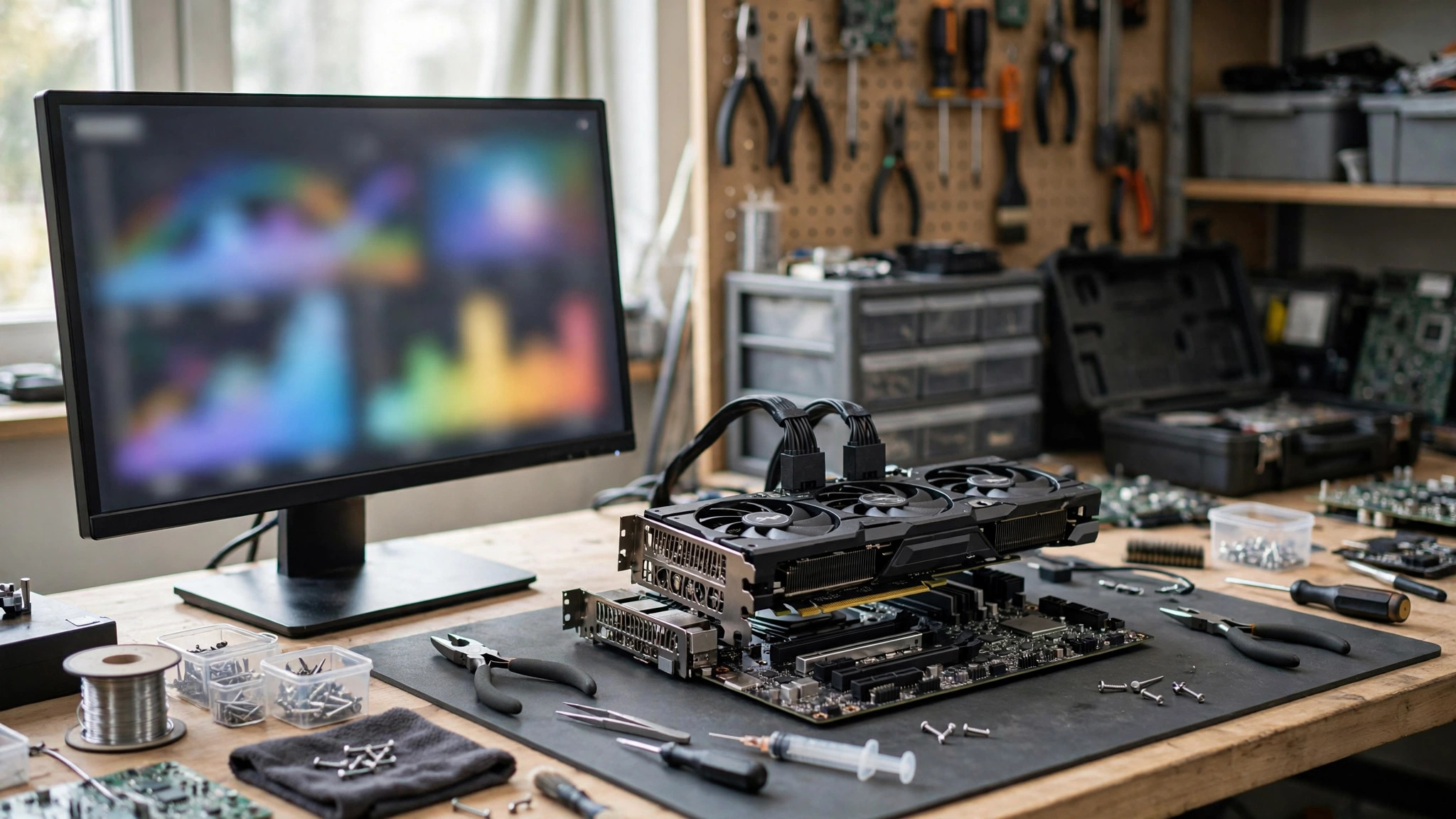
Key Takeaways
- Fake GPUs are no longer just old cards with a renamed label. Public reports describe recent high-imitation RTX 4090 cards whose outward appearance can be extremely convincing — so convincing that even experienced repair technicians needed microscope inspection to find the clues.
- No single tool can prove a card is genuine. This article recommends triple verification: (1) GPU-Z hard-spec checks, (2) benchmark and stability checks with 3DMark and FurMark plus a game benchmark, and (3) physical inspection, including professional inspection by a qualified repairer where needed. All three layers are required.
- The reference anchors for a genuine RTX 4090 are an AD102 GPU, 16,384 CUDA cores, 24 GB of GDDR6X memory, a 384-bit memory bus, and a 450 W total graphics power (TGP). Any clear mismatch in these hard specs is a major red flag.
- The RTX 4090D is a genuine card, not a fake — but its specifications differ from the RTX 4090. If a seller sells a 4090D under the name or at the description of a 4090, that is a misdescription, and it should be handled as a sale that does not match its description.
- Before paying, confirm the return policy and warranty terms in writing, use a payment method with buyer protection, and film the unboxing from start to finish so you keep evidence.
- Important warranty warning: opening a card, removing stickers, removing the cooler, or altering the factory assembly may affect warranty. The "teardown" checks in this article mean non-destructive visual checks that do not break warranty stickers, plus professional inspection by a qualified repairer. Ordinary buyers should not open the GPU die or memory chips themselves.
- This article is detection and defence only. It does not provide any method for making counterfeit cards, does not provide steps for flashing a lower card to impersonate a higher card, does not provide methods for forging labels, serial numbers or packaging, and does not provide any channel for buying fake cards.
1. How fake-GPU scams have evolved
1.1 Classic pattern: an old core with a rewritten identity
The early common pattern was to rewrite the identity of an older-generation card so that the system reported it as a newer model, allowing it to be sold at a higher price. TechPowerUp later added fake-card detection to GPU-Z: when a card's internal GPU information does not match its BIOS data, GPU-Z shows a yellow warning icon and prefixes the name with `[FAKE]`. The early detection list covered older cores including G84, G86, G92, G94, G96, GT215, GT216, GT218, GF108, GF106, GF114, GF116, GF119 and GK106.
That pattern has one fundamental weakness: performance cannot be faked. Even if the reported name is rewritten, the real compute power of an old core remains far below that of a genuine high-end card, and a standardised benchmark comparison exposes the gap immediately. There is also a caveat in the other direction: not every BIOS checksum difference means malicious tampering. Technical guides note that a compiler can sometimes add or modify small data blocks, changing the checksum and file size, without the BIOS necessarily being a deliberate fake. Judgement must combine performance, temperature, power draw, stability and whether GPU-Z shows a serious warning.
1.2 High-imitation RTX 4090: convincing shell, problem core and memory
Public reports show the scam has evolved to factory-level imitation. The cases below are quoted from public reports to explain why visual inspection alone is not enough. They do not represent independent verification by this article of the identity of any seller involved.
In one case published by NorthWestRepair, a US repair shop in Kentucky, an ASUS ROG Strix RTX 4090 sent in for repair showed no obvious suspicion on initial inspection: the board showed no obvious reflow marks, the memory chips were all present, the core was in place, and the usual signs of part-swapping were absent. On deeper inspection, the report said the memory chips appeared to have had their surfaces polished and then re-laser-etched to impersonate genuine GDDR6X modules, and the GPU core appeared to have been polished or wiped and then etched with a fake RTX 4090 marking. The report quoted the technician as saying this was the most sophisticated scam he had seen, to the point where even a trained eye would struggle to spot it. The core looked similar to an RTX 3080 or RTX 3090 series core, and only details such as individual dot positions and surrounding capacitor layout offered a chance of telling it apart.
In another case from the same shop, a card described as an ASUS ROG RTX 4090 turned out on opening to be an RTX 4080 board, with a core marked AD103-300-A1 — the Ada Lovelace chip used by the RTX 4080 — rather than the RTX 4090 chip. Another component inside had burned, and the card was ultimately judged unrepairable.
In a further publicly reported case, a supposedly brand-new RTX 4090, once opened, had a core marking of AD102-301-A1, but on closer inspection it was in fact a GA102 chip of the kind used by the RTX 3080 Ti, apparently with the old marking polished away and a new marking laser-etched on. At least one memory module was reported to be only 256 MB rather than the expected 2 GB GDDR6X, leaving the whole card far from its claimed 24 GB memory configuration.
In yet another case reported via video, a Palit RTX 4090 that looked brand-new was found on opening to use a GA102 core — the core used by the RTX 3090 Ti, RTX 3090 and RTX 3080 Ti series — rather than the RTX 4090's AD102. The report noted that the two cores are pin-compatible and close in size, which makes swapping possible. The clues that exposed it included capacitor placement beside the core differing from a genuine AD102, and surrounding MLCC layout resembling an RTX 3090 more than an RTX 4090.
1.3 Bare-board "dead card" pattern: sold as repair stock
The newest pattern is sale as a bare-board dead card. A public report described a buyer who purchased a claimed-damaged RTX 4090 bare board with no cooler, intending to repair it. At the repair bench, the core was found to be a fake core: its appearance copied the RTX 4090 label, package and chip marking, even the compound around the core, and the part had been soldered onto the board as if it were a genuine chip. The repairer said that only subtle differences in substrate colour, surface reflection and lettering gave it away, and that the board contained no usable RTX 4090 chip at all, so it could not be repaired. The memory was also fake: the chip marking looked at first glance like a genuine Micron part, but after the repairer removed one chip it appeared to be GDDR6, whereas a genuine RTX 4090 uses GDDR6X.
The report also quoted the buyer as saying the seller held five to six more boards of the same kind. The repairer suspected this kind of fake board could be manufactured at scale, but the report also stated that nobody had confirmed the source. This article makes no finding on source.
The cover for this scam is precisely the buyer's expectation. Reports note that selling as a faulty card awaiting repair is a plausible cover, because buyers of dead cards usually accept a gamble and expect to need rework or chip replacement — and the scam exploits that expectation. For most buyers, the safest approach is to buy a card that has warranty cover and works normally, and to leave "for parts" boards to repair shops that can absorb the loss.
1.4 Swap fraud, return swap fraud and box-content swap fraud
Return swap fraud is another market risk: a genuine card is bought, a lower-quality or different-model card is returned, and the returned card then flows to the next buyer. A public report raised one possible explanation: return inspectors may not have the training to carry out deep verification, and only perform surface checks, allowing a poor return to slip through.
Another category is box-content swap fraud. A public report described a buyer who bought a GIGABYTE RTX 5070 Ti through an online marketplace and filmed the unboxing at the pickup point, finding a two-litre water bottle inside the factory-sealed box. The report noted that filming the unboxing at pickup, with the seal fully in frame, made the claim hard to dismiss. This case is a single incident cited in second-hand-market reporting; this article does not treat it as a general statistic. It is used only to explain why filming the unboxing matters.
1.5 Fake packaging, fake stickers and mismatched serial numbers
Fake-card checklists note that a genuine product should have proper packaging and clear labelling, including brand logo, model number and serial number. Physical inspection should look for uneven printing, misspellings and loose fittings as low-quality signs.
SlashGear advises that when buying a used card, buyers should ask the seller for a receipt, a return policy and genuine buyer reviews. Before paying online, buyers should request detailed photos and compare them item by item against the board partner's official product photos — checking cooler layout, branding and whether stickers are crooked or faded, and in particular checking the power connector.
Drivers are also a clue: a genuine graphics card very rarely has problems installing official NVIDIA, Intel or AMD drivers. If a card ships with a third-party driver, or cannot work with the official driver, it is very likely fake. If the official control panel cannot work normally with the card, that is also a warning sign.
1.6 Price itself is a warning sign, not evidence
This article does not cite individual sellers' listing prices on any price-comparison site or marketplace as market prices, because an individual listing price can be a bait price, an error, an already-sold item or a different condition, and does not represent a market transaction price.
The qualitative principle from multiple public sources is: if a price looks too good to be true, it probably is fake. For a card claimed to be faulty, a more concrete comparison is to compare the asking price with the value of the genuine parts themselves, because a price far below the value of genuine memory and the genuine core is itself a warning sign.
The practical reading is: price is not evidence. Price is only a trigger for deeper verification. Cheap does not mean fake, and expensive does not mean genuine. Real judgement must rest on cross-checked evidence from GPU-Z, benchmarks, FurMark and physical inspection.
2. Genuine RTX 4090 reference specifications: the comparison baseline
The table below is the comparison baseline. Board-partner versions may differ in clock speeds, cooler dimensions and the number of power connectors, but the hard specs — GPU codename, CUDA core count, memory type, capacity and bus width — should not deviate. If GPU-Z shows hard specs that do not match this table, that is a major red flag: stop the transaction and follow the return process.
| Item | Genuine RTX 4090 Founders Edition / reference value |
|---|---|
| Architecture | Ada Lovelace |
| GPU codename | AD102 |
| CUDA cores | 16,384 |
| Base clock | 2.23 GHz |
| Boost clock | 2.52 GHz |
| Memory capacity | 24 GB |
| Memory type | GDDR6X |
| Memory bus width | 384-bit |
| Memory bandwidth | 1,008 GB/s |
| Tensor cores | 4th generation, 512 cores; 1,321 AI TOPS |
| RT cores | 3rd generation, 128 cores; 191 TFLOPS |
| Shader performance | 83 TFLOPS |
| L2 cache | 72 MB |
| ROPs / TMUs | 176 / 512 |
| CUDA Capability | 8.9 |
| PCI Express | Gen 4 |
| Display outputs (Founders Edition) | 1× HDMI, 3× DisplayPort; up to 4 displays; HDCP 2.3 |
| Maximum resolution / refresh rate | 4K 240 Hz or 8K 60 Hz (DSC, HDR) |
| Maximum GPU temperature | 90 °C |
| Total graphics power (TGP) | 450 W |
| Recommended system power supply | 850 W |
| Average gaming power | 315 W (NVIDIA measurement: 22 games, 4K / 1440p / 1080p) |
| Idle / video playback power | 19 W / 25 W |
| Power connector (Founders Edition) | 16-pin (PCIe Gen 5), with a 3× PCIe 8-pin adapter in the box; or a 450 W or higher PCIe Gen 5 cable |
| Founders Edition dimensions | 304 mm long × 137 mm wide × 3 slots (61 mm) |
| NVLink / SLI | None |
| Process / transistors / die size | TSMC 4N; 76.3 billion transistors; approx. 608 mm² |
A genuine RTX 4090 uses an AD102 chip with 128 of the full AD102's 144 SMs enabled — that is 16,384 CUDA cores, 128 RT cores, 512 Tensor cores, 512 TMUs and 176 ROPs. If GPU-Z shows the GPU field as GA102 (the RTX 3080 / 3090 generation), TU series, GK series, GF series or another old core, while the card face claims RTX 4090, that is the classic signature of an old core impersonating a new card.
Note: GPU-Z readings themselves can be misled by a modified BIOS, so GPU-Z alone cannot settle the question. It must be combined with benchmark testing and physical inspection.
3. RTX 4090 vs RTX 4090D: keep them strictly separate
The RTX 4090D is a China-market-only variant released by NVIDIA to meet the export-control requirements then in force. The 4090D is not a fake card. But if a seller sells a 4090D at a 4090 price or under a 4090 name, or describes a 4090D as a 4090, that is misleading.
| Item | RTX 4090 (global) | RTX 4090D (China-market-only) |
|---|---|---|
| GPU codename | AD102-300 | AD102-250 |
| SM count | 128 | 114 |
| CUDA cores | 16,384 | 14,592 (about 11% fewer) |
| Tensor cores | 512 | 456 |
| RT cores | 128 | 114 |
| TMUs | 512 | 456 |
| ROPs | 176 | 176 (same in both) |
| Base clock | 2,235 MHz | 2,280 MHz (45 MHz higher) |
| Boost clock | 2,520 MHz | 2,520 MHz (same) |
| Memory | 24 GB GDDR6X, 384-bit, 21 Gbps, 1,008 GB/s | 24 GB GDDR6X, 384-bit, 21 Gbps, 1,008 GB/s (same) |
| L2 cache | 72 MB | 72 MB (same) |
| TGP | 450 W | 425 W (25 W lower) |
| Overclocking limits | Per board-partner design | Reportedly stricter firmware / driver limits, with a lower overclocking slider ceiling |
| Device identification | Standard RTX 4090 device identification | Distinct ASIC code and device identification, reportedly difficult to turn into a standard 4090 by changing the BIOS |
Detection implications:
- If a buyer believed they were buying a 4090, but GPU-Z shows 14,592 CUDA cores and a TGP of about 425 W, and the card face says 4090D, the card may be a genuine 4090D rather than a fake. The problem is a mismatch with the description, not a fake card. Handle it as a sale that does not match its description, and request a return or exchange.
- If the card face says 4090 but GPU-Z shows 14,592 CUDA cores, suspect that a 4090D is being sold as a 4090, or that some other modification has been made. Verify further with benchmark testing and physical inspection.
- The reported gaming-performance gap between the 4090D and the 4090 is about 5% (individual tests vary). You cannot tell them apart by whether games feel smooth. You must check GPU-Z hard specs and benchmark scores.
4. Do not confuse the 4090 generation with the 5090 generation
This section exists only to prevent model confusion. It does not mean the 5090 series is the same subject as 4090 fakes. When buying or verifying, first confirm that the card-face model and the GPU-Z model belong to the same generation.
RTX 5090 (global) official specifications
| Item | RTX 5090 |
|---|---|
| Architecture | Blackwell |
| GPU codename | GB202 |
| CUDA cores | 21,760 |
| Base / Boost clock | 2.01 GHz / 2.41 GHz |
| Memory | 32 GB GDDR7 |
| Memory bus width | 512-bit |
| Memory bandwidth | 1,792 GB/s |
| Tensor cores | 5th generation, 680 cores; 3,352 AI TOPS |
| RT cores | 4th generation, 170 cores; 318 TFLOPS |
| CUDA Capability | 12.0 |
| PCI Express | Gen 5 |
| TGP | 575 W |
| Recommended system power supply | 1,000 W |
| Display outputs (Founders Edition) | 3× DisplayPort, 1× HDMI |
| Founders Edition dimensions | 304 mm long × 137 mm wide × 2 slots |
RTX 5090D and RTX 5090D V2 (China-market-only)
| Item | RTX 5090 (global) | RTX 5090D (China, first version) | RTX 5090D V2 (China, second version) |
|---|---|---|---|
| CUDA cores | 21,760 | 21,760 (same) | 21,760 (same) |
| GPU codename | GB202-300 | GB202-250 (reported) | GB202-240 (reported) |
| Memory | 32 GB GDDR7 | 32 GB GDDR7 | 24 GB GDDR7 |
| Memory bus width | 512-bit | 512-bit | 384-bit |
| Memory bandwidth | 1,792 GB/s | 1,792 GB/s | 1,344 GB/s |
| AI TOPS | 3,352 | 2,375 (firmware-limited) | 2,375 (firmware-limited) |
| TGP | 575 W | 575 W | 575 W |
| Gaming performance | Baseline | Close to the 5090 | Reportedly only about 1–2% lower in gaming, but potentially much slower in memory-intensive AI / rendering work |
Key reminders:
- The 4090 is GDDR6X, 384-bit, 24 GB. The 5090 is GDDR7, 512-bit, 32 GB. The 5090D V2 is GDDR7, 384-bit, 24 GB. If GPU-Z shows GDDR7 but the card face says 4090, or shows GDDR6X but the card face says 5090, that is a generation mismatch and must be treated as a major red flag.
- The "D" in 4090D does not mean the same thing as the "D" in 5090D / 5090D V2, and the way specifications are cut differs. Do not generalise that "a D version always has fewer CUDA cores". The 5090D / V2 keep all 21,760 CUDA cores and cut memory and AI throughput; the 4090D cuts CUDA, Tensor and RT core counts.
- The 5090D V2 is reported to be China-market-only. Standard-channel V2 cards should not appear in international markets. If a card claimed to be a 5090D V2 appears in the Hong Kong second-hand market with vague packaging or model labelling, be especially cautious and apply the full GPU-Z + benchmark + physical triple check.
One further precision note: do not carry specs across other model families
The RTX 4070, RTX 4070 Super, RTX 4070 Ti and RTX 4070 Ti Super are four distinct models with different specifications. They must never be conflated. The RTX 4060 Ti 8GB and the RTX 4060 Ti 16GB are also two different versions with different memory capacities, and must not be treated as the same card. The comparison tables in this article apply only to the RTX 4090 and RTX 4090D, and to the RTX 5090 family comparison above. To verify any other model, use that exact model's official specification page as the baseline and check each field individually. Never apply 4090 numbers to another model.
5. First verification layer: GPU-Z
Preparation
- Obtain GPU-Z only from TechPowerUp's official channel, and use the latest version. An old version may misjudge a new card because its database is out of date, or may fail to identify a newer fake.
- Run it on a clean Windows system with the official NVIDIA driver installed, and avoid running overclocking software at the same time, which can disturb readings.
- Screenshot and save the full GPU-Z main page — including Name, GPU, Memory Type, Memory Size, Bus Width, BIOS Version, Device ID and Subvendor — as return evidence.
Required field checklist (RTX 4090 example)
| GPU-Z field | What a genuine RTX 4090 should show (Founders Edition / standard value) | What a mismatch means |
|---|---|---|
| Name | NVIDIA GeForce RTX 4090 | If a `[FAKE]` prefix or yellow exclamation mark appears, GPU-Z has judged the card to be fake |
| GPU (codename) | AD102 | GA102 / TU / GK / GF or another old core means an old card impersonating a new one |
| Memory Type | GDDR6X | GDDR6 / GDDR5 is a mismatch; reported fake cards were confirmed after removal to be GDDR6, not GDDR6X |
| Memory Size | 24576 MB (i.e. 24 GB) | A capacity mismatch is a major red flag; some fake cards use a rewritten BIOS to make the system misreport capacity, so benchmark testing must also be used |
| Bus Width | 384-bit | A width mismatch is a mismatch |
| BIOS Version | Should match the official BIOS version for that brand / model (check with the brand; different board partners differ) | A BIOS version that does not match the brand / model, an abnormal version number, or a Lookup failure all need further checking |
| Device ID / Subvendor | Should match the official data for that brand / model | A Device ID that does not match the 4090, or a Subvendor that does not match the card-face brand, is suspicious |
| Shaders / CUDA core count | 16,384 (shown in GPU-Z as the unified shader count) | A clearly low count is a mismatch |
| ROPs / TMUs | 176 / 512 | A clearly low count is a mismatch |
| Clock | Base about 2235 MHz, Boost about 2520 MHz (board-partner overclocked versions may be slightly higher) | Abnormally low or wildly fluctuating clocks need benchmark confirmation; idle clocks alone cannot be relied on — check clocks under load |
| Temperature / power sensors | Under load, temperature should rise with load and power draw should reach the hundreds of watts | Persistently very low temperature and very low power draw while claiming full load may mean the sensors or the card itself are abnormal |
How GPU-Z's "[FAKE]" detection works
TechPowerUp added fake-card detection in GPU-Z 2.12.0. The principle is to compare the card's claimed model against its actual chip: if the actual chip is an old GPU but the BIOS or name claims a newer model, GPU-Z prefixes the Name field with `[FAKE]` and shows a large yellow exclamation mark on the main page. TechPowerUp stated that the mechanism is forward-compatible: if counterfeiters keep using the same technique, GPU-Z should still detect even newer fake cards built the same way.
Limitations: GPU-Z fake detection mainly targets the "old chip impersonating a new card" technique. For factory-level high-imitation cards, GPU-Z may not directly label the card `[FAKE]`, because the card may not be recognised by the system at all, or the chip information it reports may have been rewritten. In one publicly reported near-perfect fake 4090 case, the card presented as "no-detect" at the repair shop and could only be exposed by microscope inspection of solder joints and chip surfaces.
Therefore: a GPU-Z `[FAKE]` result is a conclusive red flag — stop using the card immediately and start the return process. But the absence of `[FAKE]` does not mean the card is genuine. Benchmark testing and physical inspection must still be completed.
Common misjudgements and traps
- Old GPU-Z versions can misjudge: update to the latest version and test again.
- Missing or wrongly installed drivers: GPU-Z may fail to read correct information. Install the official driver first, then test.
- Engineering samples or non-retail samples: GPU-Z may handle these specially. They should not be compared directly with retail versions.
- A rewritten BIOS can make GPU-Z readings misreport: forum and guide articles note that rewriting a graphics card BIOS can make Windows and some test software misidentify the model, until a real benchmark exposes the truth. GPU-Z readings must therefore be cross-checked against benchmark testing.
6. Second verification layer: benchmarks — 3DMark + FurMark + game benchmarks
Principle: benchmarks are the last line of defence for whether performance matches the model
The greatest weakness of a fake card is that performance cannot be faked. Even if BIOS readings are rewritten and labels and coolers are swapped to a high-end card's appearance, the real compute power of an old core remains far below that of a genuine 4090. A standardised benchmark comparison makes the gap visible immediately.
Use the same test, the same settings and the same resolution for comparison, and record CPU, power supply, driver version, room temperature and other conditions. Otherwise score differences may come from a system bottleneck rather than a fake card.
3DMark Time Spy / Time Spy Extreme: expected range for a genuine 4090
Note: the scores below are ranges from public benchmark databases and media reports, not NVIDIA official guaranteed values. Different CPUs, cooling, power supplies and driver versions produce reasonable variation. Test conditions should be noted when comparing.
| Test | Public reference range for a genuine RTX 4090 | Notes |
|---|---|---|
| 3DMark Time Spy (Graphics Score, GPU score) | About 30,000–41,000 (depending on overclocking and system) | Public submissions: many 4090 cards cluster around 31,900–32,000; overclocked submissions reach about 40,000–41,000. Overclocking-community databases skew high and should be treated as an upper reference, not as a typical user's expectation |
| 3DMark Time Spy Extreme (Graphics Score, GPU score) | About 19,000–20,200 (early leak / review reference) | Multiple media reports put early Time Spy Extreme GPU scores at about 19,000–20,192; for comparison, the RTX 3090 Ti was about 11,200 and the RTX 3090 about 9,990 |
| Comparison with the previous generation | 4K gaming frame rates should be about 30–60% higher than the RTX 3090 Ti (depending on game and settings) | If measured performance is similar to or lower than a 3090 Ti, that is a major red flag |
Decision rules:
- If a card claimed to be a 4090 scores at 3090 / 3080 level — for example, a Time Spy GPU score clearly below 20,000, or a Time Spy Extreme GPU score of only about 11,000 — while CPU, power supply and drivers are all normal, that is a serious performance-versus-model mismatch. Treat it as a fake or faulty card, stop the transaction immediately and follow the return process.
- If the score is only slightly below expectation (for example 5–15% low), it may simply be cooling, power, a CPU bottleneck or a driver issue. Rule out system factors before drawing a conclusion, and do not accuse a seller on the basis of a single score.
- Look at the Graphics Score (GPU score), not the total score. The total score is affected by the CPU: a weaker CPU pulls the total down, but the GPU score should still be close to expectation.
FurMark: stability and temperature checks (not a performance ranking tool)
FurMark is a GPU stress-test tool that renders high-load frames to push a GPU close to full load, used to check stability, temperature, fan response and whether there is visual corruption or a crash. FurMark itself is not a ranking tool for which card is faster. It is for checking whether a card behaves normally under full load.
Correct use for detection purposes:
- Choose a resolution matching the monitor and run the GPU stress test for about 20–30 minutes. Observe whether GPU load approaches 100%, whether temperature is stable, whether fans speed up as temperature rises, and whether there is visual corruption, flicker, a driver crash or a system shutdown.
- Under FurMark full load, a genuine 4090's GPU temperature should rise clearly and power draw should reach the hundreds of watts. Persistently very low temperature and very low power draw while the display claims full load is abnormal.
- If visual corruption, noise, flicker, broken frames, a FurMark crash or a system restart occurs during the test and repeats, that is a warning sign of a hardware fault or a fake card. Stop testing and follow the return process.
- FurMark pushes GPU temperature rapidly above 80 °C, which is normal. But if temperature keeps rising without falling back, stays above 90–95 °C without throttling down, or the cooler is abnormally noisy, stop the test immediately and check cooling and case airflow.
- A sufficiently rated power supply is required (850 W or above is recommended for a 4090). An inadequate power supply can also cause crashes or restarts that are easily mistaken for a GPU fault. Confirm the power-supply specification before testing.
- FurMark scores should not be compared directly with 3DMark scores; the two tests have different purposes. FurMark's value is stability and the temperature curve; 3DMark's value is the performance score.
Note also that FurMark is an extreme load, not a final game-stability test. Modern games load hardware units differently, and some cards trigger safety limits and throttle heavily during FurMark. This article's detection procedure uses 20–30 minutes; a short run of 10 to 20 minutes is generally enough if only cooling performance and memory stability are being checked. This article sets no hard threshold such as "a FurMark temperature above X means fake", because temperature and power draw are affected by case airflow, room temperature, cooler condition and driver settings. FurMark's role is to find anomalies — visual corruption, flicker, crashes, abnormal throttling or loss of temperature control — not to judge fakeness from a single temperature number.
FurMark is an extreme load and should be used with care, especially for a card with no warranty or with doubtful cooling.
Game benchmarks: cross-validation with real games
Pick a 3D game with a known 4090 performance profile (for example Cyberpunk 2077 at 4K high settings with ray tracing) and compare frame rates at the same resolution and settings. If measured frame rates are far below the public review range for a 4090 (for example only 3080 / 3090 level), that is a red flag.
Turn off DLSS Frame Generation before comparing, or state clearly whether it is on. Otherwise frame rates will be inflated by AI-generated frames and cannot be compared directly with native rendering performance. Game benchmarks are affected by CPU, memory and storage speed, so they must be compared on the same system or cross-checked with multiple tests. Do not draw a conclusion from a single game alone.
7. Third verification layer: physical inspection — visual checks and professional teardown
Core principle: a high-imitation card's appearance can be extremely convincing. Eyes alone are not enough.
Recent public reports state that some fake 4090 cards have reached factory-level workmanship, so that even experienced repair technicians could not spot them at first glance, and microscope inspection of solder joints and chip surfaces was needed. In another case, a fake card was sold as a bare PCB with no cooler, making it even harder for the buyer to verify whether it worked normally.
Therefore the value of physical inspection is to find clear mismatches, not to prove a card is genuine. Even if physical inspection passes, GPU-Z plus benchmark testing must still be completed before reaching a conclusion.
Visual checklist (without opening the card)
| Check | What to look for |
|---|---|
| Cooler and fans | Shape, fan count, brand logo and cooler size should match the official product photos for that brand and model. A clearly smaller cooler, a different fan count, or a crooked or faded brand logo is suspicious |
| Power connector | A genuine 4090 Founders Edition uses a 16-pin (12VHPWR) connector; board-partner versions also mostly use 16-pin or ship with an adapter. A standard 8-pin or unfamiliar connector is a major red flag |
| Display outputs | Output count and type should match the model's official specification (Founders Edition: 1× HDMI, 3× DisplayPort). Abnormal port arrangement, crooked ports, or clear signs of use on a card claimed to be new are all suspicious |
| PCB colour and printing | PCB printed lettering, logos and part numbers should be crisp, with no misspellings and no signs of reprinting. Misspellings, inconsistent fonts, blurry printing or uneven solder joints are suspicious |
| Labels and serial numbers | The serial-number sticker on the card should be intact, with no sign of removal or re-application, and the serial number should match the box serial number. A missing sticker, a mismatched serial number, or clear signs that screws under the sticker have been opened is suspicious |
| Screws and warranty stickers | The warranty sticker should fully cover the screw, with no damage and no sign of re-application. Screw heads should show no clear tool marks or signs of replacement. A damaged warranty sticker or screws that have clearly been turned means the card has been opened |
| Packaging | Box printing, seals and accessories (manual, adapter cable, bracket) should match that brand and model. Blurry box printing, re-applied seals, or missing accessories or accessories that do not match the official list are suspicious |
| Weight and build quality | A genuine 4090 is clearly heavy because of its larger cooler and PCB. A card that is clearly light, has a clearly thinner cooler, or shows rough workmanship is suspicious. But weight alone is not proof and must be combined with other checks |
Professional teardown (qualified repairers only — ordinary buyers should not open the card)
The checks below involve removing the cooler, microscope inspection and even removing memory chips. Ordinary buyers must not attempt them, to avoid damaging hardware or losing warranty. The content below is provided only so readers understand why professional repairers can spot fake cards, and why ordinary buyers cannot judge by eyesight alone.
| Professional check | Fake-card characteristics found in reports |
|---|---|
| Memory chip surface | Reports describe fake cards whose memory chip top layer had been polished and then re-laser-etched to impersonate GDDR6X. Under a microscope, polishing marks and lettering that differs from a genuine chip are visible |
| GPU core surface | Reports describe fake cards whose core had been polished or wiped and then etched with a fake RTX 4090 marking. Surrounding capacitor layout and dot positions on the core differ from a genuine AD102 |
| Solder joints and pads | Under a microscope, individual pads show solder that had been wicked away, clearly different from neighbouring pads; the PCB shows faint stripes from ultrasonic cleaning |
| Thermal compound | Thermal compound that is darker and drier may indicate the core was removed or replaced, but this alone cannot settle the question, because overclocking use can also darken compound |
| Memory rail short-circuit test | Reports describe a fake card with a dead short on the memory power rail, yet injecting up to 10 A of current produced no heating in any component, indicating the core or memory was not operating normally |
| Inspection after removing memory | Reports describe fake cards confirmed after memory-chip removal to be GDDR6 rather than GDDR6X; in another case, after the GPU core was removed, the contact surface was not that of a normal working processor, and the solder mask began to peel during cleaning |
| Substrate colour and reflection | Reports describe fake GPU substrates whose colour, surface reflection and lettering differ from genuine cards, and which can only be told apart by microscope comparison with genuine-card photos |
A professional teardown conclusion must be provided by a qualified repairer as a written report, with microscope photos and test data. Readers should not open the core or memory themselves, to avoid damaging hardware.
Triple-verification workflow
```
Layer 1: GPU-Z (software identification)
├─ Check Name, GPU, Memory Type, Memory Size, Bus Width, BIOS Version, Device ID
├─ If [FAKE] appears or any hard spec mismatches → stop, start the return process
└─ If it passes → go to Layer 2
Layer 2: Benchmark testing (performance verification)
├─ 3DMark Time Spy / Time Spy Extreme: compare Graphics Score with the expected range
├─ FurMark 20–30 minutes: check stability, temperature, visual corruption, crashes
├─ Game benchmark: compare 4K frame rates with the 4090 range
├─ If performance is far below expectation → stop, start the return process
└─ If it passes → go to Layer 3
Layer 3: Physical inspection (visual + professional teardown)
├─ Without opening: compare cooler, connectors, labels, serial numbers, screws and packaging with official photos
├─ If the appearance clearly mismatches → stop, start the return process
└─ If in doubt: hand it to a qualified repairer for microscope inspection and obtain a written report
└─ If the professional report confirms a fake → keep the report, start the return / claim process
```
Principle: all three layers are indispensable. Passing GPU-Z does not mean the card is genuine; passing benchmarks does not mean the card is genuine; passing visual inspection does not mean the card is genuine. Only when all three pass can the card be provisionally judged genuine.
8. Buyer-protection checklist: before buying, at the transaction, and after buying
Before buying: check the seller and the listing first, not the price
- Prefer a reputable seller or an authorised retailer. Buying from a reputable seller remains the most reliable way to avoid fakes. Do not buy from an unfamiliar source just because the price is attractive.
- Ask for real photos of the actual card. Do not accept a listing that uses only official photos. Ask for detailed photos and compare them item by item with the board partner's official product photos.
- Ask for serial-number photos, and check that the card, backplate sticker and box serial numbers all match. The serial-number sticker should match the number on the retail box. Matching serial numbers across the card, cooler shroud and box is also a check item.
- Ask the seller for a receipt or proof of purchase, and confirm the warranty status. Buy from sellers who provide a receipt, accept returns and have genuine buyer reviews.
- Ask the seller for a GPU-Z screenshot — ideally a photo or video of GPU-Z running on the seller's own desktop — and check that the device ID, memory capacity and memory type match the model being sold. Cards that have been relabelled or stripped either report nothing at all, or report content that does not match the sticker.
- Where possible, ask for a power-on video or an in-person test.
- Beforehand, read the model's official specifications and genuine product photos, and note the expected GPU codename, memory type, capacity, bus width, power connector and cooler layout.
- Stay alert to phrases such as "pallet deal", "liquidation stock" or "clearance stock". Multiple reported cases involved sellers claiming pallet stock, when the cards were in fact swapped or high-imitation cards. Such phrases are not evidence; they are a common cover story.
- Treat "bare board, dead card, awaiting repair" with the highest alert. The bare-board dead-card case was precisely a sale of a bare-board dead card that the buyer could not test before paying. Such boards appeal most to repair hobbyists and small repair shops, but ordinary buyers should avoid them.
Common listing red flags include: a listing that uses only official images, with no real photos, no serial-number photo, cash only, refusal of testing, or refusal to provide warranty information. Second-hand-market guides note that scammers exploit buyer urgency with bait-and-switch, forged products or outright theft. Some scams list a high-end card but ship a lower-end model disguised with an altered label. Others use edited images to forge logos or benchmark results. For an in-person deal, bring your own power supply or test the card on your own system before completing payment. Also beware of cards sold as normal second-hand cards after repair, because some sellers replace faulty parts or re-solder a dead card so it revives briefly. Such repairs may not last, and the card may fail again weeks later.
A Consumer Council survey of online second-hand platforms found that most platforms stated they only provide a trading venue, do not intervene in transactions, and do not accept responsibility for the quality or authenticity of traded items. Regulation rests mainly on prohibited-item lists, reporting functions, buyer vigilance and seller self-discipline. The same survey found that among the platforms surveyed, none implemented a fake-goods inspection mechanism or return guarantee; only two platforms had a dispute-resolution mechanism.
Payment: prefer a channel with recourse
- Prefer a platform checkout and payment method with buyer protection. Do not pay outside the platform by bank transfer, cash, gift card or similar methods. eBay's buyer-protection policy states clearly that if any part of the payment is completed outside eBay (for example bank transfer, cash, money order or escrow service), it is not covered.
- eBay Money Back Guarantee protects buyers who do not receive goods, or who receive goods that do not match the listing description. Goods received incomplete, damaged, counterfeit or not as described can be returned via My eBay.
- eBay's policy also states that coverage includes the seller shipping the wrong item, goods arriving broken or faulty, and the seller failing to honour the return policy stated in the listing.
- Avoid payment methods that cannot be recovered. Use secure payment methods, never wire transfer or gift cards, and prefer a platform with buyer protection.
- Do not pay by wire transfer, gift card or cryptocurrency, do not use friends-and-family payment modes or off-platform transactions. If a seller tries to move the transaction off the marketplace, that is usually a major red flag.
- For an in-person deal, test the card on your own system before paying where possible.
- Keep a complete transaction record: listing screenshots, conversation records, payment proof, receipts and return-policy screenshots. These records are key evidence in a claim. Do not rely on verbal promises alone.
Receiving and unboxing: keep a full evidence trail — do not rush to install
- On receipt, first check whether the outer packaging has been opened or the seals look abnormal, then start filming.
- Film the unboxing in one continuous shot: seal fully in frame, all six sides of the box, serial-number sticker, accessories, front and back of the card, cooler, power connector, screws and sticker condition. The water-bottle case was hard to dismiss precisely because the buyer filmed at the pickup point with the seal fully in frame.
- Film or screenshot GPU-Z: record GPU name, GPU codename, memory type, memory capacity, bus width, BIOS version, driver version and device ID. If GPU-Z shows `[FAKE]` or a yellow warning icon, screenshot that too for evidence.
- Film the benchmark and FurMark test process: record any visual corruption, flicker, crashes, abnormal throttling or loss of temperature control. Also record test duration and ambient conditions, and avoid drawing conclusions from a single number alone.
- Check serial-number consistency: card, backplate sticker and box serial numbers should match. If they do not match, stop immediately and preserve evidence.
- Check driver installation: whether the official driver installs normally and whether the official control panel works normally. A bundled third-party driver or an inability to work with the official driver is a warning sign.
- Do not remove warranty stickers or remove the cooler before verification is complete.
Return period and warranty: ask before buying, not afterwards
Ask before buying: how many days is the return period? Who pays return shipping? Is warranty by exchange, repair, refund or store credit? Is warranty transferable? Will opening the card for cleaning or replacing thermal paste void the warranty?
Ask the seller to state the return and warranty terms in writing. Do not rely on verbal promises or vague wording in the listing.
Note the platform's own protection time limits. eBay guidance states that Money Back Guarantee can be used within 30 days of receiving the goods; after 30 days, a claim can be made through PayPal Purchase Protection, which provides a 180-day protection period.
The Consumer Council cautions that rights and responsibilities on second-hand platforms are often unclear. Most platforms only provide a trading venue and do not accept responsibility for item quality or authenticity. Buyers must stay vigilant at all times, especially for high-value transactions.
How verified second-hand sellers generally reduce fake-goods risk
This section states general principles only. It does not invent any individual shop's certification standard, warranty period or price. For any individual shop's warranty period, coverage and fees, please enquire for details; the shop's published terms prevail. Any seller claiming "certified" or "tested" should be asked to state the following items in writing. Do not trust a label alone.
In general, verified second-hand sellers reduce risk because the following mechanisms exist together — not because of a single label:
- Traceable sourcing (for example a receipt, previous purchase proof or return record)
- Real post-receipt testing (for example GPU-Z comparison, benchmarks, FurMark stability testing)
- Written return policy and warranty terms (for example return period, warranty coverage, shipping arrangements)
- Verifiable seller record (for example platform reviews, past transaction history, physical shop details)
A refurbished card with no warranty is often just a second-hand card with a nicer word. Warranty does not need to be long to be useful, but it must exist and its terms must be clear. Manufacturer-refurbished cards are generally worth paying more for, because their warranty and testing processes are generally more trustworthy. This article does not read that as "all manufacturer-refurbished cards are definitely problem-free" — it is only a general risk comparison.
Ask the seller to list the test items, for example: GPU-Z comparison, benchmark results, FurMark stability test, temperature and fan operation, and output-port testing. Refurbished cards generally go through cleaning, testing and repackaging, then are marked as refurbished products for sale. If there is a fault, it is repaired first and then tested to ensure the card works normally. At the same time, refurbished cards also carry risks, including a shorter warranty period and a lifespan that may be affected by prior condition.
Ask the seller for a test report or test screenshots, not just a bare "tested, working". A test report should include the test date, test tools, test results and the card's serial number or identifying information, so the report can be matched to the card in hand.
Ask the seller to state in writing: warranty period, warranty coverage (exchange / repair / refund / store credit), return period, who pays return shipping, whether warranty is transferable, and whether opening the card voids warranty.
The manufacturer refurbished / recertified concept can be illustrated by EVGA's general warranty approach: products returned through EVGA's repair department are thoroughly tested recertified products; recertified (B-Stock) products are factory-recertified products meeting the same performance and reliability standards as new products of the same model, but may have minor scratches, minor dents or other cosmetic signs of use. This article does not treat EVGA's terms as a universal standard for all sellers. It uses them only to show that manufacturer recertification generally combines three elements: testing, recertification and written terms. If an individual seller's "certification" lacks any of these, it should not be treated as equivalent protection.
Opening the card / removing stickers may affect warranty
Opening the card, removing warranty stickers, replacing thermal paste or removing the cooler may affect warranty. Buyers must ask clearly whether opening the card to replace thermal paste voids warranty, which reflects that such operations can indeed void warranty.
Practical approach: before opening a card, confirm the warranty terms in writing with the seller or brand. If the seller says opening the card voids warranty, ask the seller to provide teardown photos or a test report themselves, rather than opening the card yourself to verify.
If you suspect you bought a fake card, prioritise keeping the card in its original condition and following the claim process, rather than opening the card yourself to "prove" it. Opening the card may cause the evidence to be questioned, and may complicate return and warranty disputes.
If teardown is unavoidable (for example a repair shop commissioned to inspect), film the whole process, record the original condition of screws and stickers, and keep all removed parts. This article does not provide a teardown operating manual.
9. What to do if you suspect a fake
Step 1: Stop using it, preserve evidence, do not try to "fix" it yourself
- Stop using the suspected fake card immediately, to avoid further damage, data loss or warranty disputes from continued use. If any GPU-Z comparison item does not match, stop testing and start the return process.
- Preserve all evidence in its original state: do not open the card, do not remove stickers, do not rewrite the BIOS, do not try to "fix" drivers or modify the card. Any change may cause the seller or platform to question the credibility of the evidence, and may affect warranty.
- Assemble an evidence pack: listing screenshots, seller promises, payment proof, receipts, unboxing video, GPU-Z screenshots, benchmark and FurMark records, serial-number photos, front-and-back card photos, and box photos.
- Write down a timeline: when the order was placed, when payment was made, when the goods were received, when the anomaly was found, what the anomaly is, which tests were run, and what the test results were.
Step 2: Contact the seller and the platform first, and follow the formal claim process
- Contact the seller at once through the platform's internal messaging, list the anomaly items clearly with evidence attached, and ask for handling under the return policy stated in the listing. Internal platform messages leave a record. Do not move communication off-platform.
- If the seller does not respond or refuses to handle it, file a claim at once through the platform's return / dispute mechanism, and complete it within the platform's time limit. If goods received do not match the listing description, a return can be requested via My eBay, and the platform will track the case and intervene where needed.
- If you paid by credit card, ask the card issuer about the chargeback mechanism at the same time. Consumer Council FAQs state that if credit-card information is suspected to have been misused or fraud is involved, the cardholder should report it to the card issuer at once, and ask to cancel or replace the card, cancel the transaction or obtain a refund through the chargeback mechanism, while also reporting to the police and contacting the Consumer Council.
- Do not accept off-platform refunds, private transfers or "top up the difference for another card" arrangements from the seller, unless they are formally recorded through the platform and protection is confirmed to remain valid. Off-platform transactions often void buyer protection.
Step 3: Hong Kong complaint channels (general information, not legal advice)
- Consumer Council: provides complaint and enquiry services, and helps consumers and traders resolve disputes through mediation. The complaint hotline is 2929 2222, office hours Monday to Friday (except public holidays), 9:00 am to 5:30 pm.
- The Consumer Council is not a law-enforcement body and has no power to prosecute traders. Related complaints are handled mainly by mediation. For cases involving major consumer interests that cannot be resolved by mediation, assistance can be sought from the Consumer Legal Action Fund.
- Hong Kong Customs and Excise: if counterfeit trademarks or false trade descriptions are involved, report to Customs. A Customs press release states that under the Trade Descriptions Ordinance, any person who sells, or has in possession for sale, goods bearing a forged trademark commits an offence. On conviction the maximum penalty is a fine of HK$500,000 and imprisonment for 5 years. Members of the public can call the Customs 24-hour hotline 182 8080 to report suspected counterfeit activity.
- The same Customs press release states that Customs uses a big-data analytics system for risk assessment to check whether online shops comply with the Trade Descriptions Ordinance, to protect consumers' online shopping rights.
- Consumer Council guidance on false trade descriptions also states that if a consumer suspects deception in the sales process, they can report to the police. If loss has been suffered due to another person's conduct, civil remedies can be pursued. Claims not exceeding HK$50,000 can be filed with the Small Claims Tribunal; claims exceeding HK$50,000 but not exceeding HK$1,000,000 can be filed with the District Court; claims exceeding HK$1,000,000 can be filed with the Court of First Instance of the High Court.
- Anti-Deception Hotline: if a scam is suspected, call the Anti-Deception Hotline 18222. The Anti-Deception Coordination Centre advises calling 18222 with any doubts.
- Important reminder: the above is general channel information only, not legal advice. If criminal suspicion, a larger amount or complex circumstances are involved, seek independent legal advice. The Consumer Council also lists other complaint channels, including the Legal Aid Department and the Duty Lawyer Service Free Legal Advice Scheme.
- Never give bank-account passwords, one-time passwords or transfer instructions to anyone claiming to be from the Consumer Council, Customs or the police. The Anti-Deception Coordination Centre advises that official officers will not ask members of the public for bank-account passwords or transfers to a designated account during a telephone investigation.
10. Limitations, disclaimers and common misunderstandings
- GPU-Z is not omnipotent. GPU-Z `[FAKE]` detection mainly targets old chips impersonating new cards, and may not directly label factory-level high-imitation cards. Publicly reported cases show high-imitation cards that could only be found with a microscope.
- BIOS can be rewritten. Rewriting a BIOS can make the system misreport the model, so GPU-Z readings must be cross-checked against benchmark testing.
- Benchmark scores vary. CPU, power supply, cooling, drivers and room temperature all affect scores. A single slightly low score does not mean a fake card. System factors must be ruled out before judging.
- The 4090D is not a fake card. The 4090D is a genuine card, but its specifications differ from the 4090. Buyers must confirm which model they are buying, and compare against the correct specification table.
- The 5090 / 5090D / 5090D V2 are not the 4090. Their memory type, capacity, bus width and AI TOPS all differ. Do not confuse them.
- Opening a card may affect warranty. Opening a card, removing warranty stickers, removing the cooler or altering the factory assembly may affect warranty. Professional teardown should be done by a qualified repairer.
- Price is not evidence. Cheap does not mean fake, and expensive does not mean genuine. Price is only a trigger for deeper verification.
- Passing a single test does not mean genuine. If GPU-Z, benchmarks, FurMark and teardown contradict each other, follow the strictest result, and stop and preserve evidence.
- Forum retellings, single reports or netizens' doubts must not be treated as settled conclusions. Readers should consult the original sources themselves.
- This article does not cite individual sellers' prices as market prices, and does not invent victim counts, loss amounts or fake-card proportions. Any number without a source is not written here.
- This article does not constitute legal advice. If you suspect you have been defrauded, preserve evidence and consult the platform, the brand, the police or a consumer-protection body. Public reports note that victims should report to the police, and that multiple reports help trigger investigation.
- This article provides no counterfeiting method, does not teach BIOS rewriting to impersonate a model, and does not provide any channel for buying fake cards.
FAQ
Q: If GPU-Z shows `[FAKE]`, is it definitely a fake card?
A: A GPU-Z `[FAKE]` result is a conclusive red flag. Stop using the card immediately and start the return process. The reverse does not hold: the absence of `[FAKE]` does not mean the card is genuine, because high-imitation cards may not be directly labelled. Benchmark testing and physical inspection must still be done.
Q: GPU-Z shows 14,592 CUDA cores. Does that mean I bought a fake?
A: Not necessarily. If the card face says 4090D, it may be a genuine 4090D, and the problem is a mismatch with the description rather than a fake. If the card face says 4090 but GPU-Z shows 14,592, suspect that a 4090D is being sold as a 4090, and verify further with benchmarks and physical inspection.
Q: My Time Spy score is a bit low. Is it a fake?
A: Not necessarily. A score slightly below expectation — for example 5–15% low — may simply be cooling, power, a CPU bottleneck or a driver issue. Rule out system factors first. But if the score is far below expectation — for example previous-generation level — while the system is normal, that is a major red flag.
Q: FurMark pushed the temperature above 80 °C. Does that mean the card is faulty?
A: No. FurMark pushes GPU temperature rapidly above 80 °C, which is normal. FurMark's value is checking stability and the temperature curve — for example visual corruption, flicker, crashes, abnormal throttling or loss of temperature control — not judging fakeness from a single temperature number.
Q: The card looks completely normal. Can I relax?
A: No. Public reports state that high-imitation cards can look extremely convincing, and even experienced repairers can miss them at first glance. Passing visual inspection still requires GPU-Z plus benchmark testing before a provisional judgement.
Q: Can I open the card myself to check the memory chips?
A: Not recommended. Opening a card, removing warranty stickers, removing the cooler or altering the factory assembly may affect warranty. Professional teardown should be done by a qualified repairer, with a written report.
Q: The seller says it is pallet stock, so it is especially cheap. Is that credible?
A: "Pallet deal", "liquidation stock" and "clearance stock" phrases are not evidence; they are a common cover story. Multiple publicly reported cases involved such claims, but the cards were in fact swapped or high-imitation cards. Price is only a warning sign. Judgement must rest on triple verification.
Q: I suspect I bought a fake. What should I do first?
A: Stop using it immediately, preserve all evidence in its original state, and do not open the card, remove stickers or rewrite the BIOS. Assemble an evidence pack and a timeline, then contact the seller through the platform's internal messaging and follow the platform's formal claim process.
Q: Does the "D" in 4090D mean the same as the "D" in 5090D V2?
A: No. The 4090D cuts CUDA, Tensor and RT core counts. The 5090D and 5090D V2 keep all 21,760 CUDA cores and cut memory and AI throughput. The two "D" meanings differ and must not be generalised.
Q: If the seller refuses a return, what Hong Kong channels exist?
A: General channels include Consumer Council mediation (2929 2222), Hong Kong Customs for counterfeit trademarks or false trade descriptions (182 8080), and the Anti-Deception Hotline (18222). The above is general channel information only, not legal advice. If criminal suspicion or a larger amount is involved, seek independent legal advice.
Sources
The following are the public sources referenced in this article. All links are full links, unmodified.
- NVIDIA official — GeForce RTX 4090 specifications: https://www.nvidia.com/en-us/geforce/graphics-cards/40-series/rtx-4090/
- NVIDIA official — GeForce RTX 5090 specifications: https://www.nvidia.com/en-us/geforce/graphics-cards/50-series/rtx-5090/
- TechPowerUp — ASUS GeForce RTX 4090 Matrix Platinum review: https://www.techpowerup.com/review/asus-geforce-rtx-4090-matrix-platinum/
- PCPER — NVIDIA GeForce RTX 4090 Founders Edition review: https://pcper.com/2022/10/nvidia-geforce-rtx-4090-founders-edition-review/
- WCCFTech — NVIDIA GeForce RTX 40 series comparison table: https://wccftech.com/nvidia-geforce-rtx-40-super-gpus-feature-similar-power-consumption-as-non-super/
- Guru3D — NVIDIA launches China-exclusive GeForce RTX 4090D: https://www.guru3d.com/story/nvidia-launches-chinaexclusive-geforce-rtx-4090d-has-reduced-shader-cores/
- Tom's Hardware — RTX 4090D comparison table and overclocking report: https://www.tomshardware.com/pc-components/gpus/nvidias-sanctions-compliant-4090d-gaming-gpu-for-china-is-overclockable-restoring-performance-to-standard-unsanctioned-rtx-4090-fe-levels
- OC3D — NVIDIA launches RTX 4090D in China and confirms specifications: https://overclock3d.net/?p=266953
- Appuals — RTX 4090D launch official: https://appuals.com/rtx-4090d-launch-official/
- Guru3D — RTX 5090D V2 launch date confirmed for China: https://www.guru3d.com/story/nvidia-geforce-rtx-5090-d-v2-launch-date-confirmed-for-china-in-august-2025/
- Guru3D — RTX 5090D V2 officially released, specs, performance and pricing: https://www.guru3d.com/story/geforce-rtx-5090-d-v2-officially-released-specs-performance-and-pricing/
- HWBusters — NVIDIA releases GeForce RTX 5090D V2: https://hwbusters.com/news/nvidia-released-the-geforce-rtx-5090d-v2/
- Notebookcheck — NVIDIA GeForce RTX 5090 specifications: https://www.notebookcheck.net/NVIDIA-GeForce-RTX-5090-Benchmarks-and-Specs.935680.0.html
- HEXUS — GPU-Z 2.12.0 flags fake NVIDIA GPUs: https://hexus.net/tech/news/software/123200-gpu-z-version-2120-flags-fake-nvidia-gpus/
- Notebookcheck — GPU-Z updated with the ability to detect faked NVIDIA cards: https://www.notebookcheck.net/GPU-Z-updated-with-the-ability-to-detect-faked-NVIDIA-cards.338240.0.html
- GHacks — Latest GPU-Z detects some fake NVIDIA cards: https://www.ghacks.net/2018/10/13/latest-gpu-z-detects-some-fake-nvidia-cards/
- Slashdot — GPU-Z can now detect fake NVIDIA graphics cards: https://hardware.slashdot.org/story/18/10/17/1721231/gpu-z-can-now-detect-fake-nvidia-graphics-cards
- SlashGear — Worried Your Used NVIDIA RTX GPU Is Counterfeit? Here Are The Biggest Warning Signs: https://www.slashgear.com/1925790/check-if-high-end-nvidia-rtx-gpu-is-counterfeit-biggest-warning-signs/
- TechSpot — Repair shop discovers near-perfect fake RTX 4090: https://www.techspot.com/news/112195-repair-shop-discovers-near-perfect-fake-rtx-4090.html
- TweakTown — Fake RTX 4090 graphics cards surface with dummy GPUs and counterfeit memory: https://www.tweaktown.com/news/114017/fake-rtx-4090-graphics-cards-surface-with-dummy-gpus-and-counterfeit-memory/index.html
- Lowyat — New NVIDIA RTX 4090 Fakes Look Almost As Good As The Real Thing: https://www.lowyat.net/2026/406941/new-nvidia-rtx-4090-fakes-look-almost-as-good-as-the-real-thing/
- Ranzware — RTX 4090 sent for repair is a sophisticated fake: https://ranzware.com/rtx-4090-sent-for-repair-is-a-sophisticated-fake-with-laser-etched-vram-and-core-this-is-the-best-scam-ive-ever-seen-scammers-pulled-a-factory-level-job-to-sell-a-dud-to-unsuspecting-customer
- Archyworldys — RTX 4090 fake exposed: https://www.archyworldys.com/rtx-4090-fake-exposed-a-sophisticated-factory-level-scam/
- HWBOT — RTX 4090 Time Spy submission: https://hwbot.org/submission/5204789_keatonreckard_3dmark___time_spy_geforce_rtx_4090_31925_marks/
- UL Benchmarks — 3DMark Time Spy Graphics Score Hall of Fame: https://benchmarks.ul.com/hall-of-fame-2/timespy%2Bgraphics%2Bscore%2Bperformance%2Bpreset/version%2B1.0/1%2Bgpu
- UL Benchmarks — 3DMark Time Spy Extreme Hall of Fame: https://benchmarks.ul.com/hall-of-fame-2/timespy+3dmark+score+extreme+preset/version+1.0/1+gpu
- Lowyat — RTX 4090 benchmark leak: https://www.lowyat.net/2022/284138/alleged-nvidia-geforce-rtx-4090-benchmark-performance-leaks/
- Corsair — How to use FurMark to test a GPU: https://www.corsair.com/us/bp/explorer/gamer/gaming-pcs/how-to-use-furmark/
- MemTechTips — How to test a graphics card for errors: GPU stress test guide: https://memstechtips.com/how-to-stress-test-graphics-card-for-errors/
- PC Hardware Pro — FurMark and GPU stress test complete guide: https://www.pchardwarepro.com/en/furmark-how-to-stress-gpu-and-vram-without-dying-in-the-attempt/
- PC Hardware Pro — How to tell if your graphics card's BIOS has been tampered with: https://www.pchardwarepro.com/en/How-to-tell-if-your-graphics-card%27s-BIOS-has-been-tampered-with/
- Tom's Hardware Forum — How to spot a fake GPU: https://forums.tomshardware.com/threads/how-to-spot-a-fake-gpu.2920099/
- Tom's Hardware Forum — Advice for identifying fake graphics cards: https://forums.tomshardware.com/threads/advice-for-identifying-fake-graphics-cards.3276174/
- AEANET — How do I find my GPU serial number: https://www.aeanet.org/how-do-i-find-my-gpu-serial-number/
- TechBloat — NVIDIA graphics card warranty check: https://www.techbloat.com/nvidia-graphics-card-warranty-check.html
- Guru3D — Counterfeit GeForce RTX 4090 corpse cards with fake GPU cores and VRAM sold as faulty units for repair: https://www.guru3d.com/story/counterfeit-geforce-rtx-4090-corpse-cards-with-fake-gpu-cores-and-vram-sold-as-faulty-units/
- PC Test Bench — Fake RTX 4090 Boards Hide Counterfeit GPU Cores and VRAM: https://www.pctestbench.com/fake-rtx-4090-counterfeit-gpu-vram/
- Club386 — This fake Nvidia GeForce RTX 4090 looks scarily convincing, with laser-engraved chip numbers: https://www.club386.com/fake-nvidia-geforce-rtx-4090/
- Club386 — Nvidia RTX 4090 from Amazon is actually a badly faked GPU: https://www.club386.com/nvidia-rtx-4090-from-amazon-is-actually-a-badly-faked-gpu/
- HotHardware — Repair Shop Exposes Fake GeForce RTX 4090 Scam On Amazon, Buyer Beware: https://hothardware.com/news/repair-shop-exposes-fake-geforce-rtx-4090-scam-amazon
- PC Guide — GPU repair shop warns of more scams as it unveils an RTX 4090 imposter chip: https://www.pcguide.com/news/gpu-repair-shop-warns-of-more-scams-as-it-unveils-an-rtx-4090-imposter-chip/
- WebProNews — Laser-Etched Lies: How Fake RTX 4090s Fooled Even GPU Repair Pros: https://www.webpronews.com/laser-etched-lies-how-fake-rtx-4090s-fooled-even-gpu-repair-pros/
- MakeUseOf — These are the signs your "new" graphics card is actually a fake: https://www.makeuseof.com/these-are-the-signs-your-new-graphics-card-is-actually-a-fake/
- OC3D — GPU-Z now detects and warns users about 'FAKE GPUS': https://overclock3d.net/news/gpu-displays/gpu_z_now_detects_and_warns_users_about_fake_gpus/
- WCCFTech — How To Properly Stress Test Your GPU: Why FurMark Alone Is Not Enough For Modern GPUs: https://wccftech.com/how-to/how-to-properly-stress-test-your-gpu/amp/
- BottleneckPC — Used GPU Scams: How to Verify Before Buying: https://bottleneckpc.com/blog/used-gpu-scams-verify-before-you-pay
- Evetech evezone — Spot Fake GPU in South Africa: 2025 Safety Checklist: https://evezone.evetech.co.za/deep-dives/spot-fake-gpu-south-africa-2025
- Tom's Hardware — Nvidia Announces RTX 4090 Coming October 12, RTX 4080 Later: https://www.tomshardware.com/news/nvidia-geforce-rtx-4090-rtx-4080-price-release-date-specs-revealed
- Tom's Hardware Forum — Customer sends four RTX 4090s to a repair technician, finds out three are fake: https://forums.tomshardware.com/threads/customer-sends-four-rtx-4090s-to-a-repair-technician-finds-out-three-are-fake-%E2%80%94-new-counterfeiting-technique-uses-modded-30-series-chips.3881282/
- TechSpot Community — Fake RTX 4090 graphics card looks real – but hides an RTX 3090 GPU: https://www.techspot.com/community/topics/fake-rtx-4090-graphics-card-looks-real-but-hides-an-rtx-3090-gpu.291478/
- Consumer Council (HK) — Both Buyers and Sellers on Online Second-hand Platforms Should Heed Their Rights and Responsibilities: https://www.consumer.org.hk/en/press-release/p-560-online-second-hand-platforms
- Consumer Council (HK) — The 1st Offence: False Trade Descriptions: https://www.consumer.org.hk/en/page/detail/300010
- Consumer Council (HK) — Complaints & Services: https://www.consumer.org.hk/en/complaints-and-services
- Consumer Council (HK) — FAQ: https://www.consumer.org.hk/en/page/detail/428770
- Family CLIC — Daily Lives Legal Issues: https://familyclic.hk/en/category/topics/daily-lives-legal-issues/page/2/
- Hong Kong Customs and Excise Department — Press Release: https://www.customs.gov.hk/en/customs-announcement/press-release/index_id_5147.html
- Anti-Deception Coordination Centre — Beware of Scam Calls Purportedly from Consumer Council: https://www.adcc.gov.hk/en-hk/alerts-detail/alerts-1559835827554754562.html
- eBay — eBay Money Back Guarantee | Questions: https://pages.ebay.com/na/en-us/ebay-money-back-guarantee/questions.html
- eBay — eBay Money Back Guarantee policy: https://export.ebay.com/en/fees-regulations-policies/ebay-policies/ebay-money-back-guarantee-policy/
- MyGWL — Refurbished GPUs in 2026: Safe Buying Strategies on the Secondary Market: https://mygwl.com/hardware/refurbished-gpus-in-2026-safe-buying-strategies-on-the-secondary-market/
- GraphicsCardHub — Refurbished Graphics Card Buying Guide with Top Tips for 2026: https://graphicscardhub.com/refurbished-graphics-card-guide/
- EVGA — Warranty – Graphics Cards: http://www.evga.com/warranty/graphics-cards/
常見問題
相關文章
- How to Spot a Mining GPU: Signs, Risks, and Why Certified Second-hand Cards Must Be Checked 2026-10-18
- 2026 香港顯示卡購買指南:5 步揀啱你嘅 GPU 2026-10-13
- RTX 5060 Ti 8GB vs 16GB:邊個值得買?AI 同打機點揀 2026-10-18
本文由 Display Card King Editorial 撰寫,報價數據來自 Display Card King 每日全港監測,只供參考。