How to Spot a Mining GPU: Signs, Risks, and Why Certified Second-hand Cards Must Be Checked
Introduction
In the second-hand graphics card market, "mining GPU" is one of the most frequently heard and most easily misunderstood terms. A mining GPU is not a particular model, a particular brand, or a card with a fixed visual mark. It is a graphics card that was previously used for cryptocurrency mining. The real question for a buyer is not the label, but how the card was actually used, how far its cooling and power-delivery components have worn, and whether the seller is telling the truth.
Appearance alone, a seller's verbal assurance alone, and a single brief power-on test alone cannot conclusively prove whether a card was used for mining. The focus should be on the card's present condition: appearance, fans, temperatures, stability, memory behaviour, firmware state, and warranty status. The sections below break down the workload behind mining, the common signs, the test methods and their limits, the concepts that are easily confused with mining cards, buyer risks, a self-protection checklist, and why certified second-hand cards need a mining check.
What a Mining GPU Is: How a Mining Workload Affects a Graphics Card
What mining load looks like
Mining is proof-of-work computation. Its defining feature is a long period of high utilisation, with repetitive and continuous computation. Depending on the algorithm, the load falls differently on the GPU core, on the video memory, or on both. Some algorithms are memory-heavy and place a sustained load on both the core and the memory at the same time. Power draw and heat depend on clock speed, voltage, power limit, cooling, and the workload itself.
One important piece of historical background is the Ethereum Merge. The Ethereum mainnet completed the Merge on 15 September 2022, moving from proof-of-work to proof-of-stake and ending mainnet GPU mining. After that date, "mining ETH" is no longer a correct description of mainnet GPU mining. Other coins that can still be mined with GPUs continue to exist. So a card mined after September 2022 should not be loosely described as an "ETH mining card." At the same time, the move to proof-of-stake does not mean that mining cards disappeared from the second-hand market, because some miners moved to other coins that still use proof-of-work.
Running at full load around the clock: what it really means
The biggest difference between mining and gaming is not whether the card is "fully used." It is the load pattern and the total operating hours. Mining often maintains a relatively stable high load for a long time. Gaming changes with the scene, so load and temperature rise and fall more frequently. A card that mined around the clock accumulates far more operating hours than a card used occasionally for gaming, but hours alone do not equal lifespan. Two cards of the same model can age very differently depending on temperature history, voltage, cooling, fan quality, maintenance, component design, and environment.
For that reason, "a mining card is always short-lived" is an oversimplification and cannot be treated as a settled conclusion. The correct understanding is that mining can accelerate normal wear, but mining by itself does not necessarily mean damage. Risk depends on operating conditions, not simply on whether the card was mined with.
Temperature cycling versus sustained heat: two different ageing paths
Gaming commonly involves repeated heating and cooling. Materials expand when heated and contract when cooled, and repeated cycling can fatigue solder joints. Mining commonly keeps temperature relatively stable, with smaller fluctuations. Sustained heat also accelerates other ageing mechanisms, such as semiconductor ageing and degradation of thermal materials. Solder fatigue from temperature cycling and ageing from sustained heat are two different paths. Neither path alone can decide which use is "always worse."
Electromigration is a known integrated-circuit reliability mechanism whose rate is affected by temperature and current density. Sustained heat can affect semiconductor ageing over the long term. [RUMOUR] One commentary source says that under normal operating conditions, significant electromigration "usually takes decades" to appear, and that a GPU would become obsolete first. That "decades" figure is a generalisation from a single secondary source, without public controlled-experiment support, and cannot be treated as a guarantee for all models and all operating conditions.
[UNVERIFIED] There is currently no publicly available reliable data that directly compares "the average lifespan difference between a mining card and a gaming card of the same model under the same cooling conditions." Any figure such as "a mining card has only X years of life left" or "a mining card fails Y% more often" must not be stated without a source.
Fan wear: the most concrete mechanical wear
The fan is the main moving mechanical part on a graphics card. Continuous operation increases mechanical operating hours and bearing wear. The continuous operating pattern of mining causes the fan to accumulate far more running hours than intermittent gaming. Common signs of fan ageing include abnormal noise, such as grinding or vibration sounds, unstable speed, stalling, or failure to follow the expected speed.
[RUMOUR] One commentary source calls the fan the "most common failure point" on a mining card and suggests buyers should assume the fan may need replacement. That ranking is an experience-based judgement from an individual source, without public failure statistics to support it. The safe wording is that the fan is a component that needs focused inspection, not that "the fan will definitely fail" and not any failure rate. [UNVERIFIED] There is no publicly available reliable data showing the average remaining fan life or failure rate for mining cards.
Memory temperature: the part of a mining card that needs the most care
Looking only at GPU core temperature is not enough. A memory-heavy workload can raise memory temperature even when core temperature looks normal. On one card, the readings for the core, hotspot or junction, and memory sensors can differ widely.
A frequently cited test comes from Tom's Hardware. An RTX 3080 Founders Edition reached 102°C on GDDR6X memory under a 4K Ultra gaming load. In the same test, RTX 3080 and RTX 3090 GDDR6X memory peaked at 110°C during Ethereum mining, with severe throttling, and this happened without overclocking and across boards from several different vendors. The same report notes that the TjMax for GDDR6X is 95°C, while NVIDIA cards appear to start reducing GPU clock only at 110°C. Reducing the power limit to 60% brought memory temperature down to 90°C, but mining performance fell as well. The same report also states clearly that long-term mining at 100–110°C memory temperature around the clock "seems possibly to lead to early failure," while also admitting that "the long-term effect is still unclear." That is a reasoned concern, not a proven lifespan figure.
The scope must be kept clear here. The GDDR6X high-temperature test above applies only to high-end RTX 30 series cards, namely the RTX 3080 and RTX 3090, with GDDR6X. This conclusion cannot be applied directly to RTX 40 series, RTX 50 series, or GDDR6 or GDDR7 cards. Temperature behaviour differs across generations, memory types, and cooling designs.
Miners often lower core voltage and the power limit to save electricity, while raising memory clock to chase hash rate. The result can be "cool core, hot memory," meaning that a normal core temperature does not prove that the memory was not stressed.
PCB, power delivery, and thermal material ageing
Sustained mining load also affects the voltage regulator module, thermal materials, and solder joints. The voltage regulator module supplies regulated power to the core and memory, and it also generates heat. Thermal paste and thermal pads are materials that age. Under prolonged high temperature they can dry out, shift, or lose effectiveness. Dust in the heatsink or a blocked airflow path further weakens cooling.
[RUMOUR] One commentary source says that a card mined for one or two years "almost certainly" needs to be opened to replace thermal paste and thermal pads. That is an experience-based generalisation from an individual source, without public statistics to support it. The safe wording is that a second-hand mining card should be expected to possibly need inspection or replacement of thermal materials, not that replacement is "always required." [UNVERIFIED] There is no publicly available reliable data that quantifies the average lifespan reduction for the PCB, voltage regulator module, or capacitors under a mining workload.
Tuning direction: undervolting versus overclocking, with completely different effects
Raising clock speed, voltage, or the power limit increases power draw, heat, and electrical and thermal stress. Conservative tuning can reduce load, but excessively aggressive undervolting can also cause instability, computation errors, or crashes. Because electricity is a major operating cost for a mining farm, larger-scale miners often undervolt and limit power to trade for hash rate per watt efficiency, rather than running at full voltage long-term.
But "miners always undervolt, so mining cards are always in good condition" is equally a wrong inference. A buyer cannot tell from the "mining card" label alone how the previous owner actually tuned the card, what the cooling environment was like, or how maintenance was handled.
Mining Card Signs: All Are "Possible Indicators," Not "Diagnosis"
Everything below is a "possible indicator," not a diagnosis. Each sign can have other causes. For example, a gaming card can also be dusty and can also have had its thermal paste replaced. A mining card can also look clean and can already have had its firmware restored. A single sign is not enough to conclude that a card is a mining card. Multiple signs must be cross-checked.
Firmware / vBIOS modification
A common practice among professional miners is to flash a modified BIOS or vBIOS to adjust memory timing, clock speed, and power, making mining more efficient. The same modification can make the card unstable in 3D rendering or gaming, for example with frequent crashes, blue screens, or failure to install the standard display driver normally. Common directions for mining firmware modification include tightening memory timing for the mining algorithm, lowering power, and adjusting clock speed. The usual restoration method is to flash back the factory BIOS for that specific model, but if power is lost or the system crashes during flashing, the card can be bricked. Some cards have a dual-BIOS switch as a backup, but not all models have one.
The inspection method is to use GPU-Z to back up or read the current BIOS version and compare it with the factory BIOS supplied by the graphics card manufacturer. If the version or settings differ materially from the factory version, that is a strong indicator of firmware modification. Note that not all BIOS modifications are related to mining. Enthusiasts and gamers may also modify vBIOS for other reasons. So "BIOS was modified" can only be described as an indicator of firmware modification, not directly as proof of mining.
Risk warning: do not flash BIOS yourself as a "test" or "restore" without understanding the bricking risk. Flashing BIOS carries a bricking risk. If the card is still within warranty, follow the warranty route first. Flashing is a high-risk operation.
Fan / heatsink condition
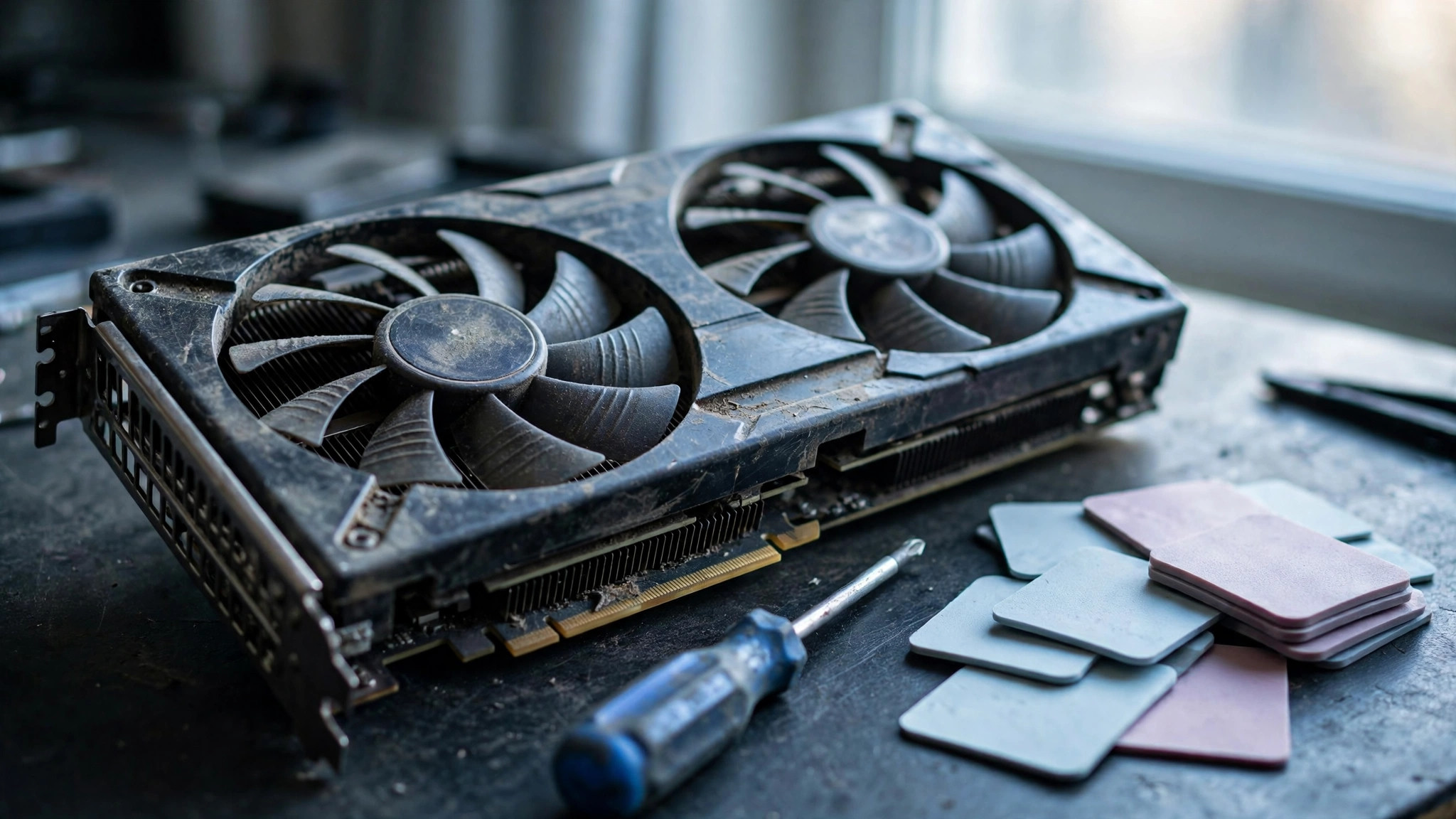
Common appearance and mechanical indicators on a mining card include thick dust on the heatsink and fan, fan blades that do not spin smoothly, blades that stop immediately after a light flick or feel gritty, oil leakage from the bearing, and thermal pads leaking silicone oil and collecting dust. One inspection method is to flick each fan blade lightly with a finger while the card is not powered. A healthy fan should spin smoothly and continue for a few seconds before stopping gently. If it stops immediately or feels gritty, the bearing may already be worn.
[RUMOUR] One source says a mining card is "very likely" to arrive with fans already wobbling, noisy, or completely seized. That is an experience-based judgement from an individual source, without public statistics to support it. The safe wording is that fans must be inspected carefully, not that "a mining card fan will definitely be broken."
Dust, oxidation, and PCB appearance
Common appearance indicators on a mining card include thick dust on the heatsink and fan, PCB discolouration, burn marks or discolouration around the power connector, slight PCB bending, leaking or bulging capacitors, and rework marks on solder joints. For high-resolution photo inspection, focus on the heatsink fins and backplate. Light dust is normal, but caked thick dust means cooling was obstructed. Corrosion on the metal bracket or white powder residue on the PCB can indicate a humid environment. A mining environment can also leave other contamination, such as pet hair or smoke odour residue, which is hard to clean completely.
Note that PCB discolouration, bending, and capacitor problems can also be caused by other high-temperature, high-humidity, or rough-handling conditions. They do not equal a "confirmed mining card."
Memory problems
Common symptoms of damaged memory include visual artefacts, such as flickering, abnormal colours, random geometric shapes, or snow, as well as driver resets and instability in games. Memory instability does not always produce obvious artefacts. In some cases it only appears as reduced performance, occasional crashes, driver resets, or inconsistent benchmark results. Error-correction mechanisms on some modern cards can hide visible artefacts while still dragging down performance.
Artefacts can also be caused by drivers, cables, the monitor, overclocking, or the power supply. A single artefact cannot by itself prove memory damage.
Driver / stability abnormalities
A mining card, especially one with mining firmware, may show problems such as failure to install the driver normally, the driver detecting a modified signature and refusing to run, frequent crashes or blue screens in games, or abnormal display output. Some mining-specific card models, such as P104 and P106, may have their display output ports disabled or may have no display output at all. Even on an ordinary card, mining firmware may disable HDMI or DisplayPort output.
Warranty seal / serial number status
If the factory seal is broken or missing, or screws show signs of having been opened, that is an indicator that the card was opened. But "was opened" can mean thermal paste replacement, cleaning, repair, or other reasons. It does not equal a "confirmed mining card." NVIDIA's official warranty terms state that warranty applies only to the original purchaser who bought from an authorised retailer, and does not extend to a person who obtained the product second-hand. They also do not cover abuse, misuse, negligence, unauthorised repair, software problems, or transport damage. Commercial deployment in a data centre or GPU cluster also voids warranty. A warranty-industry analysis notes that cryptocurrency mining is treated as commercial use and can void product warranty for NVIDIA and AMD discrete graphics cards. The specific warranty decision still depends on each manufacturer's and board partner's terms and the individual case.
No specific shop warranty period, warranty scope, or "how long is covered" should be stated for any shop unless confirmed. Any unconfirmed warranty promise should be expressed as "check with the seller" or "as published by the shop."
Test Methods: How Each Method Works, What to Look At, and Where Its Limits Are
Principle: passing any single test does not mean the card has no problem. Certification testing must combine several methods and record test conditions, such as ambient temperature, test duration, driver version, and test tool version. Otherwise results cannot be compared.
GPU-Z field comparison
GPU-Z is a free graphics card information tool. It shows model, manufacturer, architecture, clock speed, memory capacity, memory type, and more, and it can back up the graphics card BIOS. The Sensors tab monitors core clock, memory clock, GPU load, memory usage, and temperature in real time. GPU-Z 2.71.0 added Hot Spot temperature sensor support for NVIDIA RTX 50 series GPUs and reporting of the hottest memory chip temperature, with per-chip live temperature available on hover.
The comparison checklist includes: whether Name and GPU codename match the model, and whether there is a "[Fake]" marking. Whether Memory Type, Memory Size, and Bus Width match the official specifications for that model. Whether BIOS Version matches the factory version, and whether there are abnormal values, zero values, N/A, or Unknown fields. Whether Default Clock and Boost Clock fall within a reasonable range for that model and that board-partner version. On Sensors, look at GPU Temperature, Hot Spot, Memory Temperature if available, Fan Speed, GPU Load, Power Draw, and PerfCap Reason, meaning whether throttling is caused by temperature or power.
Limits: GPU-Z only reflects "readings at this moment." It cannot directly show how long the card was used or how long it was mined with. GPU-Z itself is an information tool. It cannot adjust fan speed or overclock. Other tools are needed for tuning. Advanced counterfeiting can forge BIOS so that GPU-Z reports false specifications. A normal GPU-Z result does not mean the card is 100% genuine. Temperature readings across different models, different sensors, and different firmware cannot be compared directly. They must be judged against the temperature limit and sensor definition for that specific model. No single "safe temperature" figure can be applied to all cards.
FurMark / FurMark 2 stress test
FurMark is an extreme thermal and power-load test, suitable for checking cooling, fan curves, case airflow, and voltage regulator module temperature limits. A short run is generally recommended, for example about 10–20 minutes is enough to check cooling performance. FurMark is a power-virus type workload, more extreme than typical gaming. Some cards detect an extremely heavy synthetic load and actively throttle to stay within safe limits, so the actual clock under FurMark can be lower than in games.
Limits: Passing FurMark does not equal gaming stability. Modern games, especially ray tracing and path tracing, distribute load across GPU units in a completely different way from FurMark. A card that passes FurMark can still crash in a game. There is a documented instance where a card showed no errors in FurMark and OCCT VRAM tests, with temperature and power looking normal, but still lost video signal in games and needed a restart. Possible causes include intermittent GPU failure, load spikes specific to an individual game, or a driver that behaves normally under synthetic load but has problems under an individual game engine. FurMark is an extreme load, and running it for a long time carries risk of its own. If there is smoke, a burning smell, repeated hard shutdowns, or a rapid temperature rise, stop immediately.
When testing, record test duration, highest core temperature, highest Hot Spot, highest memory temperature if available, fan speed, power draw, whether throttling occurred, and whether there were artefacts, flickering, crashes, or driver resets.
3DMark stress test / benchmark
3DMark provides benchmarks closer to games and repeatable stability tests. Some tests and longer stress-test features depend on the version. Limits: passing 3DMark only means stability under that test's workload. It does not mean stability in all games, all engines, and all resolutions. Scores should be compared with published typical results for the same model. If there is a major performance gap, it needs investigation, not dismissal as normal.
Memory testing: OCCT VRAM, MemTestG80 / MemTestCL
OCCT has a dedicated VRAM test, which is especially important when tuning memory clock. Memory instability does not always produce obvious artefacts. Sometimes it only appears as reduced performance, occasional crashes, driver resets, or inconsistent benchmark results. OCCT's variable and adaptive GPU tests can simulate load changes common in games, such as burst loads, boost spikes, voltage transitions, and sudden power-demand changes. That helps find problems where "sustained full load is fine, but sudden load change causes failure." OCCT can also be used to detect VRAM errors, and this type of error may not crash immediately but can corrupt data over the long term. MemTestG80 and MemTestCL are tools in the same category as MemTest86 for system RAM, but for testing GPU memory. They can help investigate whether artefacts are caused by faulty memory.
Limits: The OCCT Windows VRAM test cannot check memory already occupied by Windows or other programs. Passing a memory test does not mean the card is stable under long durations, different temperatures, and different load changes. It also does not mean the core, power delivery, or fan has no problem. There is a documented instance where FurMark plus OCCT VRAM both passed, but the card still had problems in games, proving that "passing synthetic tests" does not equal "no problem."
Temperature and fan noise observation
Observe GPU core, Hot Spot, and memory temperature, power draw, fan speed, clock behaviour, throttling, and stability events together, rather than looking at a single core temperature figure alone. Trends worth noting include temperature gradually rising under the same workload and same ambient temperature, frequent temperature or power throttling, abnormal fan noise, sticking, or failure to follow expected speed, and power or clock behaviour clearly deviating from the card's normal baseline. Limit: a single abnormal reading does not necessarily equal damage. Trends are what deserve investigation.
Teardown inspection points
A certification process should generally include an unpowered visual inspection before power-on, for example checking PCB damage, capacitor damage, burnt traces, and connector deformation under magnification, plus a short-circuit check on the power rails to confirm there is no short before power-on testing. Teardown inspection should also check whether thermal paste is dried and caked, whether thermal pads are leaking oil or deformed, fan bearing condition, and whether the PCB shows discolouration or rework marks.
Limits and risks: opening the heatsink may affect the original factory warranty. A certification process should be carried out by experienced technicians, with the state before and after teardown recorded. Teardown can only show the physical state at this moment. It cannot directly prove past mining hours or tuning history.
Recommended combined test flow
The following is a combined recommendation, not a shop standard. First, unpowered visual inspection: PCB, capacitors, connectors, screws, seals, fan feel, heatsink dust. Second, GPU-Z comparison after power-on: model, codename, memory type, capacity, bus width, BIOS version, clocks, sensor baseline. Third, display output test: test each HDMI and DisplayPort output one by one, not just one. Fourth, short FurMark thermal test: about 10–20 minutes, recording temperature, fan, power, throttling, and artefacts. Fifth, OCCT GPU plus VRAM test: covering load changes and memory errors. Sixth, 3DMark or real-game test: covering at least one real-game workload, because passing synthetic tests does not equal gaming stability. Seventh, longer stability observation: a 5–10 minute short test alone may miss intermittent problems. A certification process should generally include a longer sustained-load test. One laboratory standard operating procedure uses 30 minutes of sustained thermal load as an example, but the specific duration should be as published by the certifying party. Check with the seller for details.
Mining Card versus Fake Card versus CMP versus LHR: Four Completely Different Things
A mining card, a fake card, CMP, and LHR are four completely different things and must not be mixed up.
A mining card is a normal-model graphics card that was previously used for mining. It is a genuine card in itself. Its model, core, and memory are factory specifications. The only difference is that its past use was mining. Risk comes from wear, temperature history, firmware modification, and warranty status.
A fake card or refurbished assembled card is a different matter. GPU-Z in most cases marks the model with "[Fake]" to warn of a fake card. At the same time, check whether the GPU codename, memory type, memory capacity, and bus width match that model. For example, a genuine RTX 4090 should be AD102, GDDR6X, and 24576 MB. Advanced counterfeiting can forge BIOS so that software reports false specifications. A normal GPU-Z result therefore does not mean the card is 100% genuine. Cross-checks with measured performance, weight, build quality, and power connectors are still needed.
CMP, the Cryptocurrency Mining Processor, is a mining-specific product line from NVIDIA. It was designed for mining, has no display output, and cannot be used for gaming or graphics rendering. CMP is not a GeForce graphics card. CMP must not be treated as a "mining GeForce."
LHR, Lite Hash Rate, is a version NVIDIA introduced on some RTX 30 series cards that limits Ethereum mining hash rate, while gaming performance is unaffected. LHR does not equal a "mining card," and it does not equal "already mined." It is only a factory mining-limited version.
Buyer Risks
Lifespan risk
A mining card generally accumulates more operating hours and high-temperature operating hours, so the wear risk for fans, thermal materials, and memory is higher. But the GPU core itself is not necessarily the weak link. [UNVERIFIED] There is no publicly available reliable data that quantifies the average remaining lifespan of a mining card, or the failure-rate gap between a mining card and a normal second-hand card. The safe wording is: "The remaining lifespan of a mining card depends on the individual card's temperature history, tuning, cooling, and maintenance, not simply on whether it was mined with. There is currently no publicly available reliable data that can give a unified lifespan figure."
Stability risk
A mining card may carry mining firmware, leading to gaming instability, driver problems, and abnormal display output. Memory may also develop intermittent errors after long-term high temperature, appearing as artefacts, driver resets, and occasional crashes. Intermittent problems are the hardest to test, because a short test may pass, but problems only appear under long use or a particular game workload. [UNVERIFIED] There is no publicly available reliable data that quantifies the probability of stability problems on a mining card.
Warranty void risk
A product obtained second-hand is generally not covered by an extended factory warranty. NVIDIA's official warranty terms state that warranty applies only to the original purchaser from an authorised retailer and does not extend to a second-hand buyer. Cryptocurrency mining is treated as commercial use and can void product warranty for NVIDIA and AMD discrete graphics cards. The specific decision depends on each manufacturer's and board partner's terms and the individual case. Flashing BIOS, opening the heatsink, and similar operations can also affect warranty. Some brands' factory warranty terms list mining or blockchain computation as an excluded use, or list second-hand resale as not covered or non-transferable. Examples include PNY and ASUS warranty documents with similar mining-damage exclusion clauses. Do not present an individual brand's terms as "the same for all brands." The correct wording is that terms differ by brand and region, and buyers should check the official warranty terms for that brand and model before buying. A factory clause excluding mining does not equal "all mining cards immediately lose all protection." A shop's own warranty, if any, is a separate matter, as published by the shop. For certified second-hand warranty, which is shop policy, no specific period or scope should be stated unless confirmed. Use "check with the seller" or "as published by the shop."
Resale value risk
Some buyers in the market avoid known mining cards, so a mining card can face greater bargaining pressure and a narrower buyer group when resold. [UNVERIFIED] There is no publicly available reliable data that quantifies the resale discount for a mining card versus a non-mining card. Any claim such as "a mining card will definitely lose X% on resale" must not be written. The safe wording is: "The resale value of a mining card is affected by buyer perception, the individual card's test report, warranty status, and market supply and demand. There is currently no publicly available reliable data that can give a unified discount ratio."
Other risks
A mining environment can leave thick dust, dampness, smoke odour, pet hair, and other contamination on the card, affecting cooling and the user experience. Some mining cards may come from channels without buyer protection, making it hard to pursue a claim if something goes wrong. Choose a channel with buyer protection and return arrangements, and complete testing within the return period. A buyer cannot learn the card's actual treatment from the seller's words alone, such as ambient temperature, whether it was undervolted, or whether it was cleaned regularly. So "the seller says it was undervolted" cannot be treated as verification.
The other side: a mining card does not necessarily mean a bad card
A mining card with good cooling, conservative tuning, and good maintenance can be in better condition than a gaming card with poor cooling and long-term high temperature. The "mining card" label by itself does not say how the card was treated. One individual user shared that a second-hand mining card purchased has run normally since 2022. But an individual user experience is a single case and cannot be generalised into "mining cards are generally fine." Keeping both the risks and the "does not necessarily mean bad" side in view avoids one-sided scaremongering or one-sided whitewashing.
The price myth: why "a mining card is cheap" does not equal "good value"
When comparing a "mining card" with "other second-hand cards or new cards," the comparison should not be the sticker price alone, but total ownership cost and risk cost. That includes immediate cost, testing cost, repair and warranty cost, downtime and opportunity cost, and claim cost. An abnormally low price is itself a warning sign that may reflect a known problem or shorter remaining life. That is only the principle that "a low price can be treated as a warning sign and needs extra careful verification," not a specific price figure.
Three logical errors must be avoided. Do not assume "a mining card is cheap so it is good value." Cheap may reflect high risk, weak warranty, and difficult claims. Do not assume "a mining card is cheap so it must be a trap." There are also well-maintained second-hand cards that pass inspection. Judgement should be based on evidence, not on the label. Do not assume "more expensive must be safe." A higher-priced second-hand card still needs testing. A high price does not equal thorough testing or complete warranty.
A practical framework is: first ask whether this card has verifiable test results plus written warranty or return arrangements. Then ask, if the card develops a problem within the warranty period, who can be contacted, how long the wait will be, and how much will need to be paid. Then ask whether the buyer has the ability and time to complete the checks in the next section. If not, should the buyer choose a channel where the seller tests first and provides written explanation? Only then compare sticker prices. The price gap must be large enough to cover the risk cost of "no warranty plus difficult claims plus possible repair" before it counts as "good value." Otherwise "cheap" only shifts cost from the sticker price to risk.
Buyer Self-Protection Checklist
Before buying: get a written reply for each question, not just a verbal answer
First, is the card new or second-hand? If second-hand, was the previous user an individual or a company? How long was it used? Note that the seller's statement of "how long it was used" cannot be independently verified and is only a reference. Second, was the card used for mining or long-term high-load computation? Was the BIOS, overclock, or undervolt setting modified? Has it now been restored to factory settings? Third, was the card repaired, had its fan replaced, had its thermal paste or pads replaced, or had its heatsink opened? Does it come with the original box, accessories, and purchase receipt? Fourth, what is the serial number? Can the serial number be provided so the buyer can check warranty status with the brand's official channel before handover? Note that another person's serial number should not be spread publicly. Use it only for official enquiries. Fifth, how is warranty calculated? Is it factory warranty, shop warranty, or neither? What does warranty cover, what does it exclude, how long does it last, and what documents are needed to claim? If the seller claims warranty, ask for written terms. If unconfirmed, use "as published by the shop." Sixth, what are the return arrangements? Within how many days can a faulty card be returned or exchanged? Is the original packaging required for a return? Who bears freight or inspection fees? Seventh, can the card be tested on a machine at handover? Can the buyer bring their own machine or test software to test it? If the seller refuses on-the-spot testing, treat that as a warning sign.
Also watch for common trap patterns. A seller hides mining history and sells the card as an ordinary second-hand card. Evasion of the question "was it mined with" is itself a warning sign. One seller selling several cards of the same model at the same time may be breaking up a mining rig, but may also be a studio, internet cafe, or company bulk upgrade. This must be understood as "may be," not "must be a mining card." No box, no accessories, no receipt, and no traceable source can only be listed as "traceability is harder," not as evidence of a mining card. A short test can look normal, with problems only appearing months later. "It powers on at handover" does not equal "the card has no problem." Cross-border self-purchase makes after-sales claims harder. Cross-border claim procedures differ from local transactions. Understand return arrangements and freight and time costs before buying. Do not assume "cross-border purchases can never be claimed."
At handover: methods and observation points
Reminder: normal temperature ranges differ across models, cooling designs, and case airflow. No universal threshold such as "a certain temperature means pass or fail" is given below. Buyers should compare against the official specifications for that model and real performance, and watch for abnormal phenomena such as "temperature keeps climbing, throttling, crashes, artefacts," rather than a single number.
Appearance inspection: check the heatsink, fan blades, backplate, and PCB for excessive dust, oil stains, corrosion, scratches, missing screws, and signs that seals were opened. Check the power connector for burning, discolouration, or deformation.
Fan inspection: listen after power-on for grinding sounds, noise, or unstable speed. Use monitoring software to check whether fan speed changes with load. When inspecting manually, do not force fan blades to stop with a hard object.
GPU-Z model and BIOS check: GPU-Z is a free tool developed by TechPowerUp. It can display the graphics card model, memory, clock speed, BIOS version, driver version, and the Sensors page with live temperature, load, fan speed, and more. It can also back up the graphics card BIOS. The method is to check whether the model, memory capacity, and memory type shown by GPU-Z match what the seller said and what the box or label says. Save the BIOS version information. If the BIOS version differs materially from the factory release, raise alertness.
Stress test and stability: use a stress-test tool, such as FurMark, plus one real game or rendering load, and observe for artefacts, flickering, crashes, driver resets, and abnormal throttling. Some guides recommend 30–60 minutes of stress testing plus a real-game test for a second-hand card. Other guides remind buyers that an overnight extreme test is not needed for an ordinary gaming computer, because extreme synthetic load can generate more heat and power draw than typical real use. The safe approach is "moderate duration plus real load plus temperature monitoring," with a reminder to ensure the power supply, cooling, and case airflow are normal before testing. Do not tell buyers to "run FurMark for 24 hours."
Temperature monitoring: use GPU-Z, HWiNFO, or similar tools to monitor core temperature, hotspot temperature if available, memory temperature if available, fan speed, and clock speed at the same time. Some guides note that if temperature keeps rising under the same load and environment, throttling is frequent, or instability appears, that is a warning sign. Other guides note that mining load places particular emphasis on memory, so memory temperature deserves attention.
Display output and memory test: test each display output port one by one, because a mining rig may not have used all outputs. Use a memory test tool to check memory performance, because a basic power-on test may not reveal memory problems.
Documents and evidence: keep conversation records, meaning the seller's written promises on usage history, warranty, and returns, receipts or invoices, serial number photos, and test screenshots before and after handover. These are important evidence for later complaints or claims.
If a mining card or wrong item is suspected: public routes in Hong Kong
Only public routes and the division of roles among organisations are listed below. Do not assume "a complaint will definitely win" or "a refund is guaranteed."
First, negotiate with the seller in writing. The Consumer Council advises that if unfair trading is encountered, negotiate directly with the merchant first. If it cannot be resolved, complain to the Consumer Council, where staff will help by mediation.
Second, complain or enquire with the Consumer Council. Consumer Council complaint and enquiry channels include the online complaint handling e-Form, telephone 2929 2222, senior citizen hotline 2110 2288 (Monday to Friday 09:00–17:30, except public holidays), post, and in-person visits to a Consumer Advice Centre by appointment. The Consumer Council's role is to receive and handle complaints and provide advice under the Consumer Council Ordinance (Cap. 216). The Consumer Council is not a law enforcement body and has no power to prosecute merchants. Complaints are generally handled by mediation. Cases that are serious and cannot be resolved by mediation may apply for assistance from the Consumer Legal Action Fund.
Third, suspected false trade descriptions or unfair trade practices: report to Customs. The fair trading provisions of the Trade Descriptions Ordinance (Cap. 362) prohibit false trade descriptions, misleading omissions, aggressive commercial practices, bait advertising, and more. The maximum penalty is a fine of 500,000 dollars and imprisonment for 5 years. Customs is the main law enforcement agency. Customs accepts reports through the crime report hotline (852) 182 8080 and (852) 2545 6182, crime report email, online crime report form, unfair trade practices and false trade descriptions report form, fax (852) 2543 4942, and post. A Customs press release also reiterates that members of the public can report suspected breaches of the Trade Descriptions Ordinance through the 24-hour hotline 182 8080. Note that Customs handles suspected illegal conduct, not help with chasing a refund. Buyers must keep evidence for civil claims at the same time.
Fourth, civil claims. Consumer Council information states that if loss is suffered because of another person's conduct, a civil claim can be started: claims not exceeding 75,000 dollars can be filed with the Small Claims Tribunal; claims over 75,000 dollars but not exceeding 3,000,000 dollars go to the District Court; claims over 3,000,000 dollars go to the Court of First Instance of the High Court. Seeking legal advice, legal aid, or the Consumer Legal Action Fund can also be considered. Thresholds verified against the Hong Kong Judiciary website (Small Claims Tribunal / District Court civil jurisdiction), checked 2026-10-18. This is only procedural threshold information, not legal advice. This does not mean "going to the Small Claims Tribunal will definitely win."
Fifth, extra reminder for cross-border transactions. If a complaint involves a merchant outside Hong Kong, the consumer may need to raise the matter directly with the competent authority in the relevant region. Practical reminder: understand the platform's dispute-handling time limit, evidence requirements, and return freight arrangements before buying. Do not wait until after the time limit to complain.
Why Certified Second-hand Cards Must Be Checked for Mining
Why the check is needed
Reason one: the risks of a mining card are concentrated where buyers find them hardest to detect immediately. Memory, fan bearings, thermal materials, voltage regulator module, and BIOS modification cannot all be checked by "the screen lights up." Specialised comparison and stress tests are needed before they emerge.
Reason two: the warranty status of a mining card differs from that of an ordinary second-hand card. Factory warranty generally does not extend to a second-hand buyer, and mining can also void warranty. Certified second-hand sales must therefore clearly explain the difference between "certified warranty" and "factory warranty," without ambiguity.
Reason three: the past of a mining card cannot be reconstructed from appearance alone. A buyer cannot verify the previous owner's tuning, environment, and maintenance. The value of certification lies in replacing "trust the seller's words" with repeatable tests by a third party.
Reason four: passing synthetic tests does not equal no problem. Certification must use several workloads for cross-verification, otherwise problems that only appear in individual games, sudden load changes, or long-term operation will be missed.
The structural differences between certified second-hand, individual sellers, and cross-border self-purchase also deserve clear explanation. Certified second-hand, in theory, involves the seller testing before sale and bearing some after-sales responsibility, but the specific test items, pass criteria, and what warranty covers and excludes must be as published by the shop. Do not assume "certified" equals "as good as new" or "never breaks." An individual seller generally has no systematic testing process. The testing responsibility falls almost entirely on the buyer, and the seller's verbal history usually cannot be independently verified. For cross-border self-purchase, testing and after-sales arrangements vary by shop, the buyer cannot test at handover in person, and cross-border returns involve freight, time, and platform rules, making the structure more complex than a local transaction.
What a certification process should generally include for mining checks
The following is presented as "what a certification process should generally include," not as any shop's specific standard. Any specific shop's test duration, warranty period, pass threshold, or acceptance standard must not be stated unless confirmed, and must be expressed as "as published by the shop."
First, source and serial number check: record model, serial number, and source channel. Check whether the serial number matches the label, and whether there are obvious signs of label forgery or re-sticking.
Second, unpowered appearance and teardown inspection: PCB, capacitors, connectors, screws, seals, fan feel, heatsink dust, and thermal paste and pad condition. If needed, inspect under magnification, and check the power rails for shorts before power-on.
Third, GPU-Z field comparison: model, codename, memory type, capacity, bus width, BIOS version, clocks, sensor baseline. Compare against factory specifications and mark any mismatch.
Fourth, BIOS check: check whether the BIOS version matches the factory version and whether there are traces of mining modification. If restoration is needed, it must be handled by experienced personnel, with the flashing risk explained.
Fifth, display output test one by one: test each HDMI and DisplayPort output one by one, because a mining farm may not have used all outputs.
Sixth, cleaning and thermal material check: clean dust, check whether thermal paste and thermal pads need replacement, and record temperature comparison before and after replacement if replacement is done.
Seventh, combined stress tests: FurMark for heat and power, plus OCCT GPU and VRAM for load changes and memory errors, plus 3DMark or real games for gaming workloads. Passing a single test cannot be treated as a pass.
Eighth, long-duration stability test: a certification process should generally include a longer sustained-load test, not only a 5–10 minute short test. One laboratory standard operating procedure uses 30 minutes of sustained thermal load as an example, but the specific duration should be as published by the certifying party.
Ninth, temperature, fan, power, and throttling records: record core, Hot Spot, and memory temperature, fan speed and noise, power draw, clock behaviour, and whether there was throttling, artefacts, or driver resets.
Tenth, test report and grading explanation: certification results should be explained in a written report covering test items, test conditions, problems found, parts already replaced such as fans or thermal materials, and the scope and period of certified warranty, as published by the shop. "Certification" itself has no global unified standard. The testing depth of different certifying parties can differ widely. Buyers should ask to see the report rather than trusting only the words "certified."
What certification cannot guarantee
Certification testing can only prove "passed under test conditions." It cannot guarantee that the card will never fail in future. Intermittent problems can still appear after testing. Certification cannot reconstruct the card's complete past, such as actual mining hours, tuning history, or ambient temperature. It can only infer condition from present-day inspection. The value of a certification report depends on testing depth and transparency. If the certifying party does not disclose test items and conditions, buyers should treat it as unverified.
Rumour Clearing
Rumour one: "A mining card will definitely break. Buying a mining card means being cheated." Verdict: wrong. Overgeneralisation. Evidence: several sources state that mining by itself does not automatically damage a graphics card. Risk comes from high temperature, poor cooling, improper voltage settings, dust, insufficient maintenance, and long operating time, not from the work of "mining" itself. A well-maintained mining card can be in better condition than a poorly cooled gaming card. The correct understanding is: "A mining card does not necessarily break, but a buyer cannot know from a seller's single sentence how the card was treated in the past, so judgement must be based on actual inspection results."
Rumour two: "Once the fan on a mining card is replaced, there is no problem." Verdict: wrong. Overlooking the whole for one part. Evidence: the fan is only one component that wears. A graphics card also has thermal paste and pads, memory, power-delivery components, and PCB solder joints. Repair guides note that replacing thermal paste or pads can improve cooling, but replacing the fan alone does not repair memory or power-delivery wear. Other guides note that replacing thermal paste alone may not fix overheating, because the problem may be in the thermal pads, airflow, or other factors. The correct understanding is: "Replacing the fan only fixes the fan problem. Buyers still need to check temperature, stability, memory performance, and other component conditions. Do not treat a card as fully refurbished just because the fan was replaced."
Rumour three: "Miners always take good care of their cards, because cards are their money-making tools." Verdict: partly possible, but cannot be treated as a general rule. Evidence: on one hand, mining values hash rate per watt, and some miners undervolt and limit power to improve efficiency, so core voltage can be lower than under high-load gaming. On the other hand, the same source notes that a buyer has no way to verify whether the seller actually did this, what the ambient temperature was, or how cooling was handled. Saying "mining cards are always well maintained" is over-promotion. The correct understanding is: "Some miners undervolt and limit power for efficiency, but some mining farms have poor cooling and poor maintenance. Buyers cannot judge an individual card from this inference alone. Each card must be tested."
Rumour four: "A gaming card is always better than a mining card." Verdict: wrong. Evidence: mining is usually a long stable load. Gaming is usually a thermal cycle with constantly changing load. Actual wear depends on temperature, settings, operating hours, and cooling, not simply on the "gaming" or "mining" label. A poorly maintained gaming card can be worse than a well-maintained mining card. The correct understanding is: "Do not use a use label as a substitute for inspection. A gaming card can also overheat, collect dust, and suffer overclocking wear. Any second-hand card needs testing."
Rumour five: "If GPU-Z shows the correct model, the card has no problem." Verdict: wrong. Evidence: GPU-Z only provides model, specifications, BIOS, and live monitoring data. It is not a stress-test tool, and it does not automatically judge whether a card was mined with or whether memory has problems. The correct approach is GPU-Z comparison plus stress test plus memory test plus appearance inspection plus warranty verification, in combination. The correct understanding is: "GPU-Z is a tool for verifying identity, not a health certificate. Stress tests and other checks must be added before the card counts as tested."
Rumour six: "If the card looks clean and new, it is not a mining card." Verdict: wrong. Evidence: second-hand card inspection guides state that it is impossible to conclusively prove whether a card was mined with. Signs such as dust, fan wear, high temperature, and thermal pad residue can also come from gaming, poor cooling, or long workstation use. At the same time, an experienced seller may clean and refurbish a card before sale, so appearance no longer reflects past use. The correct understanding is: "A clean appearance only means cleaning was done well. It does not mean the usage history is clean. Functional and stability tests are still required."
Rumour seven: "After Ethereum moved to proof-of-stake, there are no more mining cards." Verdict: wrong. Evidence: Ethereum mainnet mining ended on 15 September 2022, but some miners moved to other cryptocurrencies that still use proof-of-work. Second-hand cards that were previously mined with can still appear on the market, only with different sources and timelines. Buyers cannot assume that a second-hand card was never mined with just because "it is already after 2022." The correct understanding is: "Ethereum mainnet mining has ended, but that does not mean there are no more mining cards on the second-hand market. Card testing procedures still apply."
Rumour eight: "If the seller says 'never mined with,' it can be trusted." Verdict: wrong. Evidence: second-hand card guides state clearly that a seller may hide mining history. Buyers should ask for a written reply, keep records, and judge by actual inspection, not by verbal statements alone. The correct understanding is: "Whatever the seller says, get it in writing plus test it yourself. A verbal promise with no record is hard to use as evidence if something goes wrong."
Conclusion
A mining card is not a label that can be diagnosed with a single feature. It is a combination of risks left by a usage history: memory temperature history, fan and thermal material wear, whether firmware was modified, whether warranty status was voided, and whether the seller disclosed honestly. The safest approach for a buyer is not guessing, not judging by appearance, and not relying on a seller's verbal promise, but verifying present condition with combined checks: GPU-Z to compare identity and firmware, FurMark to check cooling and power, OCCT to check load changes and memory errors, 3DMark and real games to check gaming stability, testing each output port one by one, and keeping written records of warranty and return terms.
When buying certified second-hand, the key is not the three words "certified," but what a certification process should generally include, what the report actually says, and how warranty and returns are stated as published by the shop. When buying from an individual seller or through cross-border self-purchase, the testing responsibility falls almost entirely on the buyer, so inspection must not be skipped. Remember: a mining card does not necessarily break, and a gaming card does not necessarily stay good. A label cannot replace inspection, and a price cannot replace protection. Check with the seller for details, as published by the shop.
Sources
- https://changelly.com/blog/does-crypto-mining-damage-your-gpu/
- https://techreviewadvisor.com/is-buying-a-used-mining-gpu-worth-the-risk/
- https://www.tomshardware.com/news/hwinfo64-adds-gddr6x-temp-monitoring-rtx30series
- https://www.cointracker.com/learn/the-merge
- https://boxmining.com/ethereum-mining-guide-2021/
- https://www.xda-developers.com/i-bought-a-used-mining-gpu-expecting-junk-and-its-been-flawless-since-2022/
- https://web3.gate.com/crypto-wiki/article/how-to-assess-the-condition-of-a-graphics-card-after-mining-20251227
- https://softwareg.com.au/blogs/computer-hardware/how-to-check-if-graphics-card-is-used-in-mining
- https://ms.codes/en-ca/blogs/computer-hardware/how-to-check-if-graphics-card-is-used-in-mining-1
- https://itigic.com/know-if-a-graphics-card-has-been-used-for-mining/
- https://blog.ju.com/nvidia-and-crypto-the-gpu-supply/
- https://www.laptopmag.com/news/ethereum-miners-cant-sit-with-us-nvidia-slashes-the-hash-rate-of-rtx-30-series-gpus
- https://www.digitalcitizen.life/what-is-lhr-vs-non-lhr-graphics-cards-explained-simply/
- https://www.nvidia.com/en-gb/support/warranty/graphics-cards/
- https://www.warrantyweek.com/archive/ww20260409.html
- https://www.warrantyweek.com/archive/ww20231026.html
- https://evezone.evetech.co.za/deep-dives/gpu-warranty-south-africa-2025
- https://www.slashgear.com/1925790/check-if-high-end-nvidia-rtx-gpu-is-counterfeit-biggest-warning-signs/
- https://www.xda-developers.com/chinese-sellers-are-putting-laptop-gpus-on-desktop-cards-and-you-absolutely-shouldnt-buy-one/
- https://www.archyworldys.com/rtx-4090-fake-exposed-a-sophisticated-factory-level-scam/
- https://www.techspot.com/downloads/4452-gpu-z.html
- https://umatechnology.org/download-techpowerup-gpu-z-2-62-0-gpu-monitoring-tool/
- https://www.eteknix.com/gpu-z-adds-hotspot-temperature-monitoring-support-for-nvidia-rtx-50-gpus/
- https://overclock3d.net/news/gpu-displays/gpu-z-enables-rtx-50-gpu-hotspot-support-with-2-71-0-update/
- https://partofstyle.com/beyond-furmark-the-smarter-way-to-stress-test-modern-gpus/
- https://wccftech.com/how-to/how-to-properly-stress-test-your-gpu/amp/
- https://sekin.in/the-6-best-tools-to-stress-test-your-gpu-on-windows/
- https://www.pchardwarepro.com/en/furmark-how-to-stress-gpu-and-vram-without-dying-in-the-attempt/
- https://forum.benchmarkreviews.com/t/what-are-the-steps-to-check-if-my-gpu-is-failing/1268
- https://techenclave.com/t/gpu-certification-lab-in-pune/425073
- https://techbasics101.com/tech-buying-guides/refurbished-device-condition-and-warranty/
- https://vectree.io/pdf/c/quality-assurance-testing-and-component-level-diagnostic-protocols-for-refurbished-electronics
- https://mygwl.com/hardware/refurbished-gpus-in-2026-safe-buying-strategies-on-the-secondary-market/
- https://hotcoinpost.io/can-crypto-mining-damage-gpu/
- https://www.addleshawgoddard.com/en/insights/insights-briefings/2022/finance/ethereum-finalises-transition-away-energy-intensive-proof-work-stake-system/
- https://www.tapbit.com/en/learn/article/ethereum-mining-ended-what-to-do-now-20260408
- https://emcd.io/articles/mining/how-to-tell-if-your-gpu-was-used-for-mining/
- https://emcd.io/articles/mining/how-long-does-a-gpu-last-while-mining/
- https://www.alibaba.com/product-insights/buying-a-used-gpu-is-it-safe-or-are-crypto-mining-cards-a-trap.html
- https://www.alibaba.com/product-insights/used-graphics-cards-vs-new-is-buying-second-hand-mining-cards-too-risky-now.html
- https://www.filehorse.com/download-gpuz/
- https://www.techbloat.com/how-to-do-gpu-stress-test-in-2025-6-best-tools.html
- https://www.techbloat.com/how-to-test-graphics-card-fans-2.html
- https://forum.benchmarkreviews.com/t/how-can-i-check-if-my-gpu-is-failing/1208
- https://www.fixgamingchannel.com/gpu-warranties-explained/
- https://gzhls.at/blob/ldb/8/1/5/6/85ff8a1b4f6d27fb2af50af52dd80809cd14.pdf
- https://www.asus.com/support/images/upload/warranty/no_Graphic Card.pdf
- https://mdrepairs.com/blog/graphics-card-repair-worth-it/
- https://www.xda-developers.com/why-repasting-gpu-might-not-fix-overheating/
- https://www.consumer.org.hk/en/complaints-and-services/complaint-and-enquiry-channels
- https://www.consumer.org.hk/en/complaints-and-services
- https://www.consumer.org.hk/en/page/detail/300016
- https://www.clic.org.hk/en/topics/consumer_complaints/channels_for_consumer_complaints/q1
- https://www.coms-auth.hk/en/policies_regulations/other/unfair_trade_practices/index.html
- https://www.customs.gov.hk/en/contact-us/report-information/index.html
- https://www.customs.gov.hk/en/customs-announcement/press-release/index_id_5267.html
- https://www.info.gov.hk/gia/general/202104/28/P2021042800308.htm
常見問題
相關文章
- How to Spot a Fake GPU: High-Imitation RTX 4090 Teardown — Triple Verification with GPU-Z, FurMark and Physical Inspection 2026-10-18
- 2026 香港顯示卡購買指南:5 步揀啱你嘅 GPU 2026-10-13
- RTX 5060 Ti 8GB vs 16GB:邊個值得買?AI 同打機點揀 2026-10-18
本文由 Display Card King Editorial 撰寫,報價數據來自 Display Card King 每日全港監測,只供參考。