Are Second-Hand RTX 40 Series Cards Still Worth Buying? 4060/4070/4080/4090 Second-Hand Analysis
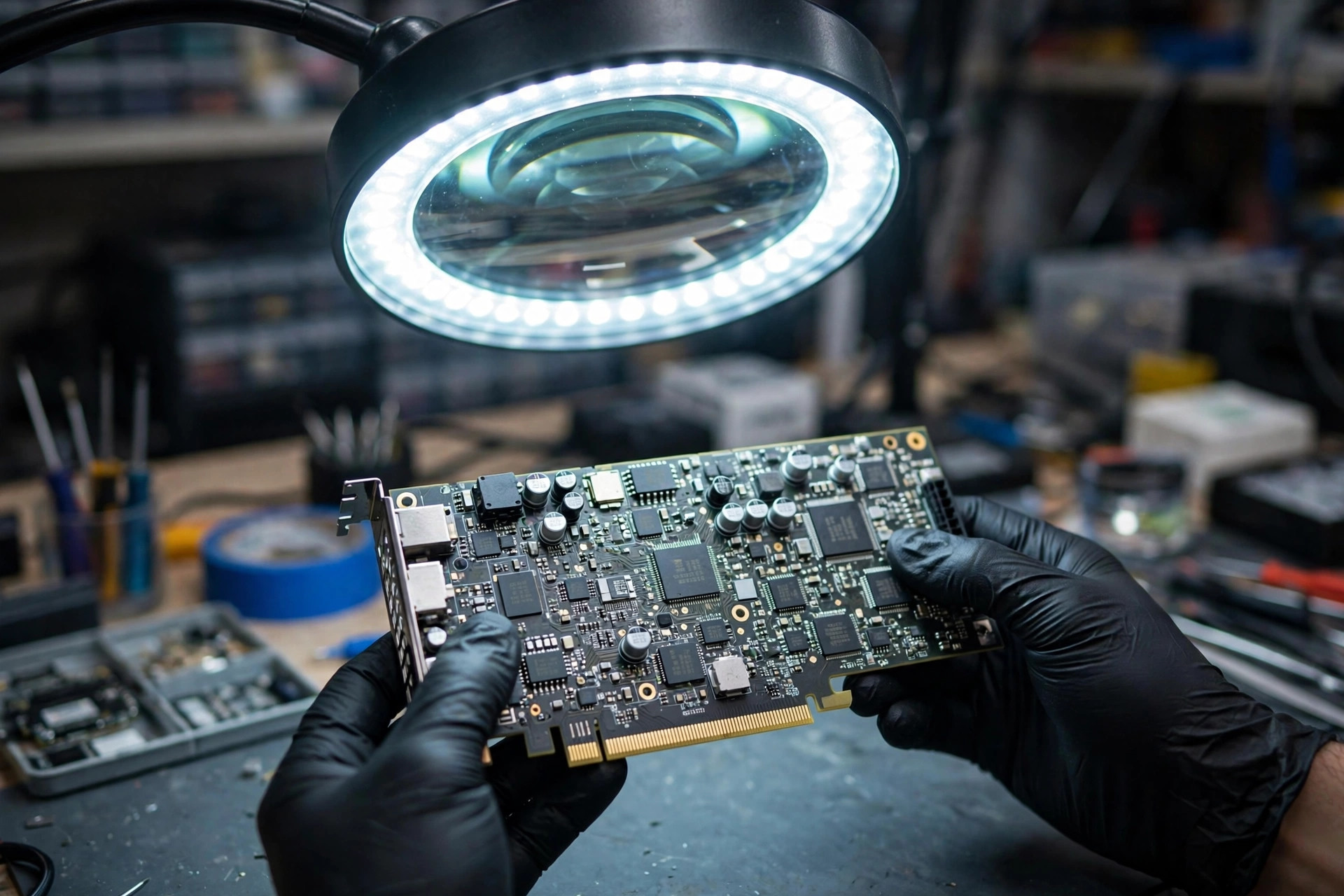
In 2026, the graphics card market has moved on to a new generation, yet the previous generation has not gone away. Second-hand GeForce RTX 40 series cards are everywhere: in shop windows, in online listings, and in the hands of sellers who promise a bargain. For many buyers, the question is a practical one. A new card comes with a new-card warranty and a new-card price. A second-hand card comes with a lower outlay, an unknown history, and a set of risks that are easy to underestimate. This article works through that trade-off model by model, using only verified specifications and documented risks, so that you can judge a specific second-hand card on its merits rather than on a slogan or a headline price.
One point needs to be made at the start, because it shapes everything that follows. There is no single "second-hand market price" for any of these cards that can be quoted as a fact. Asking prices in listings are not completed sale prices. A listing that is out of stock is not evidence of availability. A price quoted by one individual seller is not a market rate. Throughout this article, price is therefore discussed only as a set of relative principles: a second-hand card should cost meaningfully less than a comparable new card once warranty, risk, and remaining useful life are taken into account; a card with no warranty and no inspection should be judged more harshly than one with both; and every price must be re-verified immediately before buying, because online asking prices are not the same as what a card actually sells for. Any warranty or certification arrangement mentioned here is subject to the shop's published terms — please enquire for details.
The second point is about scope. Every card discussed in this article is a desktop card. Laptop cards that share the same model names — for example, an RTX 4060 Laptop — have different core counts, power limits, and memory configurations from their desktop counterparts. Do not carry a laptop card's specification across to a desktop card, and do not judge a desktop card by a laptop review.
Why Second-Hand 40 Series Cards Still Matter in 2026
There are three reasons why the second-hand 40 series market remains relevant even after a new generation has arrived.
First, the 40 series is a mature, well-understood platform. It is based on NVIDIA's Ada Lovelace architecture, and its drivers, game compatibility, and feature support have been exercised over several years of real-world use. Buyers know what these cards do and do not support. There are no surprises about the feature set: the cards support DLSS Super Resolution, DLSS Ray Reconstruction, DLAA, and the single-frame version of Frame Generation introduced with DLSS 3. They do not support the multi-frame generation that arrived with DLSS 4. That clarity is itself a form of value. You are buying a known quantity.
Second, the 40 series covers an unusually wide range of needs with a single generation. At one end sits the RTX 4060, a modest 115 W card aimed at 1080p gaming. At the other end sits the RTX 4090, a 450 W flagship with 24 GB of memory and a 384-bit bus that remains the only 24 GB option in the 40 series family. In between sit the various 4070 and 4080 models, several of which — notably the RTX 4070 Ti Super — offer 16 GB of memory on a 256-bit bus at power levels that a mid-range system can handle. For a buyer whose workload is 1440p gaming, content creation, or local AI inference with a moderate memory footprint, there is usually a 40 series card whose specification still fits, without paying for a new-generation flagship.
Third, supply of new 40 series cards has narrowed. According to supply-chain reports, NVIDIA shifted most 40 series production over to the 50 series (Blackwell) generation, with production lines for chips such as the AD102 (RTX 4090) and AD106 (RTX 4060 Ti) wound down, while the AD107 chip used in the entry-level and laptop market was reported to have been retained in small volumes for a time because of ongoing demand in that segment. This is supply-chain reporting, not an official end-of-production announcement from NVIDIA. The practical consequence, however, is straightforward: new 40 series cards on shelves are increasingly leftover or clearance stock, and second-hand cards have become the main way to buy into this generation. That same scarcity is also what makes the market attractive to sellers of refurbished, mislabelled, and counterfeit cards, which is why the inspection and risk sections below matter as much as the performance discussion.
None of this means that a second-hand 40 series card is automatically a good buy. It means that the decision is worth taking seriously, and worth taking slowly. The rest of this article is built to support that: first, telling the models apart; then, understanding what you gain and lose against the 50 series; then, assessing each model; then, the three big risks — mining cards, fake cards, and the China-market 4090D — and finally, a concrete inspection checklist and decision framework.
Telling All 40 Series Models Apart
The 40 series naming is a trap for the unwary. Names that sound close together can hide large differences in chip, memory, bus width, and power. Names that sound like upgrades can be the same GPU with a different amount of memory. The table below sets out the verified desktop specifications for the full range, drawn from NVIDIA's own specification pages and from the specification tables published by GamersNexus and Guru3D at the launch of the Super models. Where sources disagree slightly, the disagreement is noted rather than hidden.
| Model | GPU chip | CUDA cores | Memory | Bus width | Memory type / speed | Card power (TGP) | Suggested system power* |
|---|---|---|---|---|---|---|---|
| RTX 4060 | AD107 | 3,072 | 8 GB | 128-bit | GDDR6, 17 Gbps | 115 W | 550 W |
| RTX 4060 Ti 8 GB | AD106 | 4,352 | 8 GB | 128-bit | GDDR6, 18 Gbps | 160 W | 550 W |
| RTX 4060 Ti 16 GB | AD106 | 4,352 | 16 GB | 128-bit | GDDR6, 18 Gbps | 160 W | 550 W |
| RTX 4070 | AD104 | 5,888 | 12 GB | 192-bit | GDDR6X, 21 Gbps | 200 W | 650 W |
| RTX 4070 Super | AD104 | 7,168 | 12 GB | 192-bit | GDDR6X, 21 Gbps | About 220–225 W (sources differ slightly) | 650 W |
| RTX 4070 Ti | AD104 | 7,680 | 12 GB | 192-bit | GDDR6X, 21 Gbps | 285 W | 700 W |
| RTX 4070 Ti Super | AD103 | 8,448 | 16 GB | 256-bit | GDDR6X, 21 Gbps | 285 W | 700 W |
| RTX 4080 | AD103 | 9,728 | 16 GB | 256-bit | GDDR6X, 22.4 Gbps | 320 W | 750 W |
| RTX 4080 Super | AD103 | 10,240 | 16 GB | 256-bit | GDDR6X, around 23–24 Gbps class | 320 W | 750 W |
| RTX 4090 | AD102 | 16,384 | 24 GB | 384-bit | GDDR6X, 21 Gbps | 450 W | 850 W |
| RTX 4090D (China market) | AD102-250 | 14,592 | 24 GB | 384-bit | GDDR6X, 21 Gbps | 425 W | Not verified — check the specific card's official specification |
\* Suggested system power is the reference figure NVIDIA published at launch. It can vary by brand and by factory-overclocked edition. Always check the specific card's brand official specification page before buying.
A few notes on the two places where sources differ. For the RTX 4070 Super, GamersNexus lists 220 W and Guru3D lists 225 W. Neither figure is settled; the card's power is best described as about 220–225 W, with the exact figure depending on the source and the edition. For the RTX 4080 Super, GamersNexus lists memory bandwidth of 736 GB/s (corresponding to roughly 23 Gbps), while Guru3D lists 24 GT/s. Again, the honest description is a range — around the 23–24 Gbps class — or the bandwidth figure of 736 GB/s with its source noted.
The launch dates are also worth knowing, because they bear on the likely age of a second-hand card. The RTX 4090 arrived in October 2022 and the RTX 4080 in November 2022. The RTX 4070 Ti arrived in January 2023, the RTX 4070 in April 2023, and the RTX 4060 and RTX 4060 Ti in 2023. The three Super models — the RTX 4070 Super, the RTX 4070 Ti Super, and the RTX 4080 Super — arrived together in January 2024. The RTX 4090D followed in December 2023 to January 2024. A second-hand card from the earlier launches is, by definition, an older card. That does not make it a bad card, but it does make a careful inspection more important, and it means that claims about a card being "nearly new" should be checked against the model's launch window rather than taken at face value.
The Confusions That Catch Buyers Out
RTX 4060 Ti 8 GB vs RTX 4060 Ti 16 GB. These two cards use the same GPU — AD106 with 4,352 CUDA cores — and differ only in memory capacity. The 8 GB version reaches its memory ceiling sooner at higher settings and higher resolutions. The 16 GB version has the same GPU performance; it is not "much faster" in the sense of raw rendering speed. Its advantage is headroom: it can hold more textures, more assets, and larger local AI workloads without running into the memory limit. Anyone who tells you the 16 GB card is a fundamentally faster GPU is confusing memory capacity with processing power.
RTX 4070 vs RTX 4070 Super vs RTX 4070 Ti vs RTX 4070 Ti Super. These four are all different cards, and the names understate how different they are. The RTX 4070 has 5,888 CUDA cores, 12 GB of memory, and a 192-bit bus on the AD104 chip. The RTX 4070 Super steps up to 7,168 CUDA cores on the same AD104 chip, with the same 12 GB and 192-bit memory arrangement. The RTX 4070 Ti has 7,680 CUDA cores, still 12 GB and 192-bit, still AD104. The RTX 4070 Ti Super is the break in the pattern: it moves to the AD103 chip — the same class of chip used in the RTX 4080 — with 8,448 CUDA cores, 16 GB of memory, and a 256-bit bus. The RTX 4070 Ti Super is not a 4070 Ti with a little extra. It is a different chip, a wider bus, and more memory. That is the single most important distinction in the middle of the 40 series range, and it is the one that the second-hand market most rewards understanding.
RTX 4080 vs RTX 4080 Super. The Super adds 512 CUDA cores (10,240 against 9,728). Memory, bus width, and card power are the same: 16 GB, 256-bit, 320 W. The difference is small. Do not let the word "Super" persuade you that the 4080 Super is a different class of card from the 4080. It is a modest step up, and a second-hand 4080 that has been well looked after and properly inspected is not automatically inferior to a Super that has not.
RTX 4090 vs RTX 4090D. The 4090D is not simply a downclocked 4090. It has fewer CUDA cores, fewer Tensor cores, and fewer RT cores, along with firmware and driver-level performance limits. It is a distinct, China-market model, and it is covered in detail in its own section below. The headline to remember here is that the two cards are not interchangeable, and a 4090D sold as a 4090 is a misrepresentation, not a bargain.
RTX 4090D vs RTX 5090D and RTX 5090D V2. The 5090D and 5090D V2 are 50 series (Blackwell) China-market cards. They do not belong to the 40 series. The 5090D V2, with 24 GB of GDDR7 memory on a 384-bit bus, has no direct line of succession from the 4090D, and the two should not be discussed as if one were a revision of the other. And to be completely explicit: there is no such product as an "RTX 4090D V2." If you see that name in a listing, a forum post, or a seller's description, treat it as an error or a warning sign, not as a model you can buy.
Power Connectors: 12VHPWR / 12V-2x6 and 8-Pin
The high-end 40 series cards — the RTX 4090, RTX 4080, RTX 4080 Super, RTX 4070 Ti, RTX 4070 Ti Super, and most RTX 4070 Super models — use the 16-pin connector (12VHPWR or its revised form, 12V-2x6). The RTX 4090 ships with a 16-pin adapter cable or requires a native ATX 3.0 / PCIe 5.0 power supply cable.
For the RTX 4070, RTX 4060 Ti, and RTX 4060, the picture is mixed and must be checked card by card. In practice, Founders Edition cards and some factory-overclocked editions use the 16-pin connector, while a number of partner entry-level editions use a single 8-pin connector. Do not assume that a 4070, 4060 Ti, or 4060 "always uses 8-pin" or "always uses 16-pin." Check the specific card's specification before you buy, and check the physical connector on the card itself when you inspect it.
The 16-pin connector has a history that second-hand buyers of high-end cards should know. From late 2022 onward, some RTX 4090 users reported overheating and melting at the 12VHPWR connector. NVIDIA's investigation identified one of the main causes as the connector not being fully seated. PCI-SIG subsequently introduced the revised 12V-2x6 connector, with the sense pins shortened by about 0.1 mm and the conductive terminals lengthened by about 0.15 mm, while remaining backward compatible; testing reported that temperatures remained controlled even in not-fully-seated tests. NVIDIA stated in 2025 that the 50 series had improved connectors and that the problem was not expected to recur. The practical lesson for a second-hand buyer is unchanged: when inspecting a used RTX 4090 or RTX 4080-class card, examine the power connector for scorching, discolouration, or deformation; make sure the plug seats fully and clicks into place; and never use a damaged adapter cable or one of unknown origin.
DLSS: What the 40 Series Supports — and What It Does Not
DLSS is where the 40 series and the 50 series diverge most sharply, and where marketing language is most likely to mislead. The table below sets out the position plainly.
| Feature | RTX 40 series | RTX 50 series |
|---|---|---|
| DLSS Super Resolution (upscaling) | Yes (DLSS 3.5 onward; DLSS 4's Transformer model improvements also apply to older cards) | Yes |
| DLSS Ray Reconstruction | Yes (introduced with DLSS 3.5) | Yes (improved version) |
| DLAA | Yes | Yes |
| Frame Generation (single-frame generation, DLSS 3 style: one AI frame generated per rendered frame) | Yes | Yes |
| Multi Frame Generation (DLSS 4: up to three AI frames per rendered frame; DLSS 4.5 adds a 6X mode) | No — not supported on 40 series | Yes (50 series exclusive) |
The key sentence is this: the 40 series supports DLSS 3 Frame Generation (2X), but it does not support DLSS 4 Multi Frame Generation. The DLSS 4 improvements that do reach the 40 series — the Transformer-model versions of Super Resolution and Ray Reconstruction, and the improved single-frame generation — are real and welcome. But the high frame-rate figures that are advertised for Multi Frame Generation apply only to the 50 series. Do not use a 50 series DLSS 4 frame-rate figure to imply that a 40 series card can do the same thing.
A related point is worth stating plainly. Frame Generation and Multi Frame Generation produce AI frames, not genuinely rendered frames. Latency, ghosting, and image quality in fast-moving scenes vary by game. A DLSS frame count is not the same as native performance, and it should never be presented as if it were. When you compare a second-hand 40 series card against a new 50 series card, compare native performance separately from DLSS-assisted performance, and treat the DLSS figures as what they are: a feature advantage for the 50 series in supported games, not a measure of how fast either card renders a scene on its own.
40 Series vs 50 Series: The Trade-Offs
For comparison, the desktop 50 series reference specifications are as follows: RTX 5070 with 6,144 CUDA cores, 12 GB of GDDR7 on a 192-bit bus, 250 W card power, and a 650 W suggested system power; RTX 5070 Ti with 8,960 CUDA cores, 16 GB of GDDR7 on a 256-bit bus, 300 W, and 750 W suggested; RTX 5080 with 10,752 CUDA cores, 16 GB of GDDR7 on a 256-bit bus, 360 W, and 850 W suggested; and RTX 5090 with 21,760 CUDA cores, 32 GB of GDDR7 on a 512-bit bus, 575 W, and 1,000 W suggested. The correct figure, per NVIDIA and Notebookcheck, is 512-bit.
Native performance. Comparing like with like — for example, the RTX 5070 Ti against the RTX 4070 Ti Super, or the RTX 5080 against the RTX 4080 Super — the 50 series' Blackwell architecture and GDDR7 bandwidth give it higher native performance in general. The size of the gap varies by game and resolution, and no average frame rate or percentage lead is given for it. The honest statement is directional: the newer architecture is faster at native rendering, but the gap is not uniform, and it narrows in games that do not use DLSS.
The DLSS gap is the biggest difference. The 50 series' exclusive Multi Frame Generation can produce dramatically higher DLSS frame counts than the 40 series' single-frame generation in supported games. But, as above, a Multi Frame Generation frame is not a native frame. If what you care about is the highest DLSS frame count in supported titles, the 50 series has a clear advantage. If you mostly play games rendered natively, or games that do not support DLSS, the gap narrows considerably, and the decision turns back on specification, price, warranty, and condition.
NVIDIA's "5070 roughly equals 4090" claim. This claim rests on a comparison with DLSS 4 Multi Frame Generation switched on. It is not a claim that native performance is equal. Any article or listing that writes "5070 = 4090" without stating that premise is misleading you. Keep the premise attached to the claim whenever you see it.
Power. The 50 series flagship (RTX 5090, 575 W) draws more power than the RTX 4090 (450 W). The mid-range RTX 5070 Ti (300 W) draws slightly more than the RTX 4070 Ti Super (285 W). The second-hand 40 series has no systematic power disadvantage; some 40 series models draw slightly less than their 50 series counterparts. Power is a reason to check your power supply, not a reason to dismiss the 40 series.
Warranty. A new 50 series card generally comes with the brand's or retailer's new-card warranty, with the length and terms varying by brand. A second-hand 40 series card's warranty position depends on the purchase receipt, the brand's policy, whether the warranty has expired, and whether it is transferable. Brand policies differ, and no brand's specific warranty length or transfer rule is listed here. For every second-hand purchase, check the remaining warranty period, whether it is transferable, and what proof is required, subject to the shop's or brand's published terms — please enquire for details.
Driver support. As of writing, there has been no announcement from NVIDIA that it will stop supporting the 40 series with drivers. The 40 series continues to receive Game Ready and Studio driver updates, and it can use the DLSS 4 Transformer-model improvements other than Multi Frame Generation. No end date for 40 series driver support has been announced, and no date until which NVIDIA will support the 40 series has been confirmed. The position is: the 40 series still receives driver updates at present, and the long-term support timetable is a matter for NVIDIA to announce. It is also fair to note the other side of maturity: the 40 series is a proven platform whose drivers and game compatibility have been validated over years, while the 50 series, as a newer architecture, had some early compatibility and driver reports. Those early reports do not establish a general conclusion that 50 series drivers are unstable.
Price principles. The following principles govern every price judgement in this article, and they are repeated deliberately because they are the rules that protect buyers:
- A second-hand price should be meaningfully lower than a comparable new card, once warranty, risk, and remaining useful life are taken into account. If it is not, buy new.
- Memory capacity, remaining warranty, and inspection results should be reflected in the price judgement. A second-hand card with no warranty and no inspection should be judged at a lower value than one with both.
- Every price is to be verified at the moment of purchase. An asking price in a listing is not a completed sale price, and an out-of-stock price is not a current in-stock price.
- Any Taobao price you see is a Taobao shop price that needs to be re-verified. Consider cross-border warranty, shipping, and customs or clearance factors before buying; the specific costs of those factors are not verified.
For historical background only, and not as any indication of current or second-hand prices, the US launch suggested prices were: RTX 4090 US$1,599; RTX 4080 US$1,199; RTX 4070 Ti Super US$799; RTX 4070 Super US$599; RTX 4070 US$599; RTX 4060 Ti US$399 (8 GB) and US$499 (16 GB); and RTX 4060 US$299. These are launch-time US figures. They say nothing about what a second-hand card in Hong Kong should cost today, and they should never be used as if they did.
Per-Model Second-Hand Value Assessment
The ratings below are qualitative judgements, not price advice. "Relatively reasonable" means that, on the condition that the card has remaining warranty or can be inspected, and that its price is meaningfully below a comparable new card, the model's specification still has genuine practical value. "Caution" means that the specification or the risk profile limits the card's second-hand value. The ratings assume the inspection checklist in the later section is actually carried out. A card that cannot be inspected does not earn the rating it would otherwise have.
RTX 4060 (8 GB) — Caution
The RTX 4060 is a 1080p entry-level card: 8 GB of memory on a 128-bit bus, 115 W. For a user who plays esports or light games at 1080p at moderate settings, it remains usable. Its second-hand appeal is limited, however. New entry-level cards in the 50 series generation already offer DLSS 4 Multi Frame Generation, and a second-hand 4060 that is not priced well below the new alternative has no clear value proposition. Buyers should also confirm that the card is a desktop card and not a laptop card removed from a notebook. Inspection priorities: memory is relatively easy to fill on an 8 GB card, so test it properly; check fan noise; and verify the power connector type, since some editions use 8-pin and some use 16-pin.
RTX 4060 Ti 8 GB — Caution (the Easiest Model to Get Wrong)
The RTX 4060 Ti 8 GB has exactly the same GPU as the 16 GB version. Its weakness is memory. At 1440p at high settings, and in ray-traced games, 8 GB is more likely to hit its ceiling, showing up as texture pop-in and unstable frame times. The second-hand market holds a large number of 8 GB cards, and buyers are easily caught by the idea that "Ti means powerful" while overlooking the memory limit. This article states the limit plainly: do not judge this card by its CUDA count alone. If your gaming is mainly at 1080p, 8 GB remains workable. If you plan to play at 1440p or to keep the card for a long time, you should look first at the 16 GB version or at a model with 12 GB or more.
RTX 4060 Ti 16 GB — Relatively Reasonable (Entry-Level AI and Creative Work With Modest Memory Needs)
The 16 GB version has the same GPU as the 8 GB version, but its 16 GB of memory is friendlier to local AI inference, creative work, and texture-heavy games. The caveat is the 128-bit bus, which limits bandwidth: 16 GB does not make this a 4K card, and it is not comparable to a 4070 Ti Super-class card. Second-hand checks: confirm in GPU-Z that the card reports 16 GB — do not buy an 8 GB card that has been BIOS-flashed to report 16 GB — and run the full memory test described in the inspection section.
RTX 4070 (12 GB) — Relatively Reasonable (1440p Workhorse)
The RTX 4070 offers 12 GB on a 192-bit bus at 200 W. Its relatively low power draw is genuinely useful: some editions use a single 8-pin connector, which is kinder to an existing power supply. It suits 1440p gaming and general creative work. It has DLSS 3.5 Frame Generation, but no Multi Frame Generation. Second-hand checks: verify the power connector type card by card, and establish whether the card is a Founders Edition or factory-overclocked edition (16-pin) or an entry-level edition (8-pin).
RTX 4070 Super (12 GB) — Relatively Reasonable
The RTX 4070 Super has about 22% more CUDA cores than the RTX 4070 (7,168 against 5,888), with the same 12 GB and 192-bit memory arrangement, and card power of about 220–225 W depending on the source. At 1440p it offers a real improvement over the 4070, but its memory is still 12 GB. It is not a comfortable 4K card without qualification. Second-hand checks: verify the power connector as with the 4070; and note that the Super launched later (January 2024), so a second-hand card of the same calendar age may be younger — but do not assume that any individual card is in good condition. Inspect it.
RTX 4070 Ti (12 GB) — Caution (A Position Superseded by the Ti Super)
The RTX 4070 Ti sits between the RTX 4070 Super and the RTX 4070 Ti Super in processing power, at 12 GB and 192-bit on a 285 W card. Its second-hand value is squeezed by the Ti Super: if a second-hand 4070 Ti and a second-hand 4070 Ti Super are close in the price you are actually offered, the Ti Super's 16 GB and 256-bit bus are the better proposition. That is a statement about trade-offs, not an absolute claim that the 4070 Ti is never worth buying. Early 4070 Ti editions also varied by brand in power delivery and cooling design, so verify the specific card.
RTX 4070 Ti Super (16 GB) — Relatively Reasonable (One of the Most Noteworthy Second-Hand 40 Series Models)
This is the card that repays the effort of learning the model distinctions. The AD103 chip, 16 GB of memory, a 256-bit bus, and 285 W make it, in essence, a cut-down RTX 4080. It has the same memory capacity as the RTX 4080 and RTX 4080 Super. It is sufficient for 1440p and entry-level 4K gaming, for creative work, and for local AI work at 16 GB. Within the second-hand 40 series, it is the solid middle ground where memory is not the limiting factor. Second-hand checks: test the full 16 GB of memory thoroughly; inspect the 16-pin connector; and confirm, using GPU-Z, that the card is genuinely a Ti Super — chip, memory, and bus width — and not a 4070 Ti (12 GB) misrepresented as a Ti Super.
RTX 4080 (16 GB) — Relatively Reasonable
The RTX 4080 offers 16 GB on a 256-bit bus at 320 W, and its 4K gaming capability remains real. It launched relatively early (November 2022), so second-hand cards may be older, which makes inspection more important rather than less. Second-hand checks: age, mining-card risk (see the risks section), the 16-pin connector, and fan and cooling condition.
RTX 4080 Super (16 GB) — Relatively Reasonable
The RTX 4080 Super adds 512 CUDA cores to the RTX 4080, with the same memory, bus, and card power. It launched later (January 2024), so a second-hand card of the same calendar age may be younger — but, as with the other Super cards, do not assume that any individual card is in better condition or that it has warranty. Inspect it, and do not let the word "Super" substitute for evidence.
RTX 4090 (24 GB) — High Value but Highest Risk
The RTX 4090 is the 40 series flagship: 24 GB on a 384-bit bus at 450 W. It remains the only 24 GB card in the 40 series, and its advantages in 4K gaming, creative work, and large-memory local AI inference remain clear. The risks are also the highest in the range. The 4090 is the main target for fake and modified cards. It is the card most associated with the 12VHPWR melting reports. Its cards are older, carry mining and heavy-use history risk, and demand a substantial power supply (850 W class suggested system power, with the specific brand's requirement to be verified card by card).
The buying rule for a second-hand RTX 4090 is strict: buy only through a channel that allows inspection, offers a return route, and provides warranty or some other form of protection. A bare board without a cooler, a "faulty board for repair," a card of unknown origin, or a card offered at a price that is far below what comparable cards are offered at should all be treated as high risk. Do not be tempted by a cheap 4090. No claim that a second-hand 4090 is certain to hold its value — or any price forecast of any kind — can be relied on. The market will decide that.
RTX 4090D (24 GB, China Market) — Caution (Hong Kong Buyers Should Be Especially Careful)
The specifications are set out in the 4090D section below. In individual reviews, its gaming performance is close to the RTX 4090, but its AI performance is more constrained and its overclocking is limited. For Hong Kong buyers, the risks are source, warranty, and whether Hong Kong warranty arrangements apply at all — none of which are verified. In the second-hand market, a 4090D may be sold as a 4090. Always use GPU-Z to check the CUDA count (14,592 against 16,384), the Device ID, and the memory and bus width. Do not rely on the box or the stickers. The 4090D is not a cheap 4090. The differences and the verification method are what matter.
Memory Summary: 8 GB vs 12 GB vs 16 GB vs 24 GB
8 GB. By the standards of 2025–2026, 8 GB is workable at 1080p at moderate settings. At 1440p at high settings, or with ray tracing, it is more likely to hit its ceiling, showing up as texture pop-in and unstable frame times. Before buying a second-hand 8 GB card, accept the reality that you will need to lower graphics settings.
12 GB. A reasonable starting point for 1440p. For 4K, expect to use DLSS or to lower settings.
16 GB. The steady choice for 1440p, entry-level 4K, creative work, and local AI. Within the second-hand 40 series, 16 GB is the tier at which memory stops being the thing you have to think about.
24 GB. The only 40 series choice for heavy 4K workloads, professional creative work, and large local-model inference — but it comes with the highest fake-card and high-value risk.
Mining-Card, Fake-Card, and 4090D Risks
Mining Cards: Signs and Risks
A mining card is a card that was previously used for cryptocurrency mining. Mining workloads are characterised by long periods of high load, high memory load, and fans running for extended periods.
Common signs — which are warning signals, not proof — include: on the outside, heavy dust build-up on the cooler and fans, screw marks from disassembly, damaged or missing original factory seals, oxidation or discolouration on the circuit board, and wear marks on the bracket and mounting points; in software, GPU-Z or HWiNFO showing elevated idle temperatures or abnormally fast fans, and a BIOS version that does not match the brand's original factory BIOS (the card may have been re-flashed to improve mining efficiency); and in performance, FurMark or benchmark results clearly below the normal level for the same model, and errors in memory testing. Note, however, that a mining card does not necessarily show a performance drop. A card mined for a short period with good cooling may show no measurable difference at all.
The risks are fan and bearing wear, ageing thermal paste, reduced stability after long periods of high memory temperatures, and compatibility or stability problems on a card whose BIOS has been modified. The most important point is this: software alone cannot confirm whether a card was used for mining, and a seller's verbal assurance that a card is "not a mining card" cannot be verified. No article should claim that a particular piece of software can prove a card is or is not ex-mining, and no buyer should accept that claim.
Fake and Modified Cards: The RTX 4090 Is the Main Target
Several counterfeit techniques have been reported in public coverage between 2024 and 2026.
1. Older cards reworked and re-labelled. RTX 3090 and RTX 3080 cards (GA102 chip) have been reworked and re-engraved to pose as RTX 4090 (AD102) cards. Clues include differences in the substrate colour, reflectivity, and font, and in the positions of capacitors and QR codes — but these are generally only visible once the cooler has been removed, which is difficult to check before purchase.
2. Dummy core plus counterfeit memory (reported in 2026). Bare boards without coolers, sold as faulty RTX 4090 boards, were found on inspection by repair technicians to contain a GPU core with no computing function — a dummy chip soldered on with BGA, made to look convincing — and memory consisting of ordinary GDDR6 chips relabelled as GDDR6X, with the GDDR6 markings ground off and re-engraved. The sellers described the boards as faulty boards for repair, at prices far below a normal RTX 4090.
3. BIOS flashing. A lower-tier card is flashed with a higher-tier model's BIOS so that the system reports the wrong model or memory size. GPU-Z has a fake-card detection feature that flags some of these older-chip-posing-as-newer-chip cases (see the inspection checklist).
The defensive principles follow directly:
- Do not buy a bare board, a "faulty board for repair," or a high-end card without a cooler.
- A price far below what comparable cards are offered at is an extremely high-risk signal.
- Buy through a channel that allows inspection, offers a return route, and provides protection. Ask for a live on-machine inspection using the checklist below.
- GPU-Z's fake-card flag covers only some older-chip-posing-as-newer-chip techniques. For high-fidelity modified cards of the dummy-AD102-core plus counterfeit-GDDR6X kind, GPU-Z on its own may not identify the card. It must be combined with live machine testing, memory testing, and source checks.
The RTX 4090D Risk, Restated
Three risks attach to the 4090D in the Hong Kong market: a 4090D sold as a 4090; a 4090D whose warranty and source are unclear; and a 4090D whose AI limitations have not been explained to the buyer. The verification method is set out in the 4090D section below: check the CUDA count, Device ID, memory, and bus width in GPU-Z, and do not rely on packaging.
Other Risks
Laptop or bulk-pack cards. Do not buy a card removed from a laptop, a bulk-pack card, or a card in unbranded packaging as if it were a retail card.
Refurbished cards sold as new. A "brand new" card of a model whose production has been wound down deserves particular caution. It may be refurbished, repaired, or counterfeit. Ask for the serial number and warranty status to be verified.
Grey imports and parallel imports. Warranty arrangements vary by brand. Ask before buying.
The RTX 4090D in Detail
The RTX 4090D exists because of United States export controls. NVIDIA produced the 4090D for the China market to replace the RTX 4090, which could not be sold in China. It is a China-exclusive model.
The verified differences between the RTX 4090D and the RTX 4090 are as follows:
- CUDA cores: 14,592 against 16,384 (about 11% fewer)
- Tensor cores: 456 against 512; RT cores: 114 against 128
- Card power: 425 W against 450 W (25 W less)
- Base clock: 2.28 GHz against 2.235 GHz (slightly higher); boost clock is the same on both, at 2.52 GHz
- Memory: the same on both — 24 GB GDDR6X, 384-bit, 1,008 GB/s bandwidth
- The 4090D has firmware and driver-level performance limits, a unique ASIC code, and a different Device ID, intended to prevent it from being converted back into a 4090 by flashing the BIOS. Its overclocking headroom is also limited.
On gaming performance, individual reviews have put the 4090D at roughly around 95% of the RTX 4090 in some games and at some resolutions. That is an individual review finding, stated here as such and not as a settled conclusion. AI inference performance is more noticeably constrained, and the 4090D should never be described as "the same as a 4090" for AI work.
For Hong Kong buyers, the key point is that the 4090D is a China-market model. The warranty, source, and whether Hong Kong retail warranty arrangements apply to a 4090D that appears in the Hong Kong market are not verified. Do not assume that a 4090D carries warranty. The correct approach is to ask the shop, before buying, about warranty and source, subject to the shop's published terms — please enquire for details.
Card-Inspection Checklist
The checklist below is written to be used, not just read. Use official downloads for every tool named. Carry it out before purchase where possible, and immediately on receipt if the purchase was made remotely.
Appearance Check (Before the Card Goes Into a Machine)
- Packaging, stickers, and serial number complete; the serial number on the card, the packaging, and the purchase proof all match.
- Circuit board free of scorching, discolouration, oxidation, or abnormal solder joints; power connector (16-pin or 8-pin) free of scorching, discolouration, deformation, or bent pins.
- Fan blades unbroken and turning smoothly; cooler screws free of disassembly marks; original factory seals intact.
- Bracket and output connectors (HDMI and DisplayPort) free of abnormal wear or damage.
- Do not buy a bare board, a card without a cooler, or a card without a bracket.
GPU-Z Verification (First Step on the Machine)
- Card name and chip model (for example AD102, AD103, AD104, AD106, AD107) match the chip the model should have.
- CUDA count, memory capacity, memory type (GDDR6 against GDDR6X), and bus width match the specification table in this article.
- Clock speeds (base and boost) are within the reasonable range for the model; BIOS version matches the brand's official BIOS (compare against the brand's official website).
- Watch for GPU-Z's fake-card warning (yellow exclamation mark or [FAKE] flag). Limitation: this feature mainly covers older-chip-posing-as-newer-chip techniques. For high-fidelity fake 4090 cards with a dummy core, it may not be effective. Never treat a clean GPU-Z result on its own as proof of authenticity.
- Sources: TechPowerUp GPU-Z (fake-card detection); PC Hardware Pro (BIOS tampering detection); HEXUS and Notebookcheck (GPU-Z fake-card flagging from version 2.12 onward).
Stress and Stability Testing
- FurMark. A short full-load run, watching temperature, fans, and whether the display shows artefacts, a black screen, or a driver crash. Note: FurMark loads the card far beyond a typical game. Do not run it for a long period. Use it as a stability reference, not as a substitute for game stability.
- OCCT VRAM test. Set memory usage to about 80–90% (for example, about 12–14 GB on a 16 GB card) and run for about 30 minutes. The error count must be zero. Any error means the memory is not stable.
- 3DMark stress test (if available). A 20-loop cycle, with frame-rate stability meeting the expected level (for example, above 97%, depending on the test version). Failure to reach the expected level, or a crash partway through, means there is a problem.
- Real game or application test. Run a game or creative application with high memory demand for at least 45–60 minutes, watching for flickering textures, missing textures, and sudden frame drops.
- Sources: PCMasterInsider (OCCT VRAM test settings); ServerMania (VRAM stability testing); Sekin (tool comparison: the purposes and limits of FurMark, OCCT, and 3DMark).
Temperature and Noise
- Idle temperature, full-load temperature, and fan behaviour should be within the reasonable range for the model; fans should not run abnormally fast or make unusual noises at low load.
- Where HWiNFO can read it, check memory junction temperature and memory error counts.
- No absolute temperature figures are given here, deliberately. What counts as normal varies with the brand's cooler design, the case's airflow, and the room temperature. The right test is whether the card is stable under full load, without abnormal heat or throttling, for the model in question.
Warranty and Proof
- Ask for the purchase proof (receipt or invoice), the serial number, and evidence of the remaining warranty period.
- Ask the shop or brand: is the warranty transferable, how is the warranty period calculated, what is the repair process, and is the original purchase proof required?
- Warranty terms are subject to the shop's or brand's published terms — please enquire for details. An unverified warranty length should not be relied on.
Transaction Protection
- Prefer a channel that allows on-site inspection, offers a return route, and provides written protection.
- Do not buy an expensive card through an untraceable personal transfer. Keep the transaction records, conversation records, and inspection results.
- Inspect the card immediately on receipt using this checklist, and contact the seller immediately if a problem is found (within whatever time limit the transaction terms set).
Buying Decision Framework
With the model knowledge and the inspection checklist in hand, the decision can be reduced to a sequence of questions. Answer them in order, and do not skip one because the answer to an earlier one was encouraging.
1. What resolution and workload are you actually buying for? 1080p gaming, 1440p gaming, entry-level 4K, creative work, or local AI inference each point to a different memory tier. The memory summary above is the fastest guide: 8 GB for 1080p at moderate settings, 12 GB as a reasonable starting point for 1440p, 16 GB as the steady choice for 1440p, entry-level 4K, creative work, and local AI, and 24 GB only for heavy 4K, professional creative work, and large local models. Buying more memory than your workload needs spends money on headroom you will not use. Buying less forces you to lower settings for the whole life of the card.
2. Does the card's specification match the label? Check the chip, CUDA count, memory capacity and type, and bus width against the table in this article before you pay. This is the step that catches a 4070 Ti sold as a Ti Super, a 4090D sold as a 4090, and an 8 GB card flashed to report 16 GB. It takes minutes and it is the highest-value step in the whole process.
3. Can you inspect the card? If the answer is no — no live test, no return route, no inspection — then the card's specification is not enough to justify buying it. A card you cannot inspect is a card whose history you cannot know. For a 4090 in particular, no-inspection should be a deal-breaker.
4. What is the warranty position, in writing? Remaining period, transferability, what proof is required, and what the repair process is. If there is no warranty of any kind, treat the card as a one-off purchase with no safety net, and judge its value accordingly. A card with no warranty should cost meaningfully less than one with warranty, and the absence of warranty is a reason to walk away from any card whose price does not reflect it.
5. Does the price clear the relative-principles test? Is it meaningfully below a comparable new card, once warranty, risk, and remaining useful life are taken into account? Have you re-verified the price immediately before buying, rather than relying on a listing you saw days ago? Is the seller's price an in-stock price, not an out-of-stock or expired figure? If the answer to any of these is no, the deal does not pass, whatever the headline figure looks like.
6. Does your system support the card? Check the power supply against the specific card's brand specification, confirm the power connector type and that you have the right cable (and that it is undamaged), confirm the card physically fits in the case, and confirm that the case airflow is adequate. A 4090-class card in a system with an inadequate power supply is not a bargain; it is a problem you have bought.
7. Have you run the full inspection? Appearance, GPU-Z, FurMark, OCCT VRAM, 3DMark if available, and a real game or application run. Any failure — any memory error, any artefact, any crash, any sign of connector damage — is a reason to stop, not a reason to negotiate a small discount and hope for the best. A card that fails inspection has told you what it is. Believe it.
One final question is worth asking of yourself before you buy: would you still buy this card if it had no warranty and no return route? If the answer is no, then the warranty and return route are doing real work in your decision, and you should confirm that they are real — in writing, from the seller — before you pay. If the answer is yes, then the card has passed on its own merits, and the inspection results should be what convinced you, not the price tag.
Conclusion
The second-hand RTX 40 series is still worth buying — for the right buyer, the right model, and the right card. The 4070 Ti Super stands out as one of the most balanced second-hand propositions in the range, with 16 GB on a 256-bit bus on the AD103 chip. The 4070 and 4070 Super remain sensible 1440p choices, the 4080 and 4080 Super remain capable 16 GB cards for buyers who inspect them properly, and the 4060 Ti 16 GB has a genuine niche for modest-memory AI and creative work. The 4060, the 4060 Ti 8 GB, and the 4070 Ti demand more caution, each for its own reason — limited memory, a superseded position, or both. The 4090 offers the most and risks the most, and it should only be bought with full inspection, a return route, and warranty or other protection. The 4090D should be treated as the distinct China-market card it is, verified by CUDA count and Device ID, and never bought on the assumption that it carries Hong Kong warranty.
What the second-hand 40 series does not offer is a shortcut. It does not offer the 50 series' Multi Frame Generation, and no DLSS figure from a 50 series card should be used to imply otherwise. It does not offer the certainty of a new card, and no listing price should be treated as a market rate. And it does not forgive a skipped inspection. The buyers who do well in this market are the ones who check the specification table, run the checklist, confirm the warranty in writing, and walk away from any card — however tempting the price — that fails a test or cannot be tested at all. If you do that, a second-hand 40 series card remains a rational, well-evidenced buy in 2026. If you do not, the market has a long list of ways to teach you why you should have.
Sources
The sources for this article are listed below. No second-hand market prices, price-comparison-site figures, or individual-seller asking prices are used.
NVIDIA official
- NVIDIA GeForce RTX 4060 / 4060 Ti specifications — http://nvidia.com/en-us/geforce/graphics-cards/40-series/rtx-4060-4060ti/?form=MG0AV3
Specification and review media
- GamersNexus — RTX 4080 Super / 4070 Ti Super / 4070 Super official specs — http://gamersnexus.net/gpus-news/nvidia-rtx-4080-super-4070-ti-super-4070-super-official-specs-price-release-dates
- Guru3D — GeForce RTX 40-Series SUPER confirmed memory configurations — https://www.guru3d.com/story/geforce-rtx-40series-super-these-are-the-confirmed-memory-configurations/
- Gadget Pilipinas — RTX 4060 Ti review (including 40 series specification table) — https://www.gadgetpilipinas.net/2023/05/nvidia-rtx-4060-ti-review/2/
- Computing — NVIDIA unveils RTX 4090 / 4080 — https://www.computing.co.uk/news/4056660/nvidia-unveils-rtx-4090-4080-gpus
- CGChannel — NVIDIA unveils GeForce RTX 4090 and 4080 GPUs — https://www.cgchannel.com/2022/09/nvidia-unveils-geforce-rtx-4090-and-4080-gpus/
- Corsair — RTX 4070 Ti Super vs 4070 Ti differences explained — https://www.corsair.com/tw/bp/explorer/gamer/gaming-pcs/rtx-4070-ti-super-vs-rtx-4070-ti-differences-explained/
- Digital Trends (via AIVAnet) — RTX 4070 Ti Super specifications — https://www.aivanet.com/2024/01/nvidia-rtx-4070-ti-super-review-the-awkward-middle-child/
- MSI — RTX 4070 Ti Super 16G Expert datasheet (256-bit, 285 W, 16-pin) — https://storage-asset.msi.com/datasheet/vga/id/GeForce-RTX-4070-Ti-SUPER-16G-EXPERT.pdf
RTX 4090D
- Guru3D — NVIDIA launches China-exclusive GeForce RTX 4090D — https://www.guru3d.com/story/nvidia-launches-chinaexclusive-geforce-rtx-4090d-has-reduced-shader-cores/
- Hot Hardware — RTX 4090D for China now official — https://hothardware.com/news/nvidia-geforce-rtx-4090d-china-now-official
- Tom's Hardware — RTX 4090D vs 4090 specifications (including overclocking report) — https://www.tomshardware.com/pc-components/gpus/nvidias-sanctions-compliant-4090d-gaming-gpu-for-china-is-overclockable-restoring-performance-to-standard-unsanctioned-rtx-4090-fe-levels
- OC3D — NVIDIA launches 4090D in China — https://overclock3d.net/?p=266953
RTX 5090D V2 (for distinguishing from the 4090D only; not a 40 series card)
- WCCFTech — RTX 5090 D V2 GPU launch in China (24 GB, 384-bit) — https://wccftech.com/nvidia-geforce-rtx-5090-d-v2-gpu-launch-china-12th-august-21k-cores-24-gb-memory/
- Kickstart Game — RTX 5090D V2 China edition — https://kickstartgame.com/nvidia-rtx-5090d-v2-china-launch/
DLSS
- 80 Level — DLSS 4 with Multi-Frame Generation (50 series only) — https://80.lv/articles/nvidia-announces-dlss-4-with-multi-frame-generation
- Back2Gaming — DLSS 4 explained (DLSS 3 / 3.5 / 4 tiers) — https://www.back2gaming.com/guides/dlss-4-explained-rtx-50/
- BottleneckPC — DLSS 4.5 and Multi Frame Generation explained (generation support table) — https://bottleneckpc.com/blog/dlss-4-5-multi-frame-gen-explained
- Overclockers UK — Everything you need to know about AI DLSS 4.0 (MFG 50 series only) — https://www.overclockers.co.uk/blog/everything-you-need-to-know-about-ai-dlss-4-0/
- Tech-Insider — DLSS 4.5 generation support table — https://tech-insider.org/control-resonant-dlss-4-5-380-fps-rtx-5090-2026/
50 series comparison
- Notebookcheck — RTX 5090 / 5080 / 5070 Ti / 5070 desktop GPU launch specifications — http://www.notebookcheck.net/Nvidia-GeForce-RTX-5090-RTX-5080-RTX-5070-Ti-and-RTX-5070-desktop-GPU-unveiled-with-surprisingly-decent-prices.942871.0.html
- TweakTown — NVIDIA confirms GeForce RTX 5070 Ti (50 series specification table) — https://www.tweaktown.com/news/103274/nvidia-confirms-geforce-rtx-5070-ti-on-february-20-march-5/index.html
- Hardware Times — CES 2025: NVIDIA officially reveals the Blackwell GeForce RTX 50 series (40 vs 50 comparison table) — https://hardwaretimes.com/ces-2025-nvidia-officially-reveals-the-blackwell-geforce-rtx-50-series-rtx-5090-rtx-5080-rtx-5070-ti-and-rtx-5070/
- Corsair — RTX 50 series specifications — https://www.corsair.com/zh/bp/explorer/gamer/gaming-pcs/rtx-5090-5080-and-5070-series-gpus-everything-you-need-to-know/
Production / stock status (supply-chain reports, not official end-of-production announcements)
- WCCFTech — NVIDIA product lines fully devoted to next-gen RTX 50 Blackwell GPUs — https://wccftech.com/nvidia-product-lines-fully-devoted-next-gen-rtx-50-blackwell-gpus-rtx-40-ada-backseat/
- Hot Hardware — NVIDIA reportedly winds down RTX 40 production — https://hothardware.com/news/nvidia-reportedly-winds-down-rtx-40-production-as-50-series-gpus-remain-on-track
- Dataconomy — NVIDIA halts production of most RTX 40 GPUs — https://dataconomy.com/2024/11/13/nvidia-halts-production-of-most-rtx-40-gpus-plans-rtx-50-launch
Power delivery
- KitGuru — RTX 4060 Ti review (Founders Edition 12VHPWR, partner cards may use single 8-pin) — https://www.kitguru.net/components/graphic-cards/dominic-moass/nvidia-rtx-4060-ti-review/14/
- OurDiGiTech — RTX 4070 and below use 8-pin PSU connector (citing igor'sLAB) — https://ourdigitech.com/hardware/nvidia-geforce-rtx-4070-lower-will-use-8-pin-psu-connector/
- Tech4Gamers — Some RTX 4070 / 4060 / Ti use 8-pin — https://tech4gamers.com/rtx-4070-8-pin-connector/
- AIVAnet — NVIDIA says melting power connectors are a thing of the past (12V-2x6 improvements) — https://www.aivanet.com/2025/01/nvidia-says-melting-power-connectors-are-a-thing-of-the-past/
- Guru3D — 12V-2x6 improved design — https://www.guru3d.com/story/nvidia-solves-graphics-card-power-supply-interface-melting-issue-starting-with-rtx-50-series/
- TechSpot — Tests show the new 12V GPU power cables are safe when not fully connected — https://www.techspot.com/community/topics/tests-show-the-new-12v-gpu-power-cables-are-safe-when-not-fully-connected.282424/
- PCWorld — What we know about the GeForce RTX 4090 12VHPWR cables melting — https://www.pcworld.com/article/1372988/heres-what-we-know-about-the-geforce-rtx-4090-12vhpwr-cables-melting.html?id=112915&zoomIdx=2
Fake cards / mining cards
- TweakTown — Fake RTX 4090 graphics cards surface with dummy GPUs and counterfeit memory — https://www.tweaktown.com/news/114017/fake-rtx-4090-graphics-cards-surface-with-dummy-gpus-and-counterfeit-memory/index.html
- Lowyat — New NVIDIA RTX 4090 fakes look almost as good as the real thing — https://www.lowyat.net/2026/406941/new-nvidia-rtx-4090-fakes-look-almost-as-good-as-the-real-thing/
- PC Test Bench — Fake RTX 4090 board (counterfeit GPU and VRAM) — https://www.pctestbench.com/fake-rtx-4090-counterfeit-gpu-vram/
- Club386 — Fake NVIDIA GeForce RTX 4090 (laser re-engraving) — https://www.club386.com/fake-nvidia-geforce-rtx-4090/
- WCCFTech — Modded RTX 3090 and 3080s sold as GeForce RTX 4090 GPUs — https://wccftech.com/modded-rtx-3090-and-3080s-sold-as-geforce-rtx-4090-gpus/amp/
- MakeUseOf — How to check if a GPU was modded for crypto mining — https://www.makeuseof.com/check-if-gpu-modded-for-crypto-mining/
- Gate Web3 — How to assess the condition of a graphics card after mining — https://web3.gate.com/crypto-wiki/article/how-to-assess-the-condition-of-a-graphics-card-after-mining-20251227
Inspection tools
- PCMasterInsider — GPU VRAM stability test (OCCT VRAM) — https://pcmasterinsider.com/gpu-vram-stability-test/
- ServerMania — How to validate GPU health (VRAM testing) — https://www.servermania.com/kb/articles/how-to-validate-gpu-health
- Sekin — The 6 best tools to stress test your GPU on Windows — https://sekin.in/the-6-best-tools-to-stress-test-your-gpu-on-windows/
- PC Hardware Pro — How to tell if your graphics card's BIOS has been tampered with (GPU-Z) — https://www.pchardwarepro.com/en/How-to-tell-if-your-graphics-card%27s-BIOS-has-been-tampered-with/
- HEXUS — GPU-Z version 2.12 flags fake NVIDIA GPUs — https://hexus.net/tech/news/software/123200-gpu-z-version-2120-flags-fake-nvidia-gpus/
- Notebookcheck — GPU-Z updated with the ability to detect faked NVIDIA cards — https://www.notebookcheck.net/GPU-Z-updated-with-the-ability-to-detect-faked-NVIDIA-cards.338240.0.html
Memory requirements
- Tech4Gamers — 8 GB of VRAM just isn't enough for a gaming GPU in 2025, here's the proof — https://tech4gamers.com/8-gb-of-vram-just-isnt-enough-for-a-gaming-gpu-in-2025-heres-the-proof/
- SpecPeak — How much VRAM do you need in 2026 — https://specpeak.com/blog/how-much-vram-do-you-need-2026
- How-To Geek — Does GPU RAM actually matter — https://www.howtogeek.com/does-gpu-ram-actually-matter/
- BuiltToFrag — Is 8 GB VRAM still enough — https://builttofrag.com/is-8gb-vram-still-enough/
- Everyday Tech Reviews — Is 8 GB VRAM enough (2026) — https://everydaytechreviews.com/is-8gb-vram-enough-2026/
常見問題
相關文章
- How to Choose a Gaming GPU: Best Picks for 1080p, 1440p and 4K 2026-10-19
- How to Buy Second-Hand GPUs Without Getting Scammed? Certified vs Carousell vs Taobao 2026-10-17
- 2026 香港顯示卡購買指南:5 步揀啱你嘅 GPU 2026-10-13
本文由 Display Card King Editorial 撰寫,報價數據來自 Display Card King 每日全港監測,只供參考。